
Configure Bot Response and Search Pipeline
Watch the tutorial
Knowledge & Search Configuration
Overview
This module introduces granular control over the bot's Knowledge Management (KM) and search pipeline capabilities. Administrators can now configure how the bot processes specific file types, handles image-based sources, and personalizes responses based on user attributes.
Configuration Location
These settings are located within the admin dashboard:
Settings > General Settings > Bot Settings
1. Bot Response Settings
This section controls data ingestion rules and how source citations are presented to the end-user.
| Setting | Type | Default | Description |
|---|---|---|---|
| Show image sources | Toggle | ON | If enabled, answers sourced from image-heavy document sections (e.g., diagrams, screenshots) will render the actual image in the "Sources" section. |
| URL Mapping | Key-Value | N/A | A dynamic list mapping specific text strings to URLs. The bot will automatically hyperlink these phrases in its responses. |
Hyperlink Mapping Example
To ensure the phrase "Company Portal" always links to the internal intranet:
-
Text to replace:
Company Portal -
URL to link:
https://portal.mycompany.com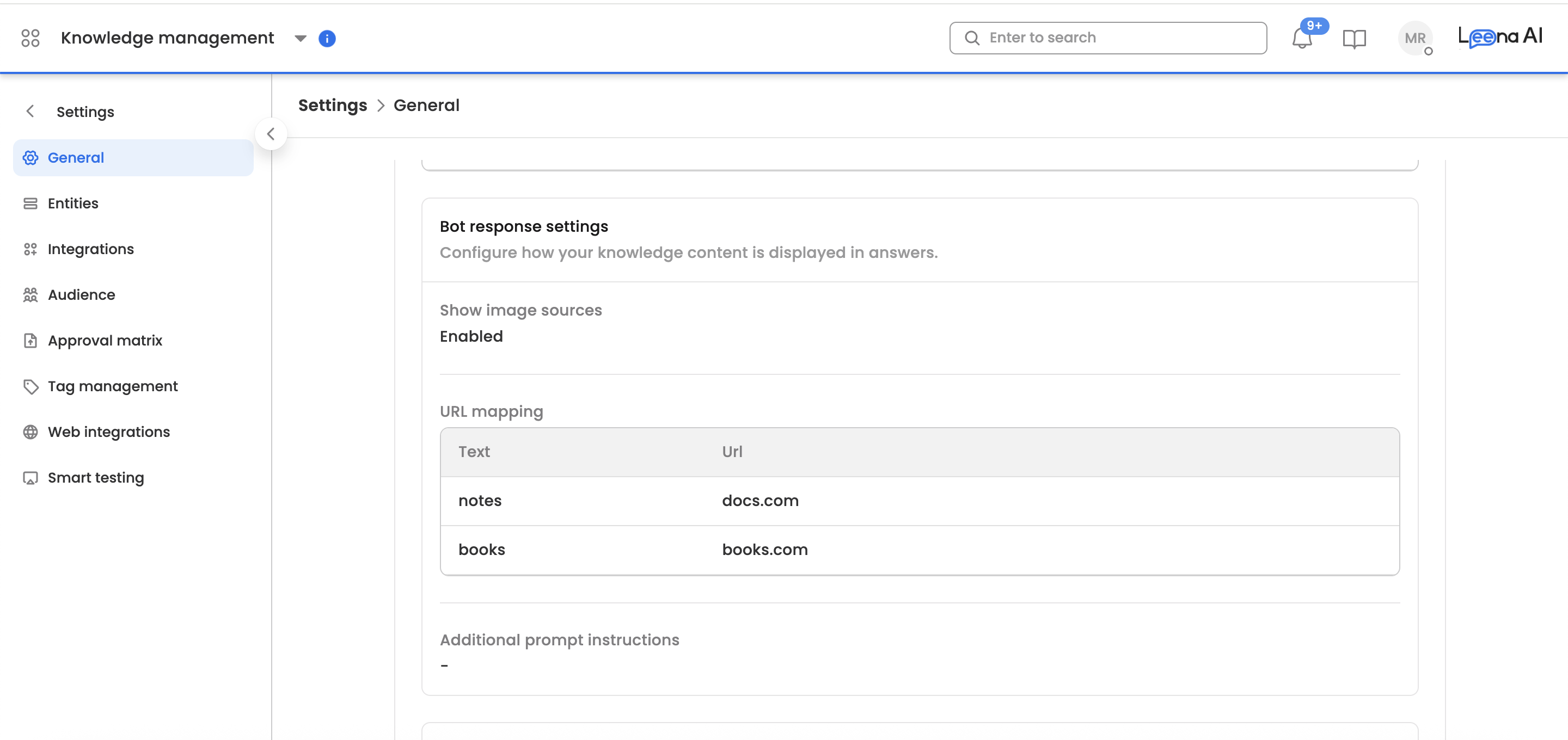
2. Search Pipeline Settings
This section configures the logic used by the search engine to process queries, handle conflicts, and utilize user data.
Feature Flags
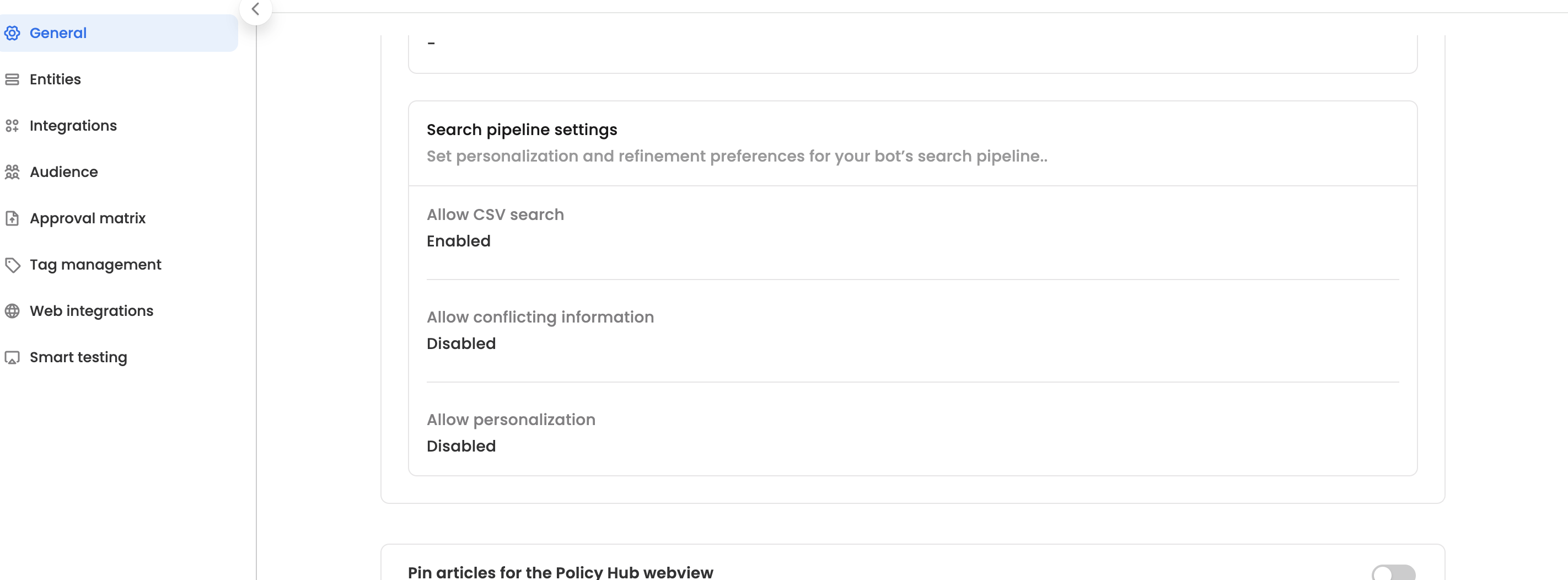
| Setting | Default | Function |
|---|---|---|
| Allow personalization | OFF | Allows the bot to tailor answers based on user details (e.g., giving a different answer regarding "Benefits" to a generic employee vs. a manager). |
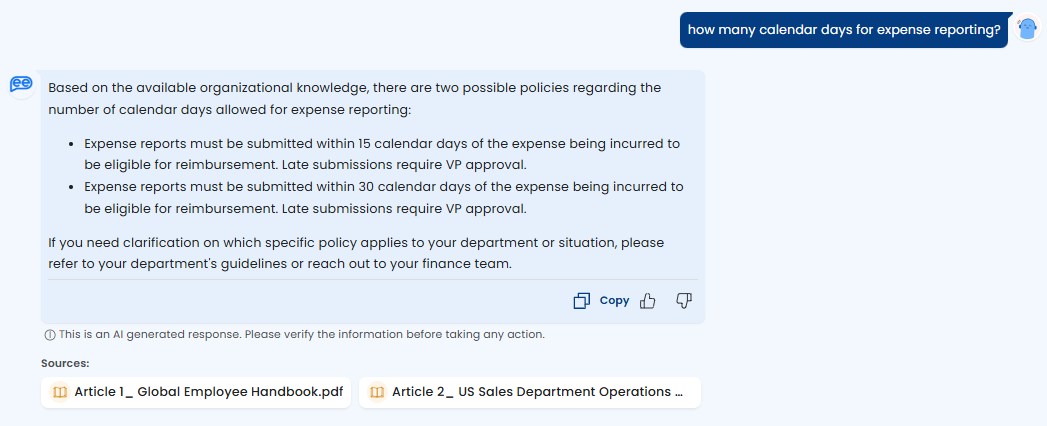
| Allow Conflicting Information | OFF | Activates an advanced pipeline step to identify conflicting information across different source documents. Useful for large knowledge bases with overlapping legacy data. |
| Enable CSV/Excel search | ON | Enables the search engine to parse and retrieve answers from uploaded .csv and .xlsx files. Disabling this excludes these formats from the search context. |
Configuration Fields
Allow Personalization
Defines the parameters passed to the search engine for personalization context. This field accepts template variables based on available employee attributes.
Syntax:
User parameter and an equivalent text description for the search pipeline.
Additional Prompt Instructions
A free-text field for system-level prompts that guide the bot's persona and constraints.
Usage Examples:
"Always respond in a friendly, professional tone."
"Never reference internal project codenames in the final output."
Troubleshooting & Notes
-
Data Dependencies: The Enable personalization feature relies on user data being successfully passed to the engine. If user attributes are null, the bot will default to generic answers.
-
Performance: Enabling Conflict detection adds an additional processing step to the pipeline, which may slightly increase response latency but improves accuracy in complex datasets. Below is a sample response to a query having conflicting information in the enterprise knowledge
Updated 7 months ago