
Withdraw Request
-
A user can withdraw (revoke) an in-progress request.
-
The option to withdraw a request reflects against a particular request under my-items.
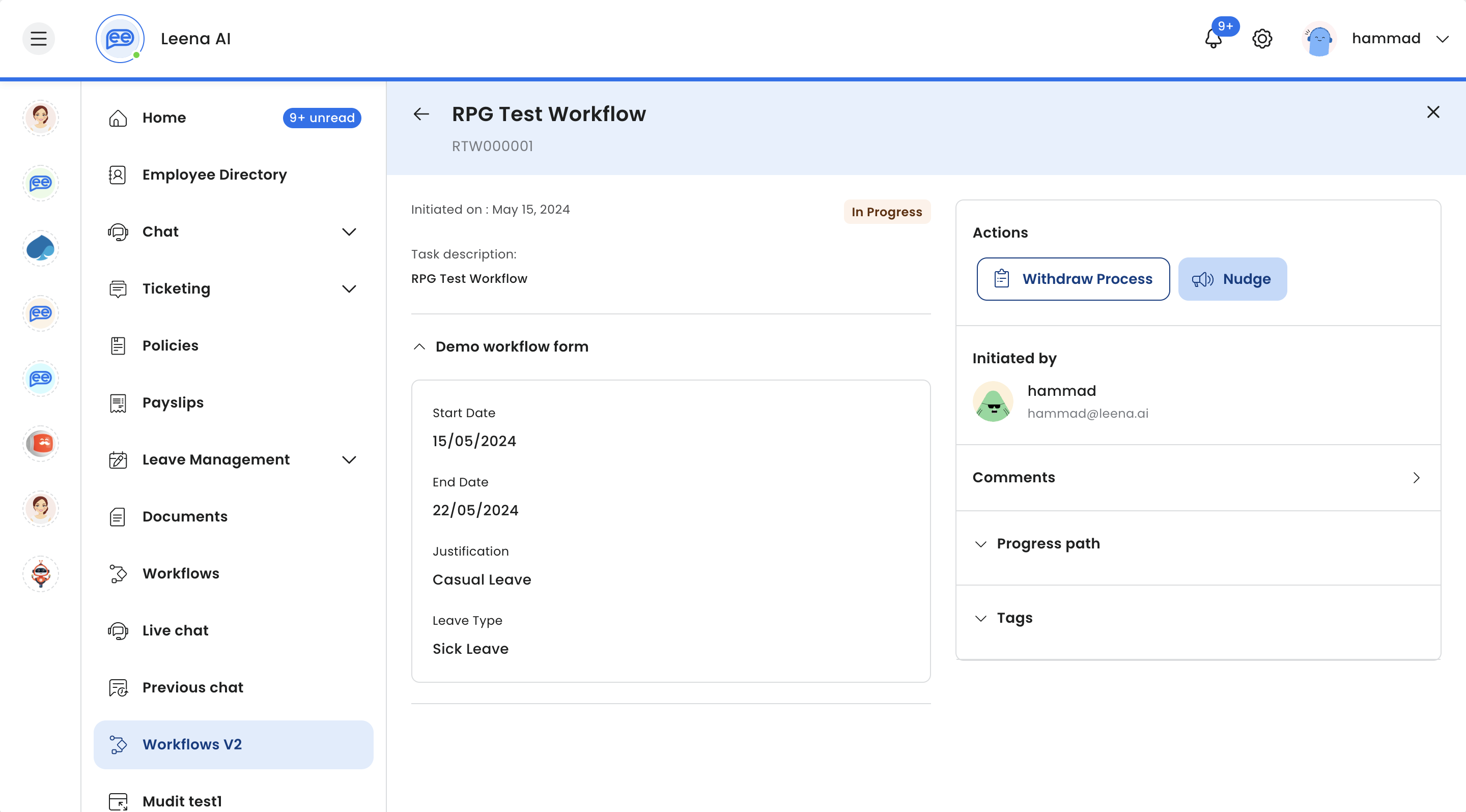
-
The user personas who view the item for a particular request in my-items can be:
- The requester/initiator who has initiated the workflow
- Participant for a request: a user who has been a participant in a request. For example, a user who has been an approver or filled out an input step is a participant
-
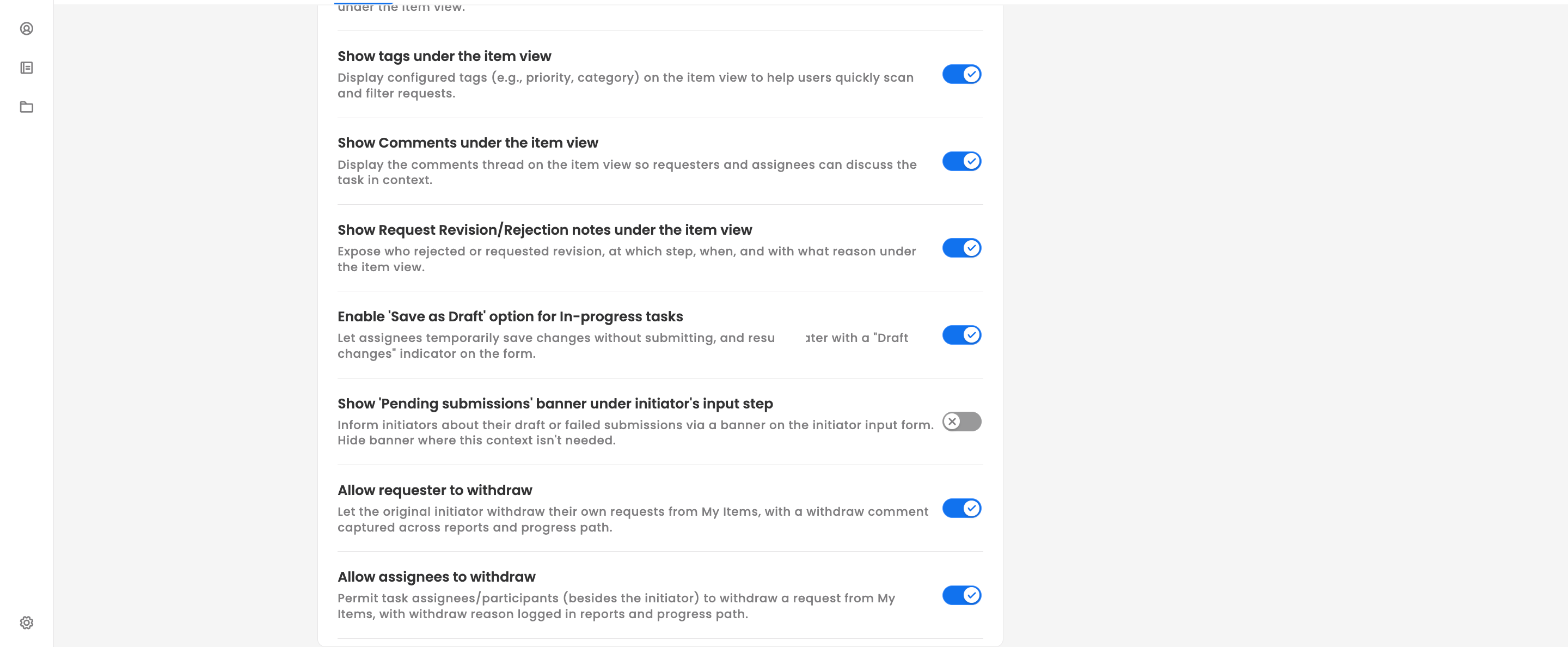
Two per-workflow toggles in Settings → Webview configuration control who can withdraw:
- Requester: the original initiator can withdraw their own requests from My Items if 'Allow requester to withdraw' is enabled. A withdraw comment is captured across reports and the progress path.
- Participants: task assignees/participants (besides the initiator) can withdraw a request from My Items if 'Allow assignees to withdraw' is enabled. The withdraw reason is logged in reports and the progress path.
Where to configure it
- Open the workflow from Workflows → Custom workflows.
- Go to the Settings tab and select Webview configuration.
- Turn on Allow requester to withdraw and/or Allow assignees to withdraw, then click Save changes.
Updated 6 days ago
Did this page help you?