
Hide 'Pending submissions' banner
Use case
A user might render the request form, and due to the following 2 options/user journeys, might skip submitting the request:
- Saves the request form in draft
- Tries to submit the form but fails to submit it successfully due to validation checks.
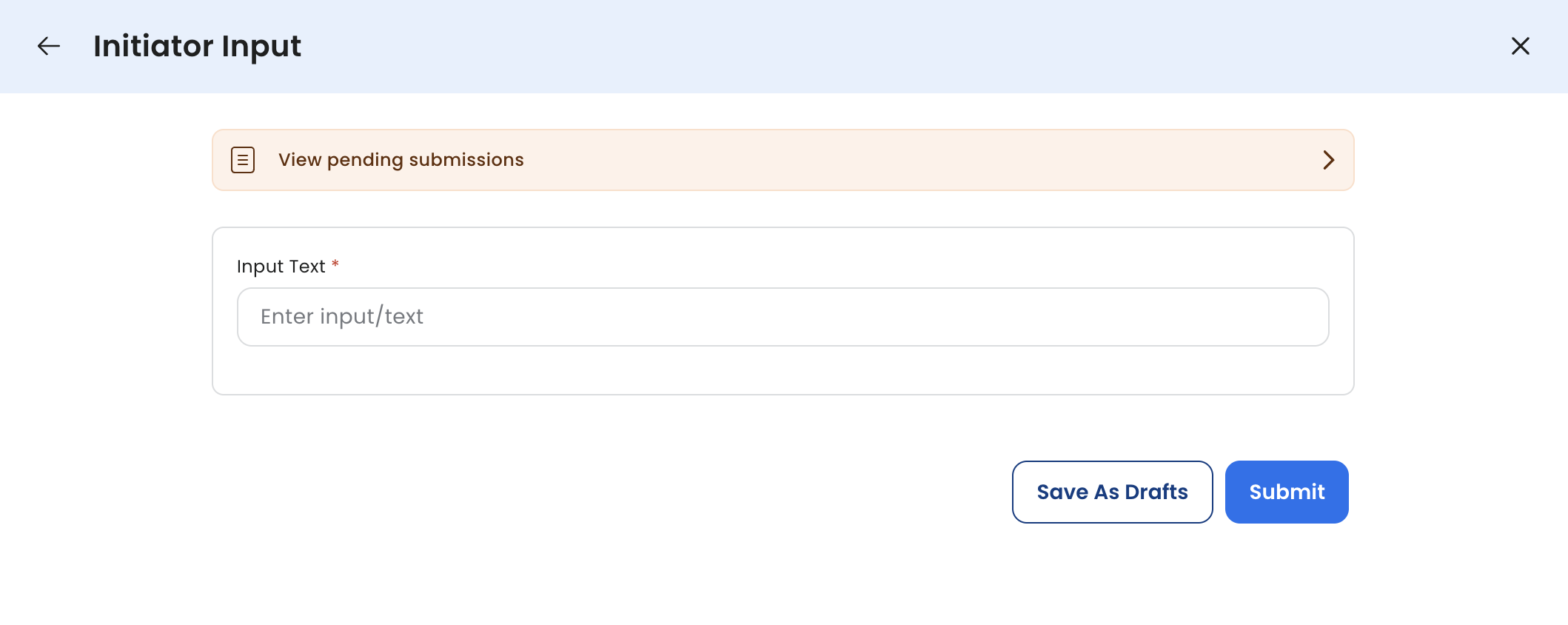
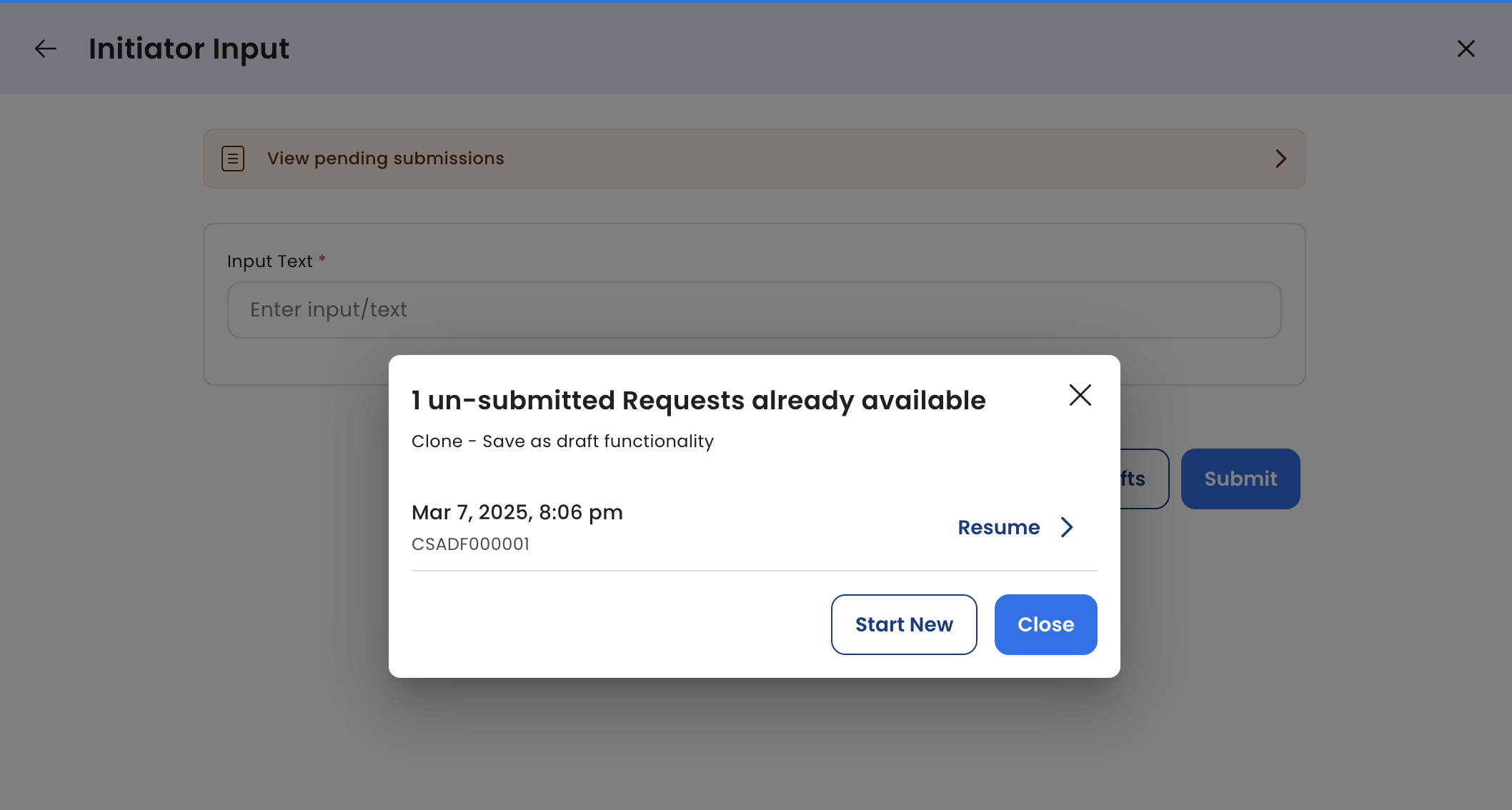
In such a scenario, we show a banner to the user under the initiator input step, which allows the user to view the list of pending submissions and resume any of the pending requests.
Feature specification
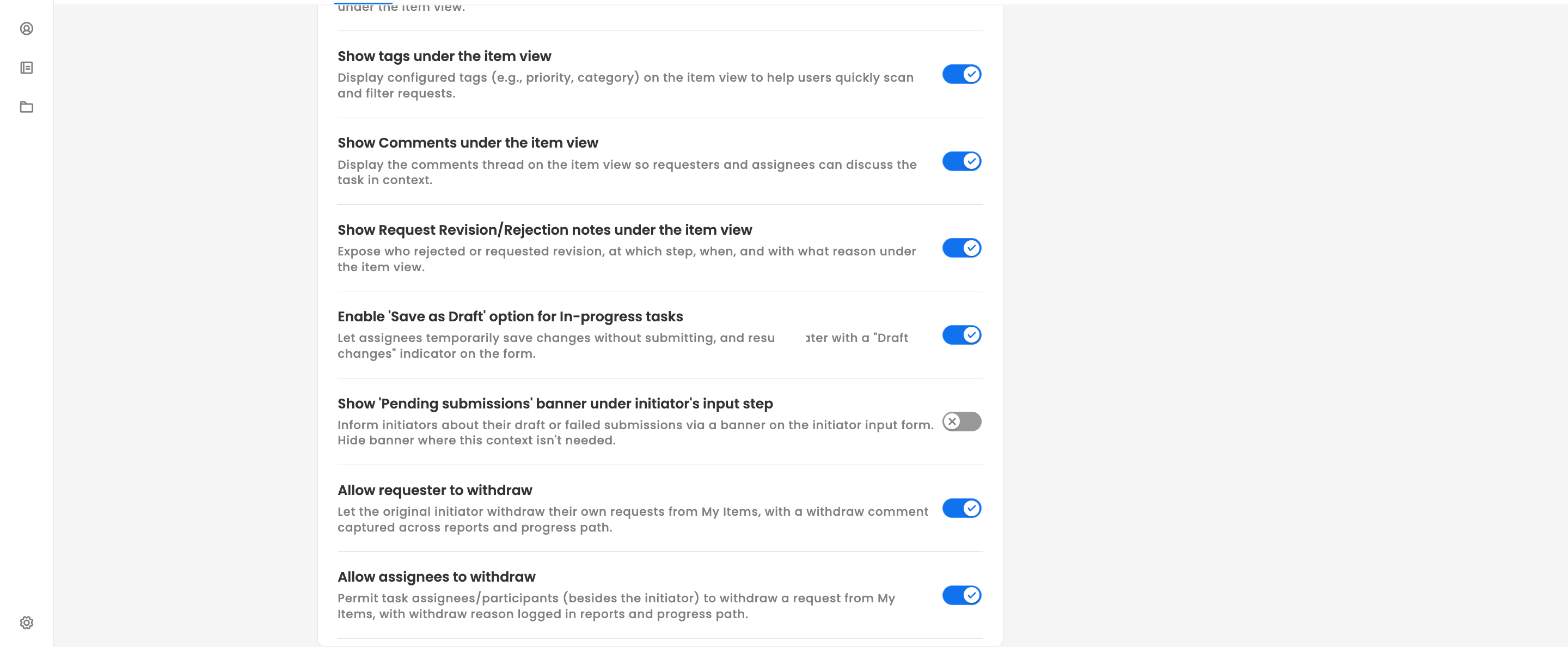
- Whether requesters see this banner is controlled by a per-workflow toggle: Show 'Pending submissions' banner under initiator's input step.
- If the toggle is enabled, the banner is rendered on the initiator form screen, informing initiators about their draft or failed submissions. If it is disabled, the banner stays hidden — useful where this context isn't needed.
Where to configure it
- Open the workflow from Workflows → Custom workflows.
- Go to the Settings tab and select Webview configuration.
- Turn Show 'Pending submissions' banner under initiator's input step on or off, then click Save changes.
Updated 12 days ago
Did this page help you?