
Knowledge Based Queries
Employees can ask the assistant anything covered by the policies, articles and documents your admin has connected to Leena AI. They type a question in their own words, or use Voice, and the assistant answers from that content, with links to the sources it used.
Asking a question
Type the question in the message box and press Enter. While the assistant works, a short status line shows what it's doing, such as Search for information in knowledge base. Select it to expand the steps. See Streaming & Thinking State.
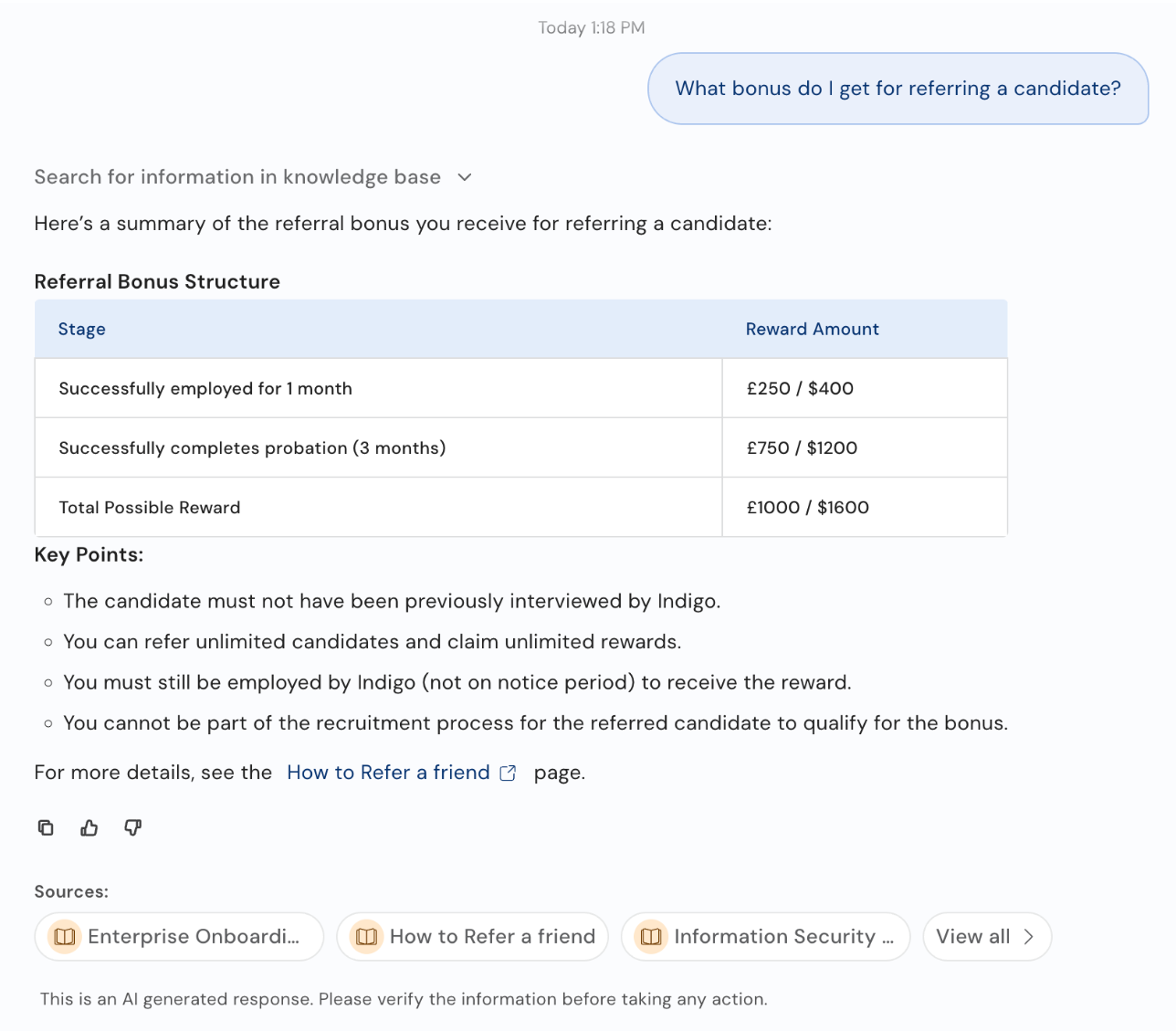
An answer with a table, key points, an inline link and its sources
What an answer contains
- A written answer drawn only from the content the employee has access to. Answers can include headings, lists, tables and links, and the assistant adapts the format to the question.
- Links to pages or forms mentioned in the content, which open in a new tab.
- Sources: up to three chips naming the articles the answer was built from, and View all to see every source plus related articles. Selecting a policy source opens it inside the assistant at the section that was used, highlighted. See Enhanced interface for viewing sources.
- Actions under the answer: copy it, or rate it with thumbs up or thumbs down.
- A disclaimer, if your admin has set one, such as This is an AI generated response. Please verify the information before taking any action.
Employees can ask follow-up questions in the same chat. The assistant keeps the conversation in mind, so What about contractors? is understood in context.
When there's no answer
If nothing the employee can access answers the question, the assistant says so rather than guessing, and suggests rephrasing or adding detail. Depending on how your assistant is set up, it can also offer to raise a ticket. See Raise Tickets.
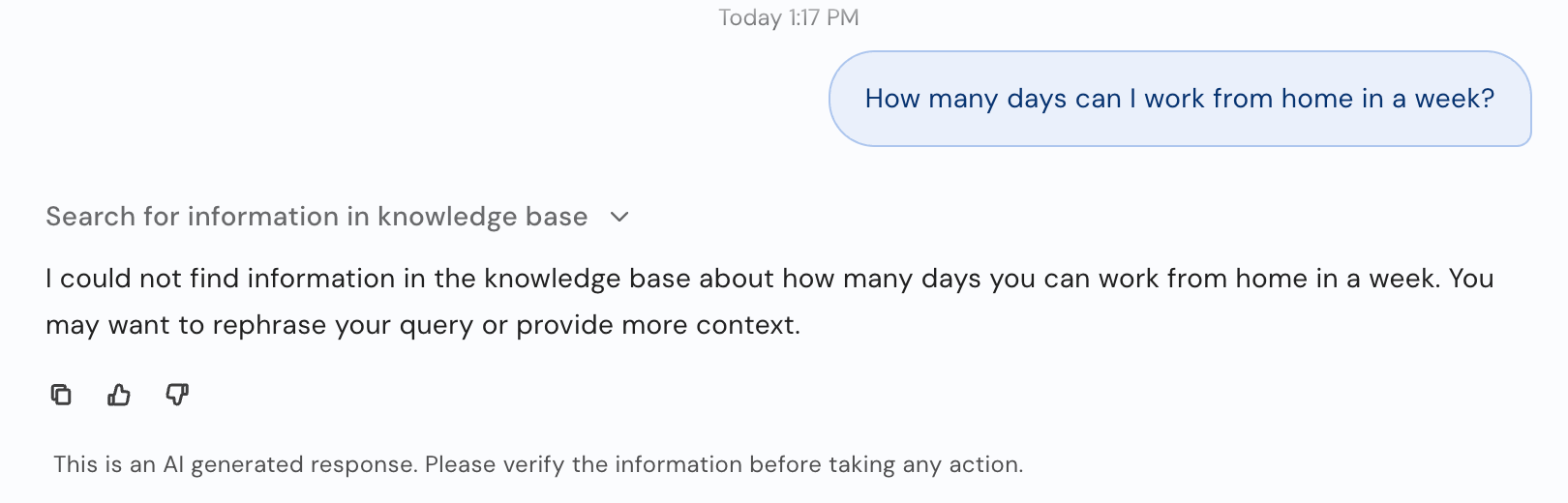
The assistant says when it can't find an answer.
Answers depend on access. Two employees can get different answers to the same question if different content applies to them, for example policies for different countries or business units.
Rating an answer
Every answer has a thumbs up and a thumbs down. Selecting one sends it to the chat as 👍 or 👎, records it for your admin's analytics, and leaves just the chosen icon in place. Employees can rate any earlier answer, not only the latest.
What happens after a thumbs down depends on your setup. Typically the assistant apologizes and offers a way forward, such as a ticket form already filled in with the question and the employee's concern.
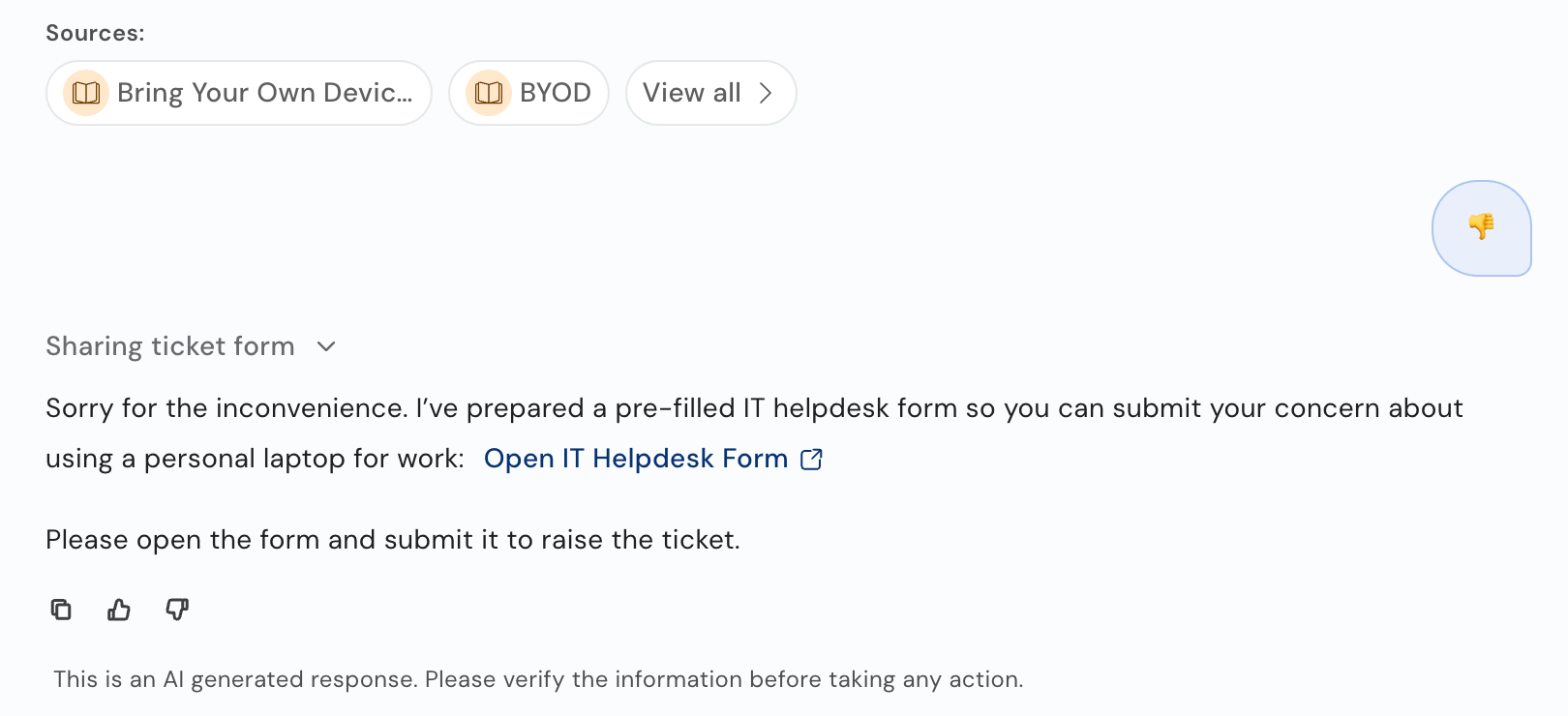
A thumbs down leading to a pre-filled ticket form
Browsing company articles
Employees can also browse the content directly. If your admin has added it to the side panel, Policies (under More in this example) opens Company Articles:
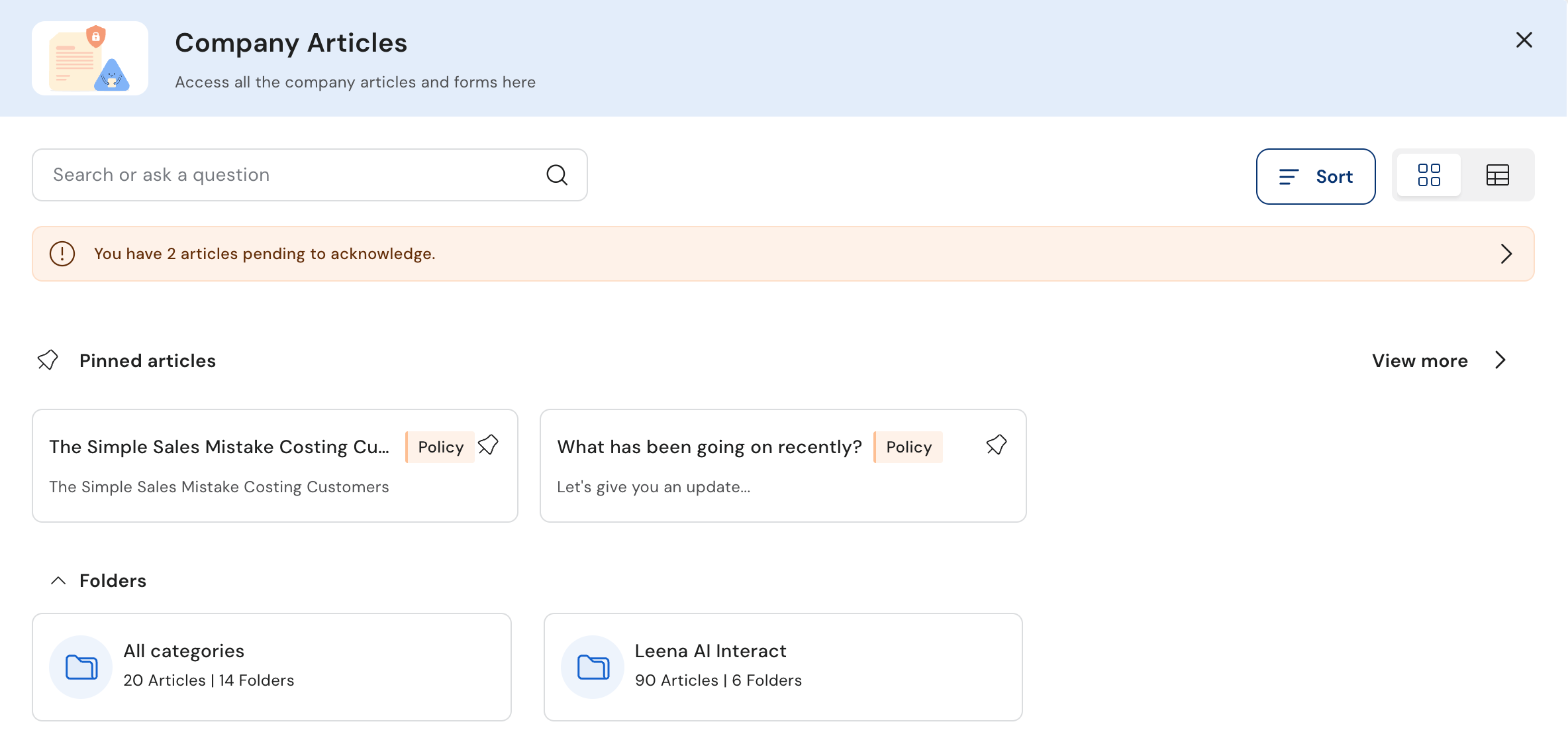
Company Articles
- Search or ask a question to find an article, or to ask a question about the articles.
- Pinned articles appear at the top for quick access.
- Folders group articles by category. Open one to see its articles and sub-folders.
- Sort the articles, and switch between card and list views.
- A banner shows any articles pending acknowledgement. Select it to read and acknowledge them.
Opening an article shows it in a document viewer, where employees can read it, acknowledge it if that's required, and give feedback on it.
Common questions
Where do the answers come from?
Only from the knowledge your admin has connected to Leena AI, such as policy documents, SharePoint or Confluence pages, and FAQs, and only the parts the employee is allowed to see.
Why did a colleague get a different answer?
Different content can apply to different employees, depending on their location, department or other attributes.
Can employees attach a file to a question?
Yes. Select the paperclip in the message box. See Chats.
Updated 19 days ago