
Path-Based Access Control (Connector Filters)
While connectors like SharePoint and Google Drive provide base permissions, they are often too broad. Path-Based Access Control (PBAC) allows Admins to enforce stricter visibility by scanning file paths for keywords and requiring matching User Attributes (e.g. user.country, user.manager) for access.
How It Works
PBAC operates in two phases:
- Stamping (at sync). Each article's path — its folder hierarchy plus the article name — is matched against your configured rules. Every rule that matches stamps the article with the attribute and value defined in that rule.
- Enforcement (at query). When a user asks a question, an article is eligible to answer it only if the user's profile satisfies every attribute stamped on that article.
Stamping happens once per sync rather than per query, which is why rule changes require an explicit sync — see The Sync Process.
Configuration
Path: Settings > General Settings > Article Visibility > Path based access control
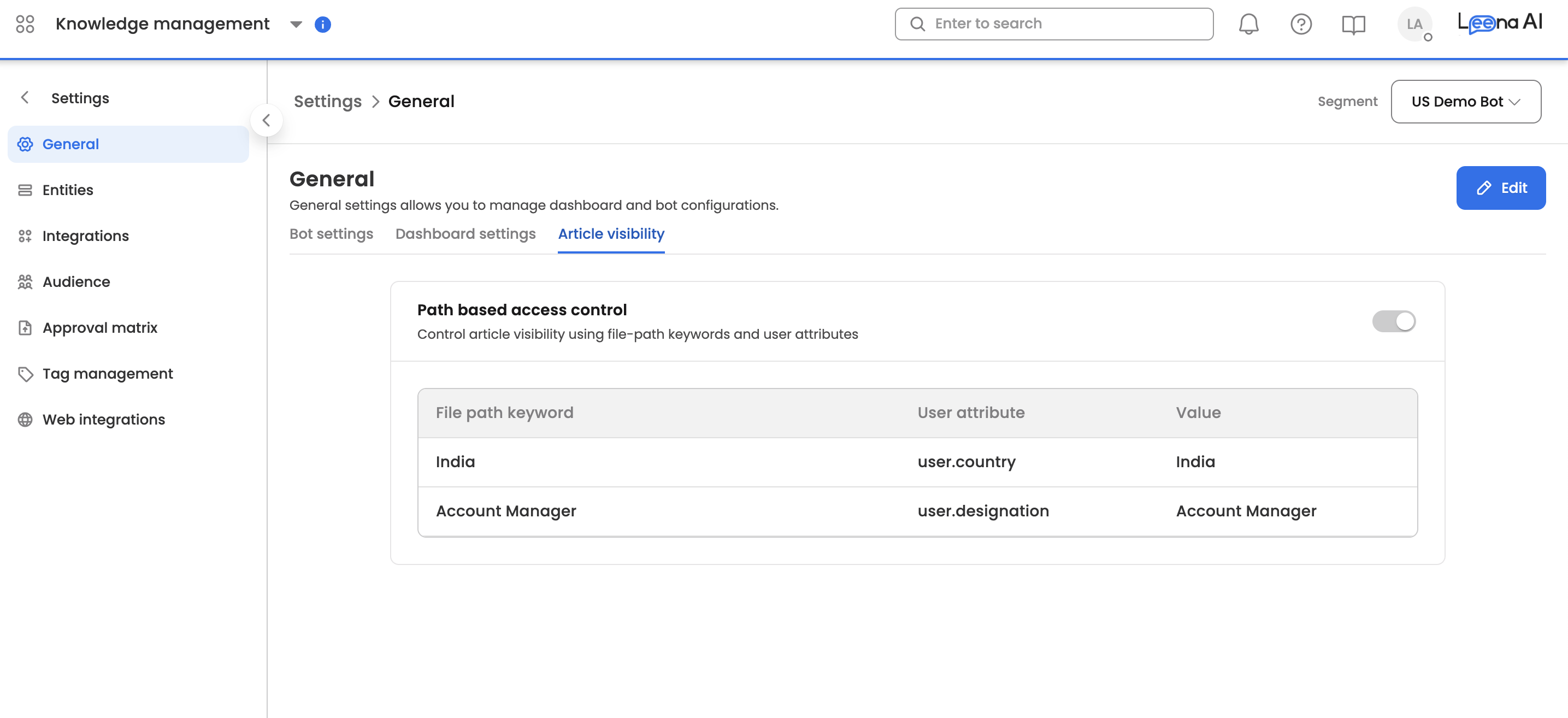
To define a rule, configure the following three components:
- Path Keywords: Multi-value text input (Chips). Define the strings to look for in the file path (e.g.
Finance,Payroll).
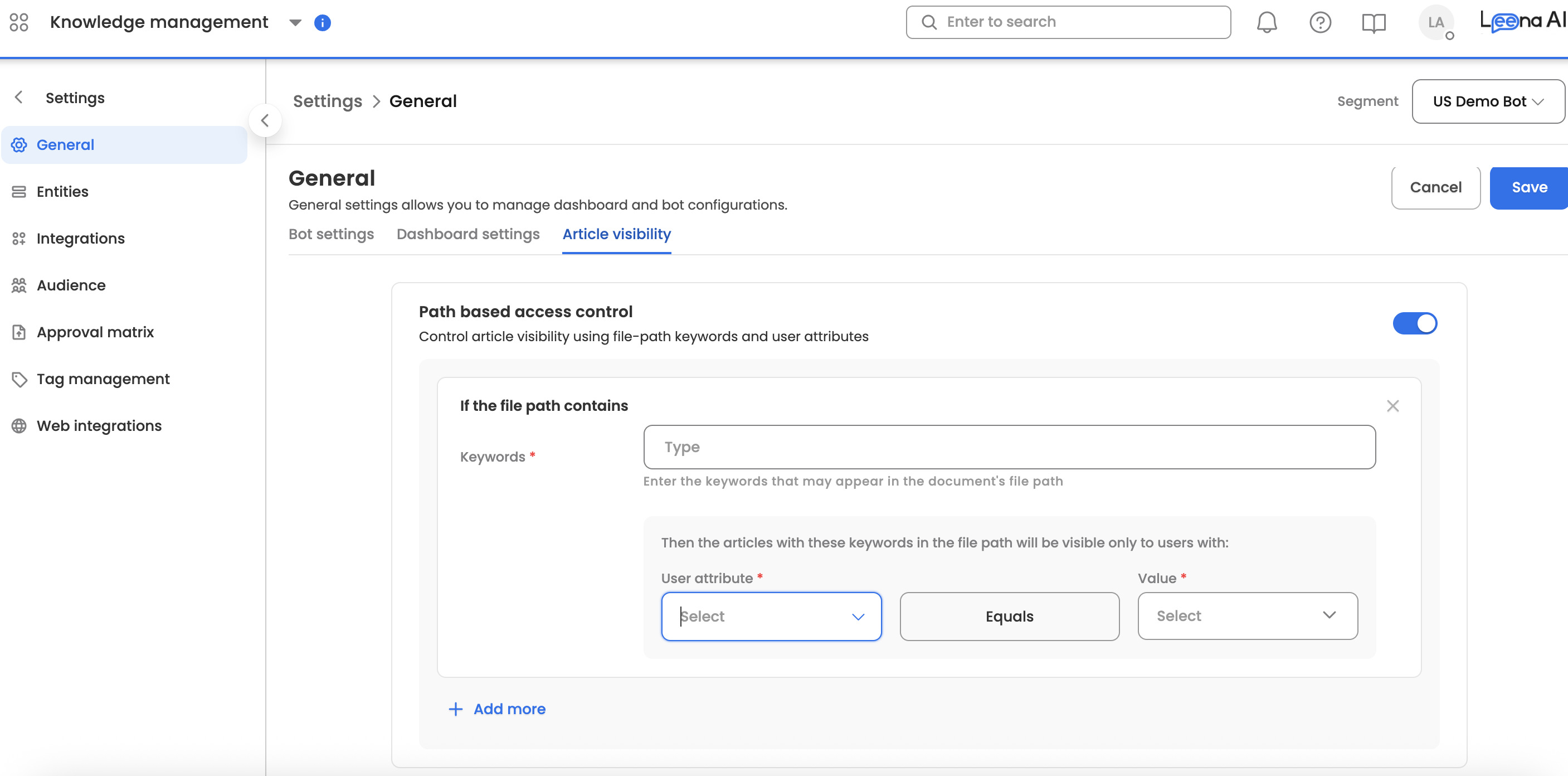
- User Attribute: Single-select dropdown of available user parameters.
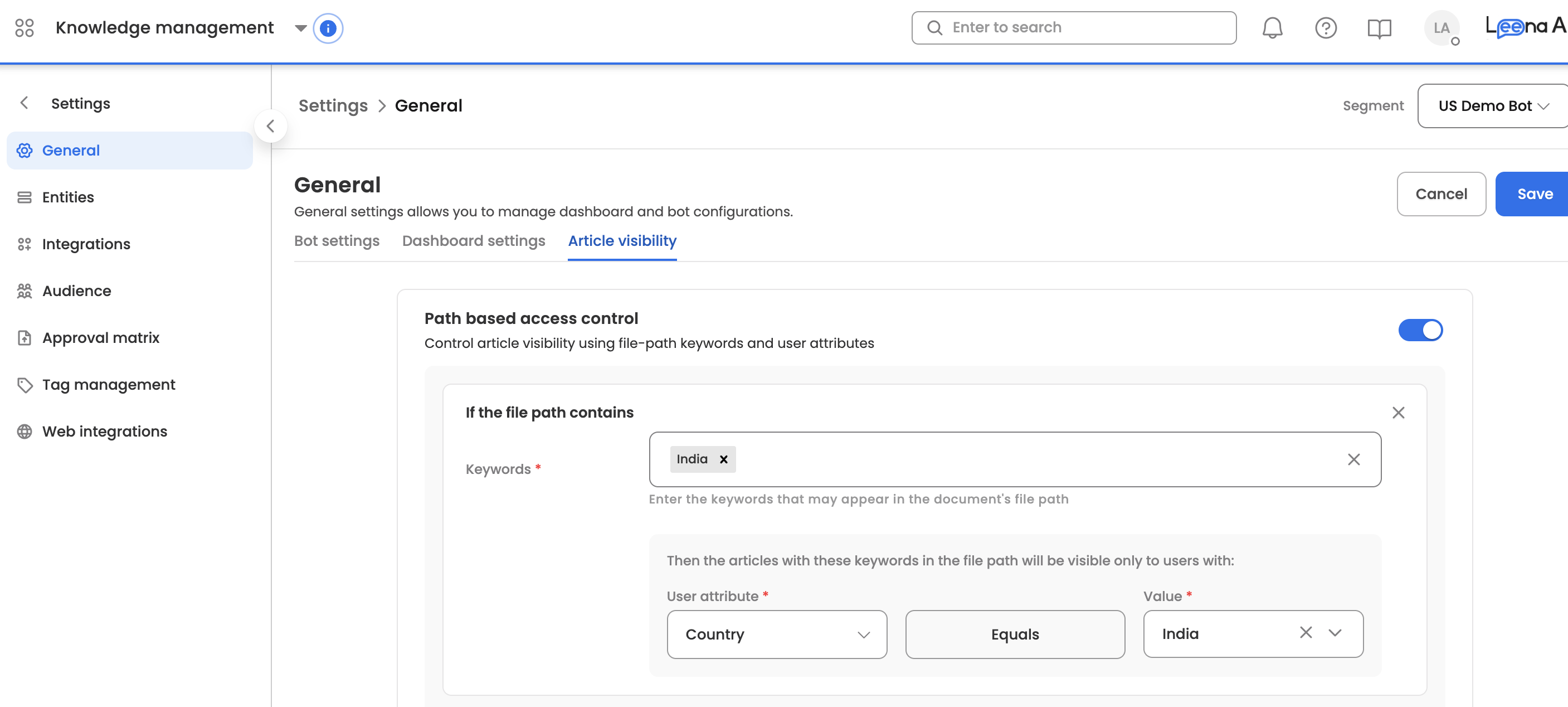
- Required Value: The specific value the user must have to satisfy the filter.
You can define multiple rules against the same attribute. Rules that match the same article are consolidated per attribute, so an article matched by both a Japan rule and a Singapore rule mapped to user.country is stamped with both values on that one attribute.
Keyword Matching
Keywords are matched against the article's full path, which includes both the folder hierarchy and the article name.
- Whole-word matching. The path is split on slashes, spaces, hyphens, underscores and commas, and each segment is compared case-insensitively against your keywords. Matching is on complete words, not substrings — the keyword
artwill not match the folderDepartment. - CamelCase is split automatically. A folder named
CanadaBenefitsis read asCanadaandBenefits, so the keywordCanadamatches it. - Multi-word keywords. A keyword containing a space (e.g.
Rhode Island) is additionally checked as a case-insensitive phrase against the full path, so it matches folder names that keep the words together.
Recommendation: include every naming variant your source system actually uses. If your Drive contains India, INand APAC-India folders, all three belong in the keyword list for the same rule.
Logic & Evaluation
A user can retrieve an article only if they satisfy every attribute stamped on it. Within a single attribute, any one of the listed values is sufficient.
| Logic Type | Context | Access Rule |
|---|---|---|
| Intra-Attribute | Same key (e.g. user.country) | OR — user matches if their value is IND or USA. |
| Inter-Attribute | Different keys | AND — user must satisfy the country rule and the designation rule. |
Example. An article stamped with user.country = IND, USA and user.designation = Manager is retrievable only by a user who is a Manager and based in India or the USA.
Unstamped articles and missing user attributes
Two fallbacks govern the edges. Both are deliberate:
| Condition | Behaviour |
|---|---|
| Article matches no configured rule (nothing stamped) | Treated as unrestricted and visible to all users. Content you have not explicitly scoped never disappears from everyone. |
| Article is stamped on an attribute the user's profile has no value for | Article is excluded for that user. A missing attribute never grants access. |
Coverage noteBecause unstamped articles are globally visible, a new folder branch that no rule matches will be visible to your entire user base until a rule is added.
Review your rules whenever your folder structure or your employee population changes — for example when opening a new country or region, or when a new top-level folder is created in the connected source. A rule set that was complete at go-live will not stay complete on its own.
The Sync Process
Permissions are stamped onto articles via a manual sync to ensure high performance at runtime.
- Trigger: Click the Save ---> Save and Sync button after modifying rules.
- System State: The configuration page becomes Disabled (Grayed out) during execution.
- Progress: An infobar appears showing "Filters are being applied across your articles. This may take several minutes."
Rule changes do not take effect until this sync completes. During the sync, articles retain their previously stamped filters, so access is never interrupted mid-run.
Environment Behaviour
To maintain architectural consistency, UAT is treated as a downstream mirror of Production.
| Feature | Production (Prod) | UAT / Staging |
|---|---|---|
| Editability | Full (Add/Edit/Delete) | Read-Only (Locked) |
| Sync Action | Enabled | Disabled |
| Article Details | Shows local filters | Shows filters synced from Prod |
Monitoring & Debugging
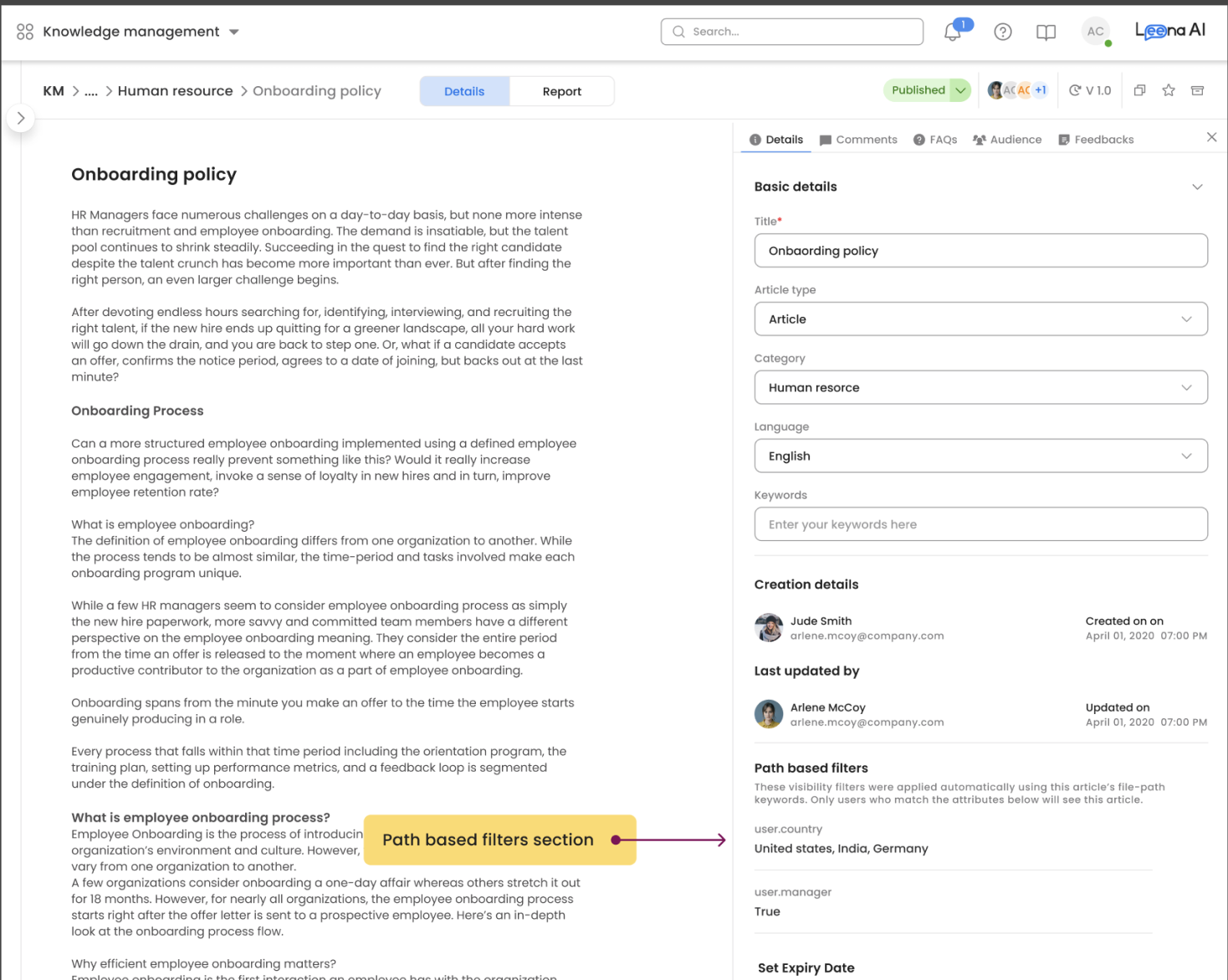
Article Details Page
Admins can view active filters directly on an article's Details page under the section Path Based Filters. This is the fastest way to confirm whether a rule matched a given article.
Common Scenarios
| Symptom | Likely Cause |
|---|---|
| An article is reaching users it should not | No rule matched its path, so it is unstamped and globally visible. Check Path Based Filters on the article — the section will be empty. Add or broaden a rule and re-sync. |
| An article is reaching nobody | It is stamped on an attribute that users' profiles do not carry, or carry with a different value. Compare the stamped value against the value your employee sync populates. |
| A rule was added but nothing changed | The rule was saved without running Save and Sync, or the sync has not finished. |
| A keyword is not matching a folder you expect it to | Whole-word matching. Check the folder name for a variant spelling, an abbreviation, or a joined word the keyword does not cover. |
Query Pipeline & Access Control
Enforcement happens at query time and closes the loop opened at sync time: an article is eligible to answer a user's question only if that user's profile parameters satisfy the filters stamped on it. See Logic & Evaluation for the exact matching rules.
Updated 29 days ago