
Customize Columns on Helpdesk
This feature allows you to personalize your workspace by choosing which data fields are visible on your ticket dashboards. By customizing your columns, you can focus on the metrics that matter most to your specific role.
Navigation
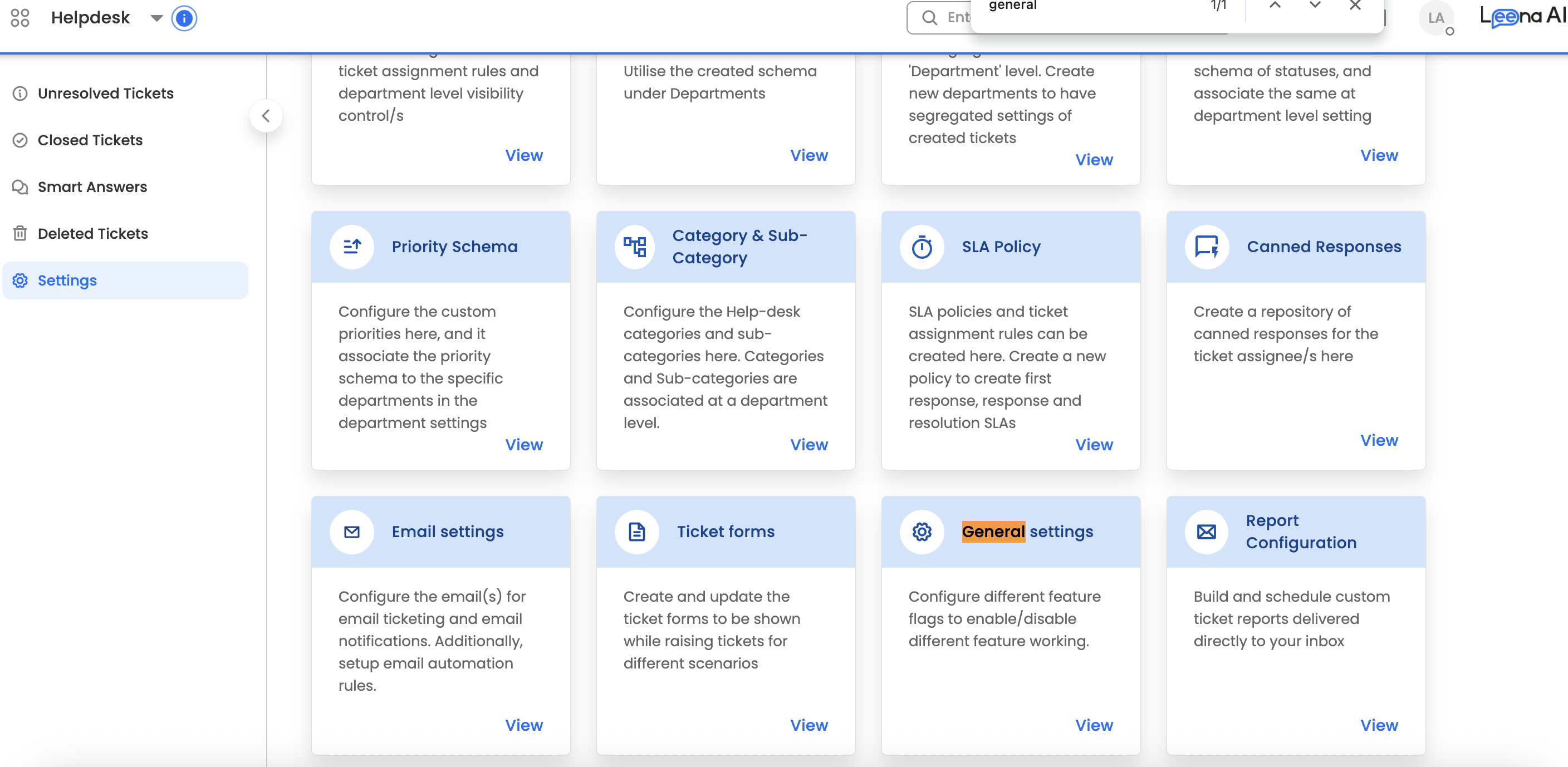
To access these settings, go to:
Settings > General Settings > Customize Columns
Feature Overview
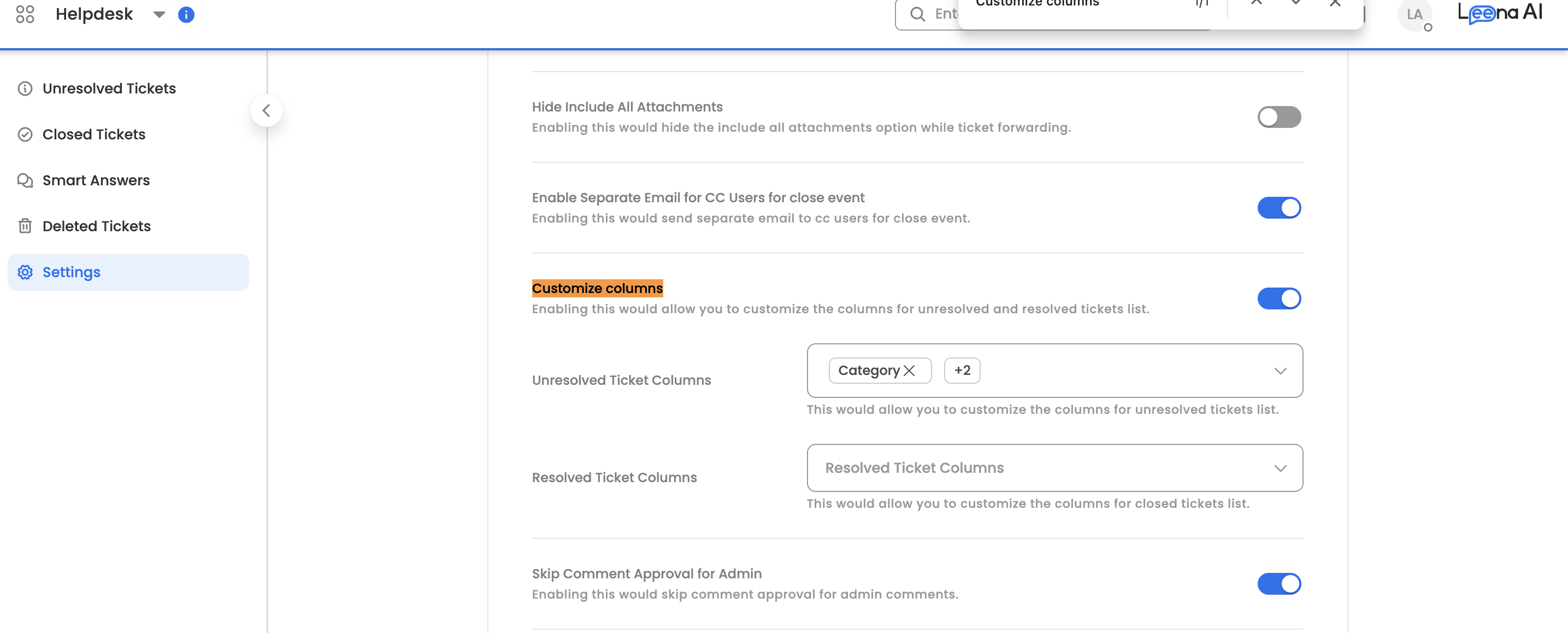
Enabling Customize Columns gives you the flexibility to define unique views for different ticket statuses.
1. Unresolved Ticket Columns
Use this section to tailor the Unresolved Ticket list on your dashboard.
- Goal: Prioritize urgency and ownership.
- Common fields: Priority, Status, Due Date, and Requester.
2. Resolved Ticket Columns
Use this section to tailor the Closed Ticket list on your dashboard.
- Goal: Focus on resolution outcomes and historical data.
- Common fields: Resolution Time, Closed Date, and Satisfaction Rating.
🚀 How it Works
- Enable the Feature: Toggle the "Customize Columns" switch to On.
- Select Fields: Check or uncheck the boxes next to the available ticket attributes.
- Arrange Order: Drag fields into your preferred sequence (left-to-right).
- Save: Click Save Changes to update your dashboard view immediately.
Updated 9 months ago
Did this page help you?