
AOP Creator
The AOP Creator lets you generate Agent Operating Procedures (AOPs) by describing your business process in plain English.
Overview
AOPs are to AI Colleagues what SOPs are to humans — they ground your AI Colleague in your company's specific business processes. Traditionally, building an AOP required manually filling out forms and adding step-by-step instructions. The AOP Creator simplifies this by allowing you to describe the process you want to automate in natural language, and AI will generate a structured AOP for you.
How to Use the AOP Creator
- Navigate to your AI Colleague's page in the AI Colleagues Studio.
- Click Create new AOP.
- In the text area under Describe the AOP you want to build, describe your business process. You can include: The steps involved in the process, decision points and branching logic, conditions or rules that should be followed and any exceptions or escalation paths. You can also attach files alongside your prompt — policy documents, rule matrices, or process specs the AOP should be built from (see Attaching Files below).
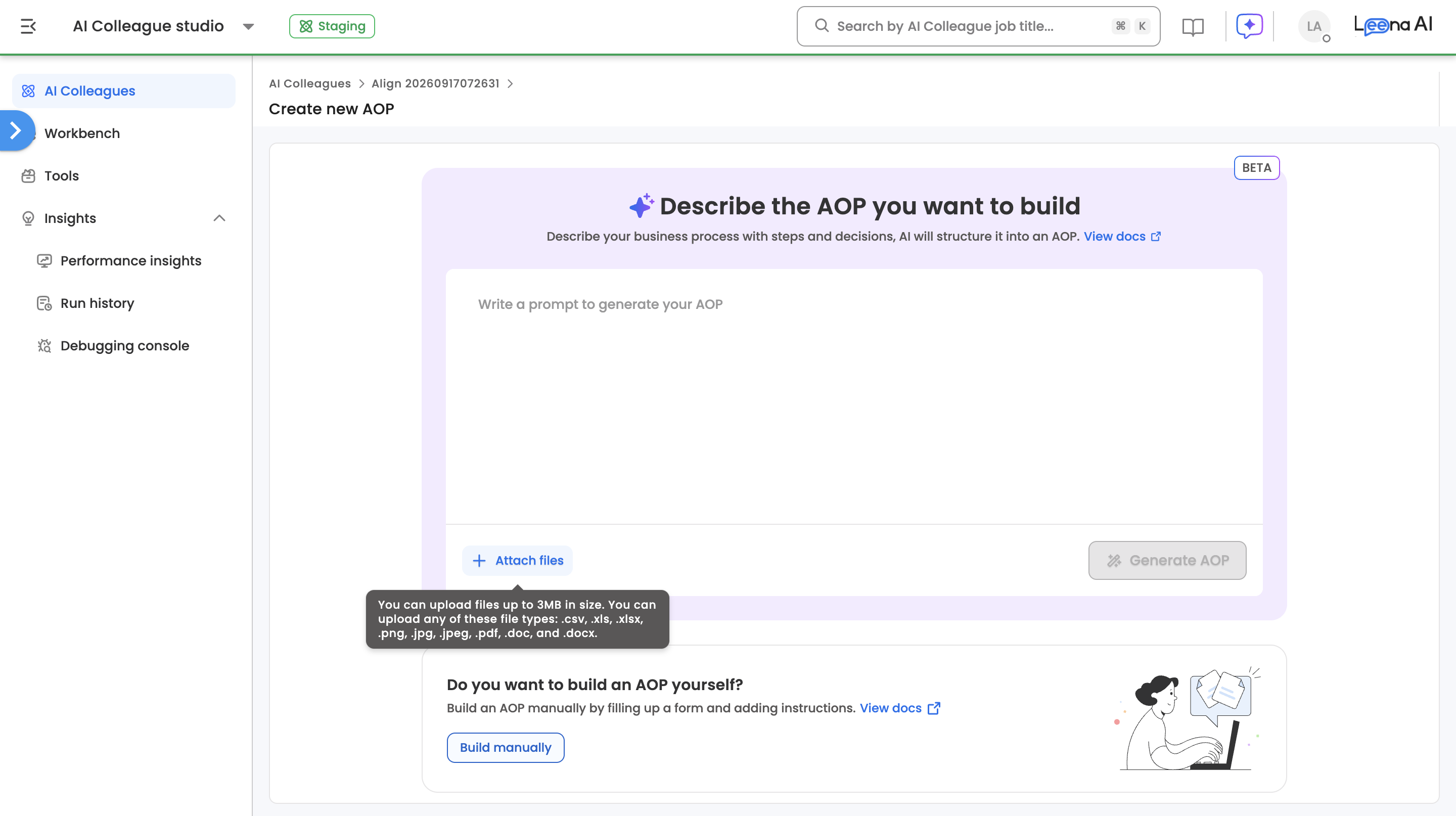
- Click Generate AOP. Generation runs in the background with a live status showing the step in progress — selecting resources, reading attachments, generating, finalizing.
- Once the AOP is generated, you will be taken to the AOP editor page where you can review the AOP details and AOP Instructions.
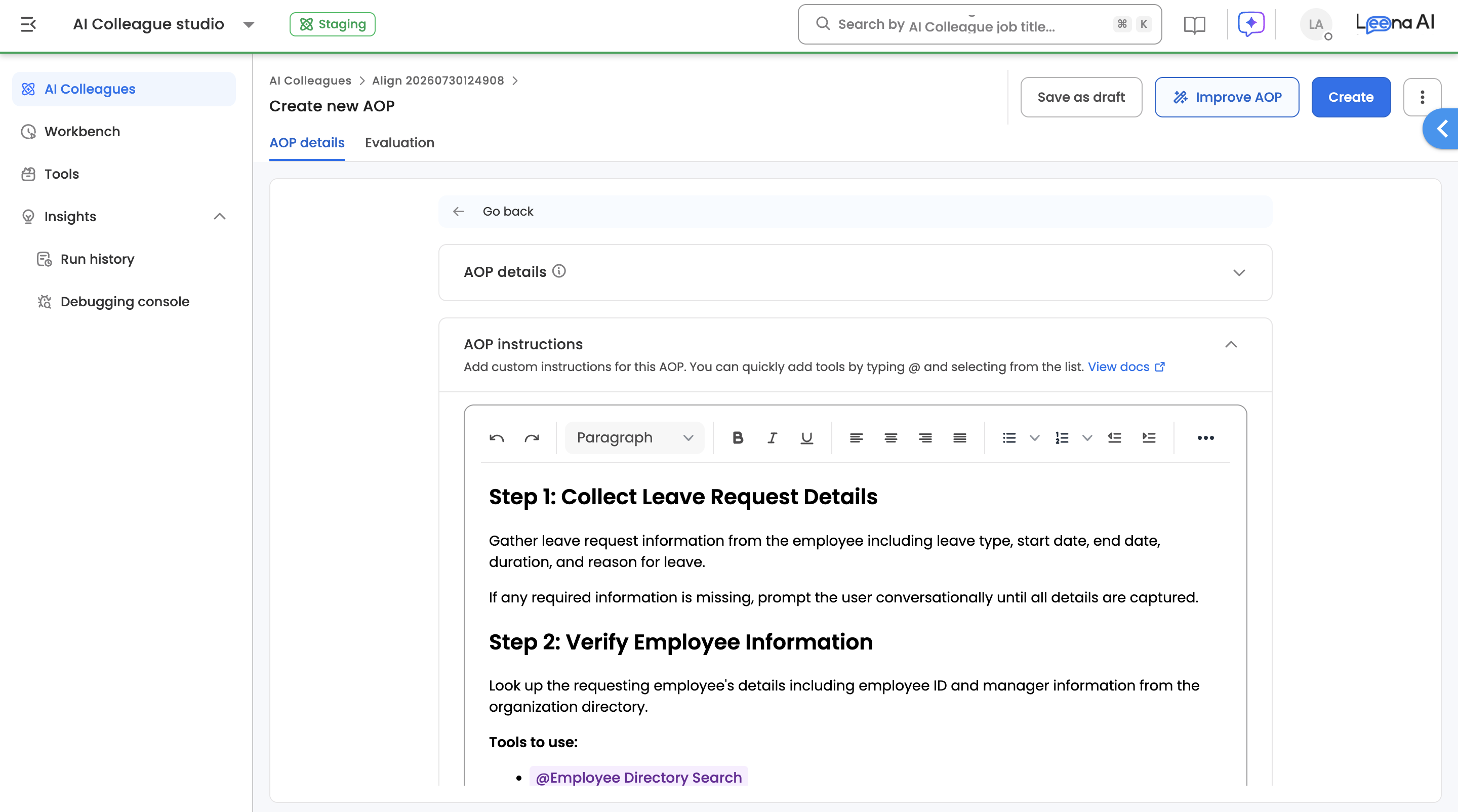
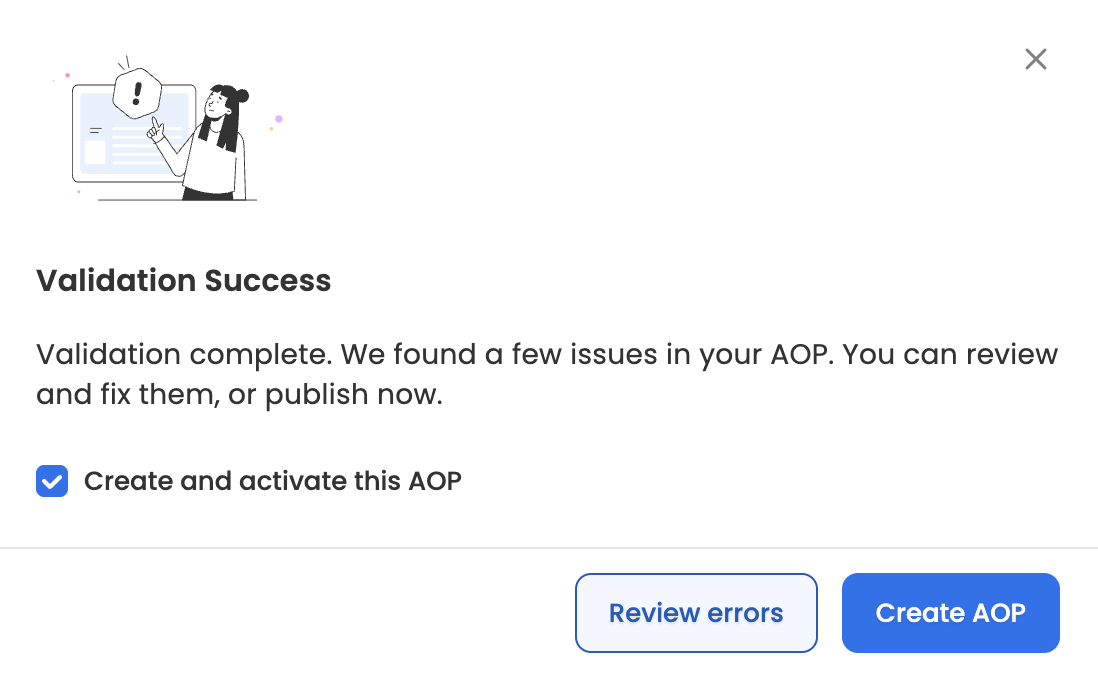
- Click on Create to begin the validation check that runs automatically and displays a banner at the top of the page indicating whether action is required before publishing. The validation results are shown on the left panel and are divided into two categories:
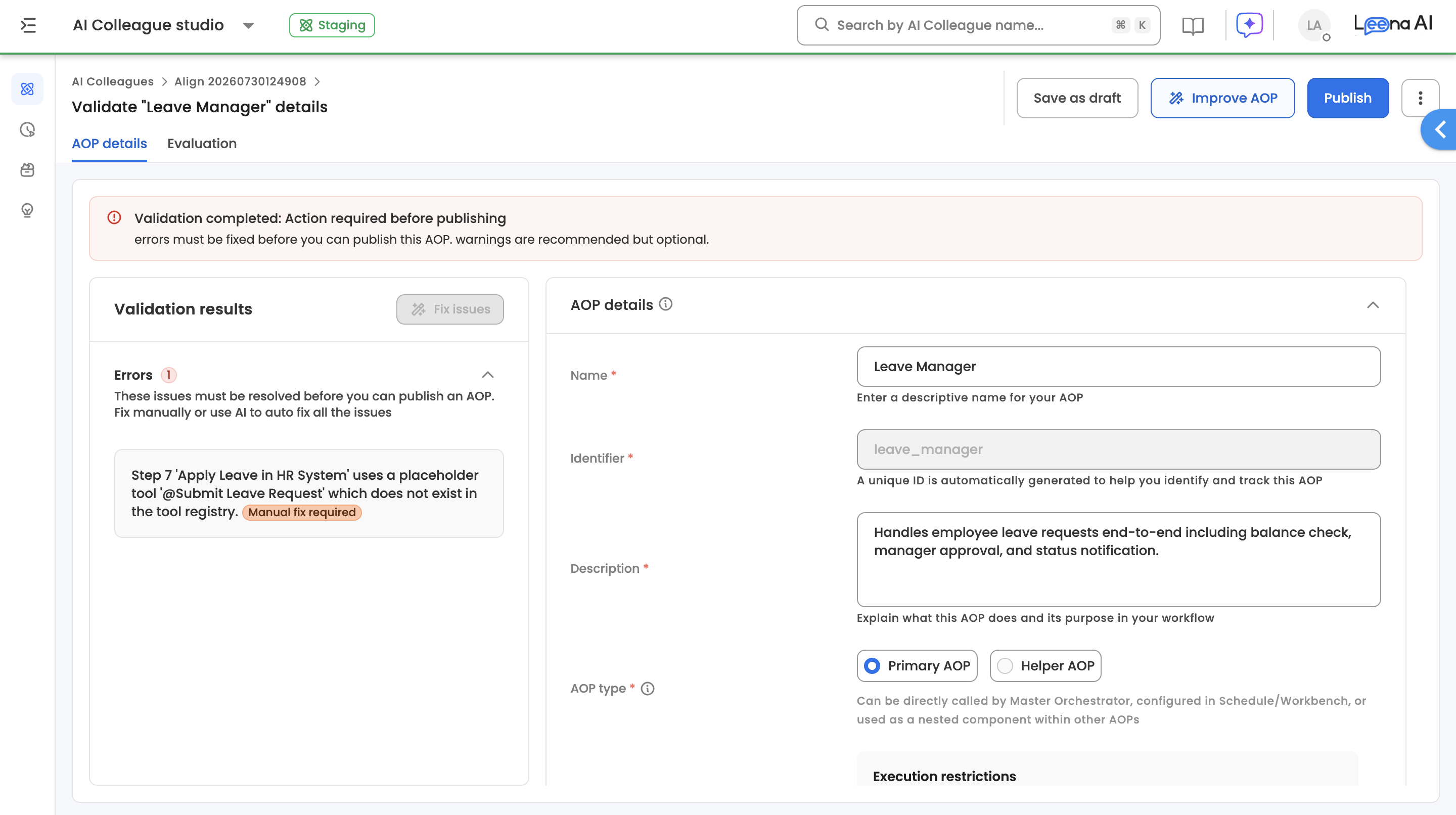
Errors
Errors are issues that must be resolved before you can publish the AOP. A common example is placeholder tools — the AI may reference tools in the generated steps that do not yet exist in your workspace. For instance, you may see a message like:
"Placeholder tools exist in the AOP. The following tools are marked as unavailable and need to be created: @Check Workday New Hires (Step 1), @Create Azure AD User (Step 4)..."
These require a manual fix. You need to either create the missing tools in the Tools section or replace the placeholder references with existing tools. You can also click the Fix issues button to let AI attempt to auto-fix all errors.
Warnings
Warnings are optional improvements that can enhance your AOP's performance but are not required for publishing. Examples include suggestions to optimize step logic, improve descriptions, or restructure decision flows. You can safely publish an AOP with unresolved warnings.
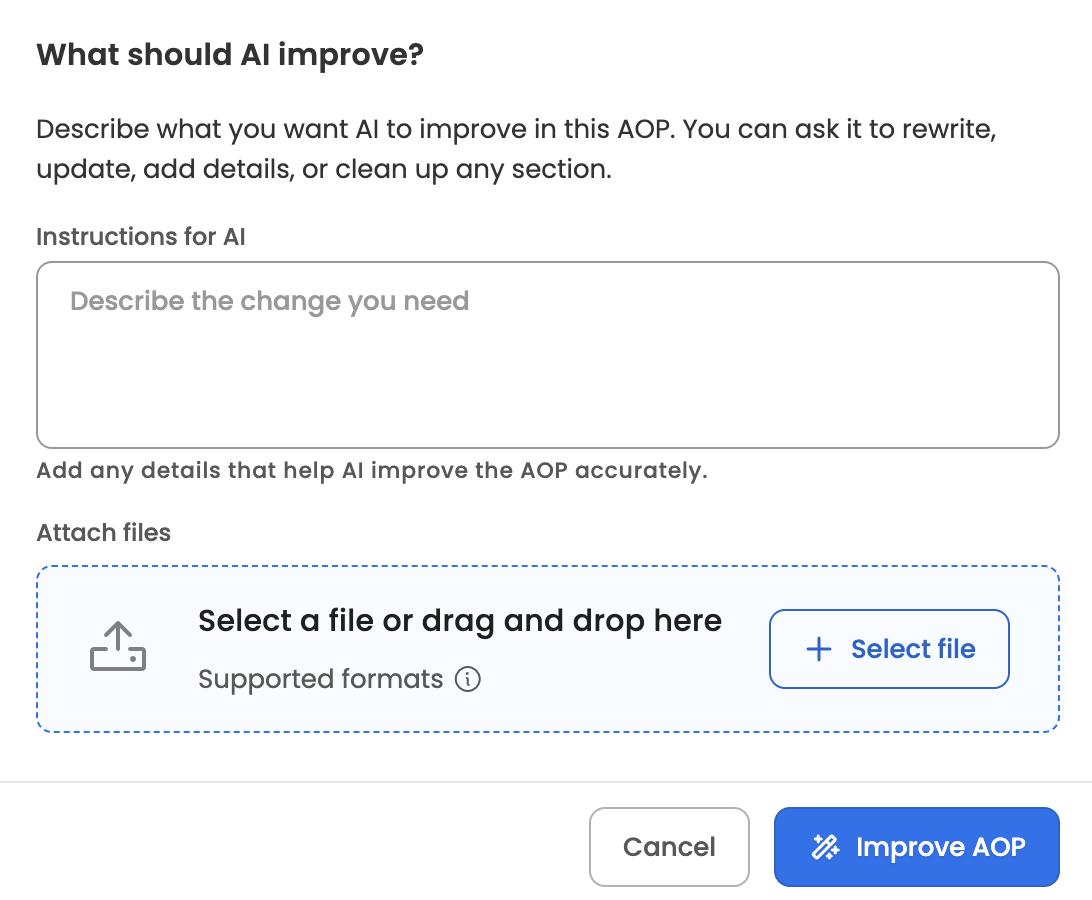
- Use the Improve AOP button in the top bar to let AI refine the generated AOP further. You can attach files here too — the dialog also shows the AOP's existing attachments (read-only), so pre-existing files stay untouched.
- Once all errors are resolved, you can click Create AOP to activate the AOP, or Save as draft to continue editing later.
Attaching Files
Both Create AOP via AI and Improve AOP accept file attachments alongside your prompt, so the AOP can be generated from your real documents instead of a description of them. File types, size, and count limits match the manual AOP builder, and attachments with upload errors must be resolved before generation can start.
How each file is used
Each attached file is used in one of two ways, decided per file:
| Usage | What it means |
|---|---|
| Saved on the AOP | The file is persisted on the AOP as a runtime asset, and the generated instructions read it at runtime via the built-in @Document Parsing tool. Use this for data the AOP needs while running — lookup tables, role matrices, price lists. Swapping in an updated file later changes runtime behaviour without editing the instructions. |
| Used as reference | The file is read only to shape the instructions — its rules and conditions are written into the AOP itself — and the file is not persisted. Use this for documents that describe the process, like an SOP or policy write-up. |
Your prompt always wins. State the intent for a file in the prompt in any phrasing — "keep the policy PDF on the AOP", "use the spec only for reference" — and it is honoured per file. If the prompt is silent, the AI classifies each file: runtime-needed data is saved; process-describing content is used as reference. The prompt also takes precedence on scope and content — if you point it at one section of a file, only that section is used, and where the prompt and a file conflict, the prompt's version applies.
Verifying the outcome
Before publishing, check the AOP's Attachments section: files saved on the AOP appear there with @Document Parsing steps reading them; reference files do not appear and are not mentioned in the instructions.
Evaluation Results
Since AOP Creator uses LLM-based instructions generation, we continuously evaluate quality across multiple dimensions.
| Criteria | Description | Result |
|---|---|---|
| Accurate Step Decomposition | AOP correctly decomposes user requirements into logical, sequential steps | 100% |
| Correct Tool Mapping | Each step maps to the appropriate tool with correct parameters | 95% |
| Handles Conditional Logic | Branching, error handling, and fallback paths are correctly generated | 90% |
| Step Ordering Correctness | Steps are sequenced in the correct dependency order with no premature references to data not yet available | 90% |
| No Hallucinated Steps | No fabricated steps, tools, or actions beyond what was specified or logically required | 100% |
| Complex AOP Handling | Accurately generates multi-step, multi-system AOPs (10+ steps) with cross-system dependencies | 95% |
Note: Evaluation results are updated periodically. Last updated: February 2026
Updated 2 days ago