
Understanding Tool Execution Details
Execution Scope
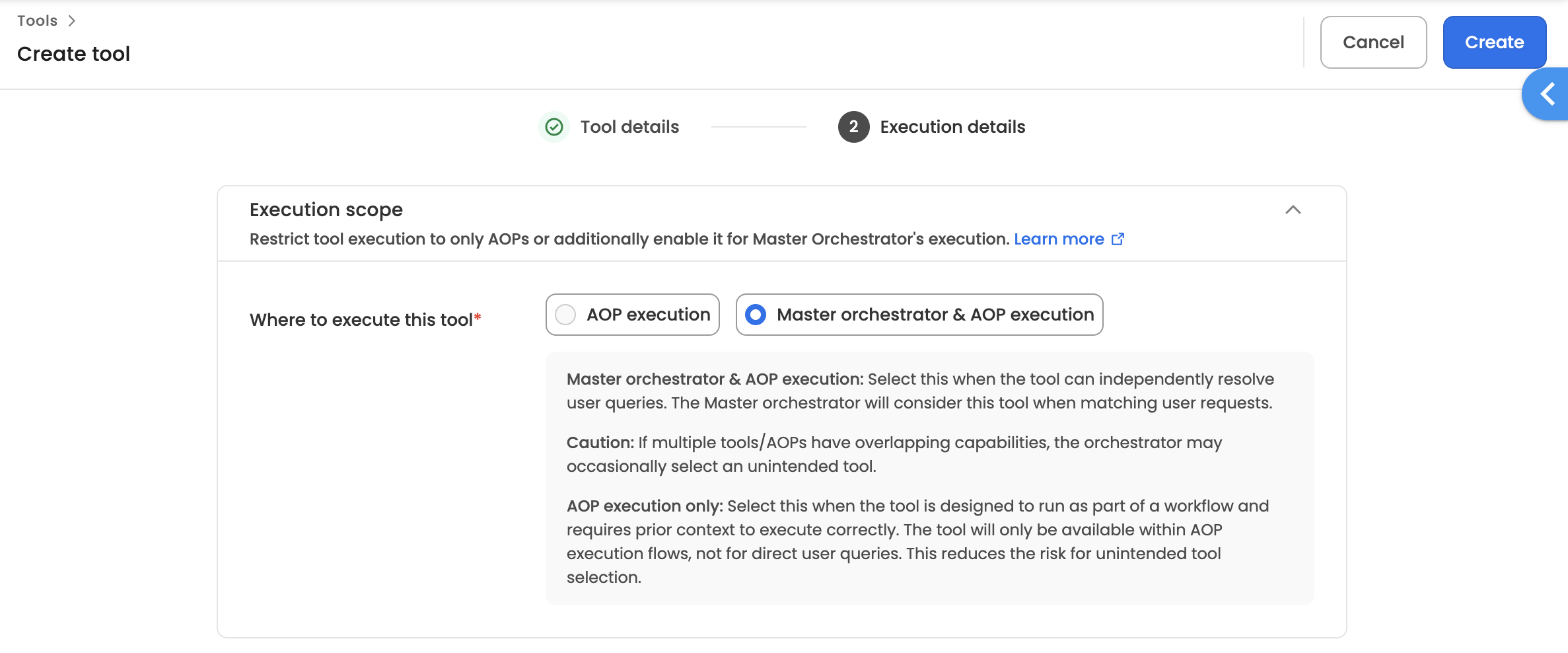
When creating or editing a tool, you must define its execution scope to control where the tool can be invoked.
Scope Options
| Scope | Description |
|---|---|
| AOP execution | Tool can only be used within AOPs as part of a structured business process |
| Master orchestrator & AOP execution | Tool can be invoked directly by the Master Orchestrator for employee queries, and also used within AOPs |
AOP Execution Only
Use this scope when the tool:
- Is part of a multi-step business process
- Requires specific workflow context to function correctly
- Performs sensitive operations that need controlled execution
Example: A tool that updates employee records should only run within an approved HR process, not via ad-hoc queries.
Master Orchestrator & AOP Execution
Use this scope when the tool:
- Handles general employee queries
- Doesn't require workflow context
- Is safe for conversational invocation
- Can also be reused within AOPs
Example: A tool that looks up company holidays can answer employee questions directly and also be used within leave management AOPs.
Quick Decision Guide
| If the tool... | Choose |
|---|---|
| Handles standalone queries from employees | Master orchestrator & AOP |
| Requires approval workflows or specific context | AOP execution only |
| Performs sensitive data operations | AOP execution only |
| Is a general utility (search, lookup, notify) | AOP execution only |
How to Configure
- Navigate to AI Colleagues → Tools
- Click Create tool or edit an existing tool
- Complete Step 1: Tool details
- In Step 2: Execution details select Execution scope ,where the tool can execute
- Click Create to save
Execution control
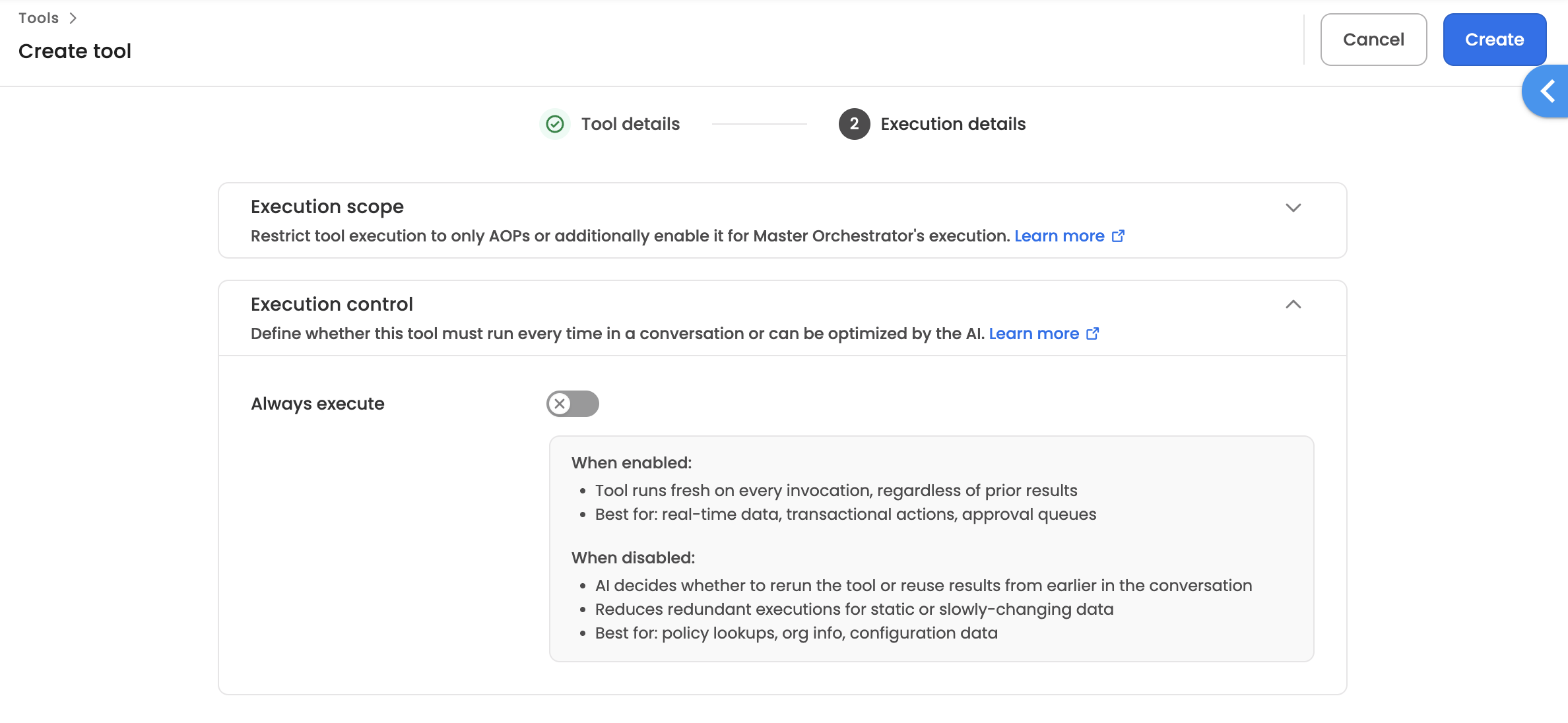
When creating or editing a tool, you can define its execution control to determine whether the tool must run fresh every time or can be optimised by the system.
Control Options
| Setting | Description |
|---|---|
| Always execute (Enabled) | Tool runs fresh on every invocation, regardless of prior results |
| Always execute (Disabled) | System decides whether to rerun the tool or reuse results from earlier in the conversation |
Always Execute — Enabled
Use this setting when the tool:
- Returns real-time or frequently changing data
- Performs transactional actions (e.g., approvals, submissions, updates)
- Manages approval queues or live statuses
- Must reflect the latest state on every call
Example: A tool that checks the current approval status of a request should always execute fresh, since the status may change between invocations within the same conversation.
Always Execute — Disabled
Use this setting when the tool:
- Returns static or slowly-changing data
- Performs read-only lookups (e.g., policy info, org charts, configurations)
- Doesn't need to re-fetch data if already retrieved in the same conversation
Example: A tool that retrieves the company's leave policy doesn't need to re-run if the user asks a follow-up question about the same policy — the AI can reuse the earlier result.
Quick Decision Guide
| If the tool... | Choose |
|---|---|
| Fetches real-time data (live statuses, balances) | Always execute: Enabled |
| Performs write/update/transactional actions | Always execute: Enabled |
| Manages approval queues | Always execute: Enabled |
| Looks up policies, org info, or config data | Always execute: Disabled |
| Returns data that rarely changes mid-conversation | Always execute: Disabled |
How to Configure
- Navigate to AI Colleagues → Tools
- Click Create tool or edit an existing tool
- Complete Step 1: Tool details
- In Step 2: Execution details toggle the Always execute switch under Execution control
- Click Create to save
Wait for completion
When creating or editing a tool, you can define its wait for completion behavior to control whether the execution should pause and wait for the tool to finish before moving to the next step.
Setting Options
| Setting | Description |
|---|---|
| Wait for tool to complete (Enabled) | Execution pauses and waits until this tool completes before moving to the next step |
| Wait for tool to complete (Disabled) | Execution does not wait for this tool to complete and moves to the next step immediately |
Wait for Tool to Complete — Enabled
Use this setting when the tool:
- Performs approval tasks or multi-step operations where the result is needed before proceeding
- Returns output that downstream steps depend on
- Involves long-running workflows where completion confirmation is critical
- Interacts with external systems that require a response before the process can continue
Example: A tool that triggers a manager approval request should wait for completion, since the next step in the AOP may depend on whether the request was approved or rejected.
Wait for Tool to Complete — Disabled
Use this setting when the tool:
- Sends notifications, logs actions, or performs fire-and-forget operations
- Returns a result instantly that will still be available to subsequent steps
- Handles tasks where the execution flow doesn't depend on the tool's outcome
Note: If the tool returns a result instantly, the output will still be available for subsequent steps. For tools that take longer or involve multiple steps, the result will not be carried forward when this setting is disabled.
Example: A tool that sends a Slack notification about a completed onboarding task doesn't need to block the rest of the AOP — the process can continue immediately.
Quick Decision Guide
| If the tool... | Choose |
|---|---|
| Returns output needed by the next step | Wait for completion: Enabled |
| Performs approval tasks or multi-step operations | Wait for completion: Enabled |
| Requires a callback or response from an external system | Wait for completion: Enabled |
| Sends notifications or logs events | Wait for completion: Disabled |
| Performs actions where the result isn't needed downstream | Wait for completion: Disabled |
How to Configure
- Navigate to AI Colleagues → Tools
- Click Create tool or edit an existing tool
- Complete Step 1: Tool details
- In Step 2: Execution details, toggle the Wait for completion switch
- Click Create to save
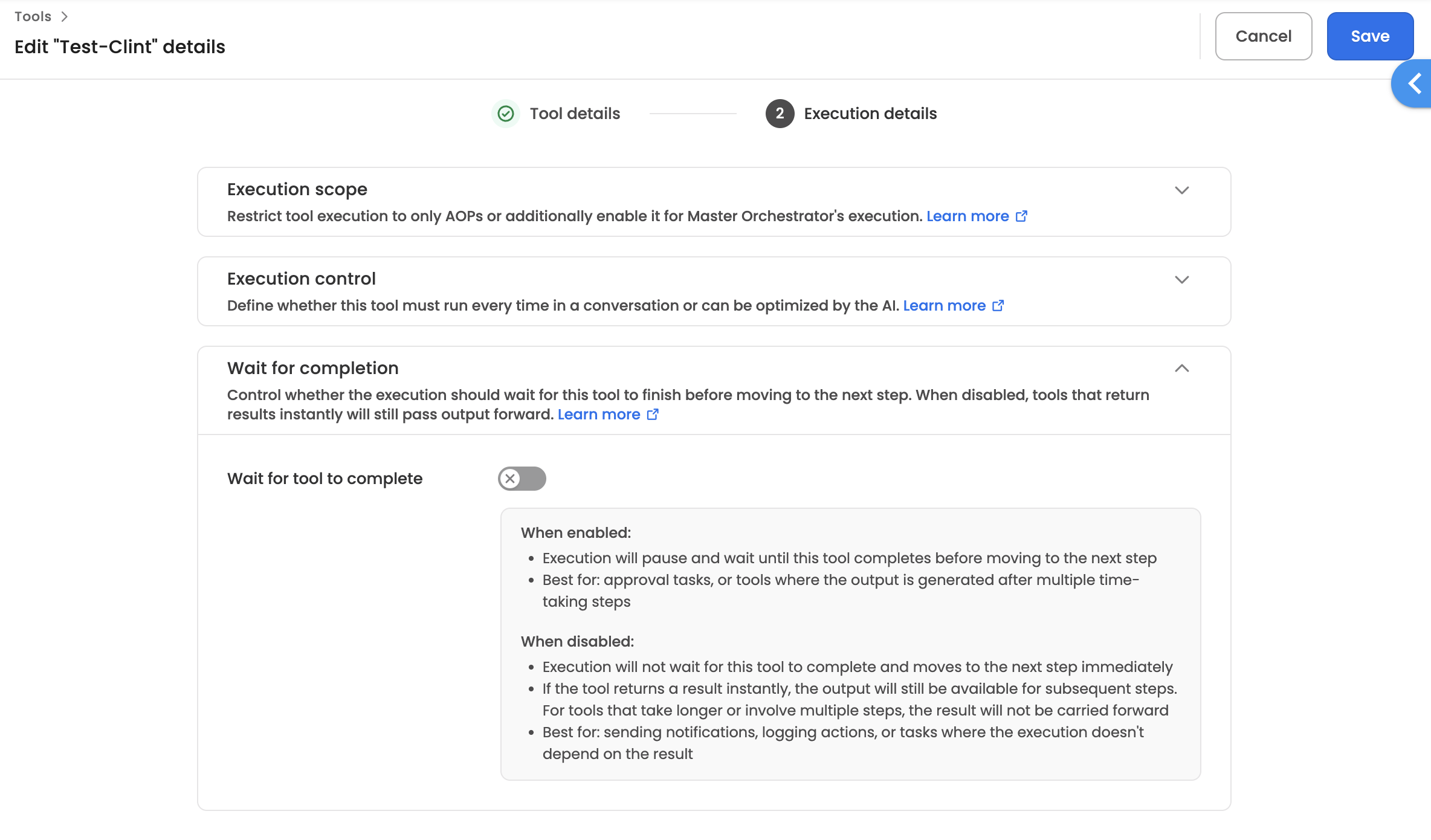
Note: This setting will appear only when you choose a workflow that runs asynchronously.
Wait for Completion: Workflow Execution Scenarios
The Wait for completion toggle appears in a tool's Execution Details in AIC Studio when the tool invokes an async workflow. It controls whether the AI Colleague pauses at this step and waits for the workflow to complete before continuing.
This article covers the two types of async workflows and how the toggle affects behaviour in each.
Async Blocking Workflow
A workflow is classified as blocking when it contains one or more of the following nodes: Input, Approval, Delay, or Async Callback. These indicate human-in-the-loop steps or time-based waits, meaning the workflow is expected to run over an extended and unpredictable duration.
Wait for Completion — ON
The AI Colleague submits the workflow and communicates to the user:
"We have submitted your request. We'll get back to you once we have an update."
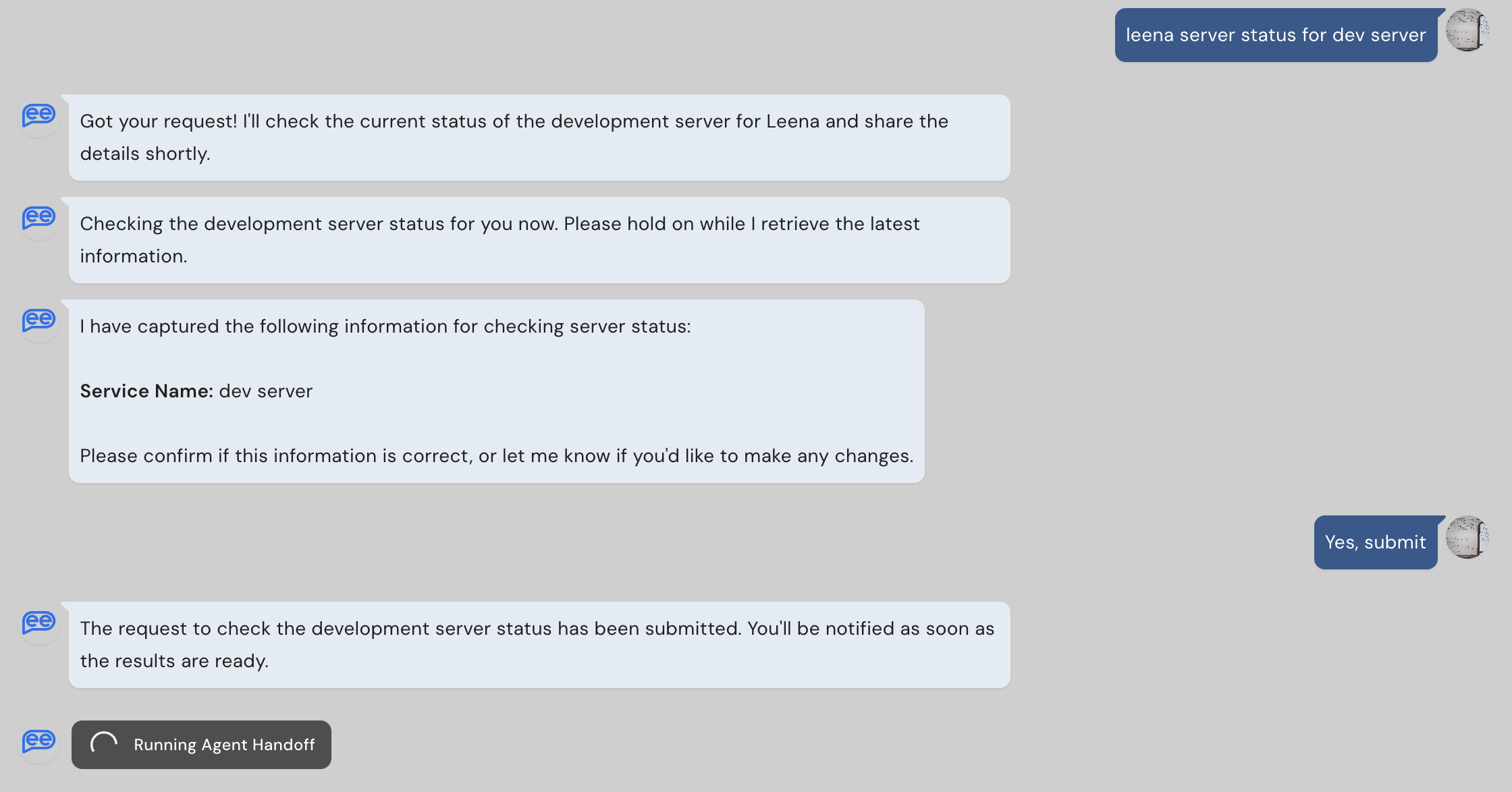
The AIC pauses at this step. When the workflow reaches its End Node and sends a callback, the AIC resumes — with the workflow output available for subsequent AOP steps.
Use when the AIC needs the workflow result to continue. Example:
- Confirming an approval before issuing a final response to the employee.
Enable custom callback must be ON on the workflow's End Node, otherwise the AIC will wait indefinitely.
Wait for Completion — OFF
The AI Colleague submits the workflow and immediately continues to the next AOP step. The workflow runs in the background. Its result is not available to downstream steps.
Use when the AIC does not need the workflow outcome to continue. Example:
- Triggering an off-boarding workflow for an exiting employee — HR is notified, but the conversation ends right away
Async Non-Blocking Workflow
A workflow is classified as non-blocking when it contains none of the above nodes — it runs entirely through automated steps and is expected to complete within a short window (up to 2 minutes).
Wait for Completion — ON
The AI Colleague shows the user:
"Running Tool: [Tool Name]"
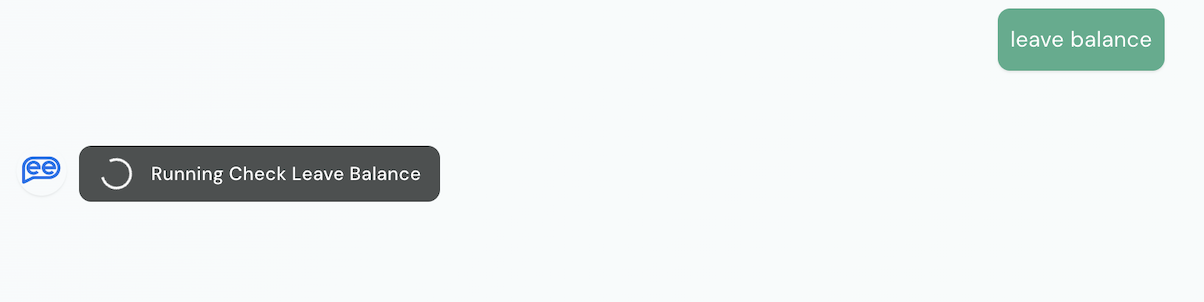
The AIC waits for the workflow callback, up to a 2-minute timeout. If the callback arrives in time, the AIC resumes with the result available downstream. If the timeout is exceeded, the AIC continues without a result.
Use when the AIC needs the output of a fast automated workflow. Example:
- Fetching live leave balance from Workday.
Enable custom callback must be ON on the workflow's End Node, otherwise the AIC will time out after 2 minutes without a result.
Wait for Completion — OFF
The AI Colleague invokes the workflow and immediately continues. The workflow runs and ends in the background. No result is passed downstream.
Use when no result is needed. Example:
- Updating a record in a connected system as a side effect of the conversation
Summary
| Workflow Type | Wait for Completion | AIC Behaviour | Result Available Downstream |
|---|---|---|---|
| Async — Blocking | ON | Submits and waits; user is informed of submission | Yes, when callback received |
| Async — Blocking | OFF | Submits and continues immediately | No |
| Async — Non-Blocking | ON | Shows "Running Tool"; waits up to 2 minutes | Yes, if callback received within timeout |
| Async — Non-Blocking | OFF | Fires and continues immediately | No |
Related Articles
Updated 3 months ago