
Skills Mapped to an AI Colleague
Overview
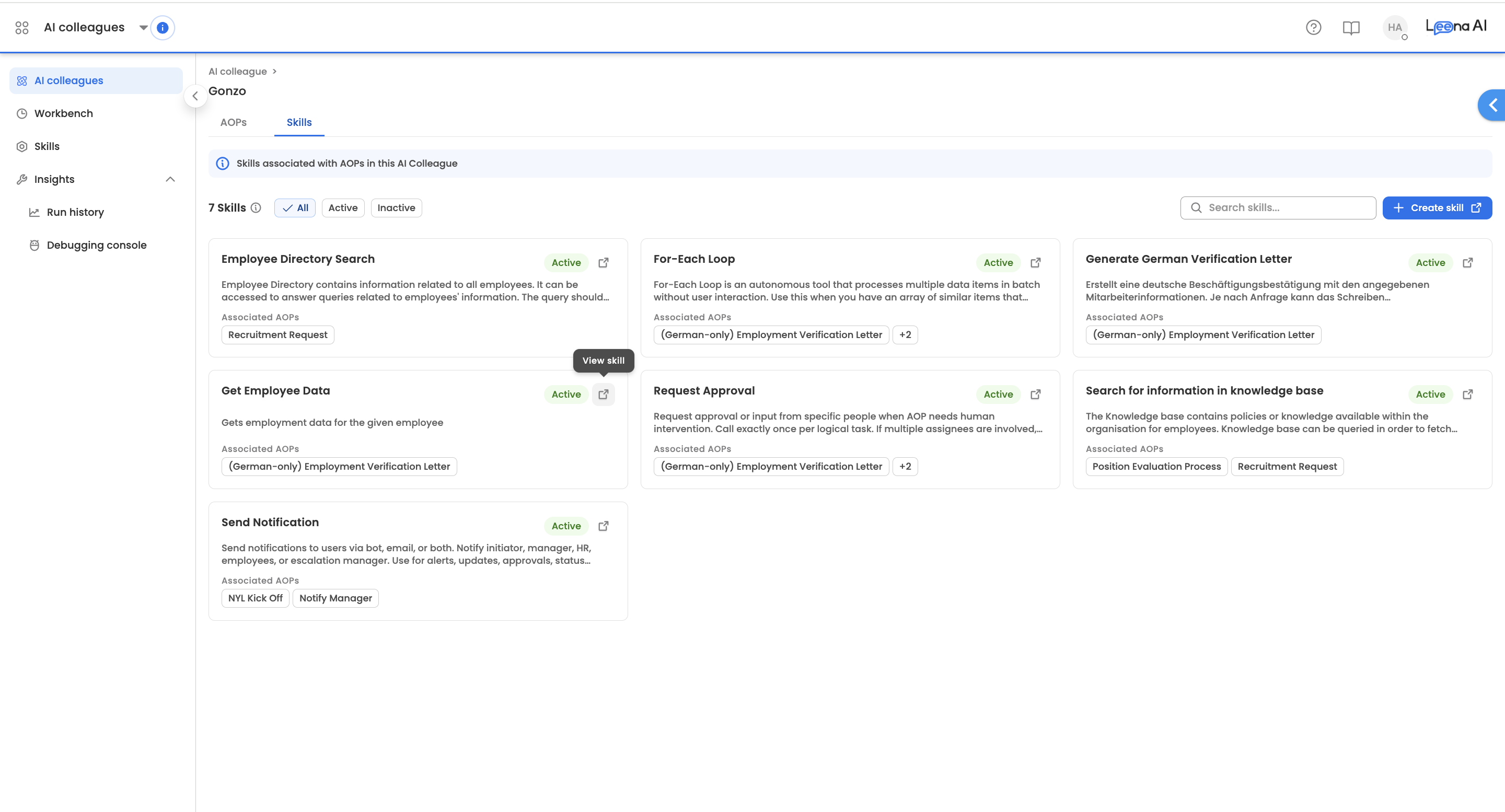
The Skills tab within an AI Colleague provides a consolidated view of all skills that are associated with the AOPs configured for that colleague.
Advantages
- Consolidated status view— See the status of all skills being used by the AI Colleague in one place, making it easier to monitor and manage skill configurations
- Quick navigation — Easily navigate to individual skills directly from this tab to make changes or update configurations
Accessing the Skills Tab
- Navigate to AI Colleagues from the left sidebar
- Select the AI Colleague you want to view
- Click on the Skills tab (next to the AOPs tab)
Understanding the Skills View
What You'll See
Each skill card displays:
- Skill Name — The name of the skill
- Status — Whether the skill is Active or Inactive
- Description — A brief explanation of what the skill does
- Associated AOPs — Tags showing which AOPs within the AI Colleague use this skill
Filtering Options
Use the filter buttons to narrow down your view:
| Filter | Description |
|---|---|
| All | Displays all skills regardless of status |
| Active | Shows only skills currently enabled |
| Inactive | Shows only skills that are disabled |
You can also use the Search bar to find a specific skill by name.
Key Points
- This tab only displays skills that are linked to AOPs within the AI Colleague
- Skills not associated with any AOP will not appear here
- Click on any skill card to view its complete configuration
- The skill count is displayed at the top of the tab for quick reference