
Guardrails
Guardrails are organisation-wide safety rules that validate every AI Colleague conversation — both what employees send and what the AI Colleague responds with — before execution continues. They are configured once and apply across all AI Colleagues automatically.
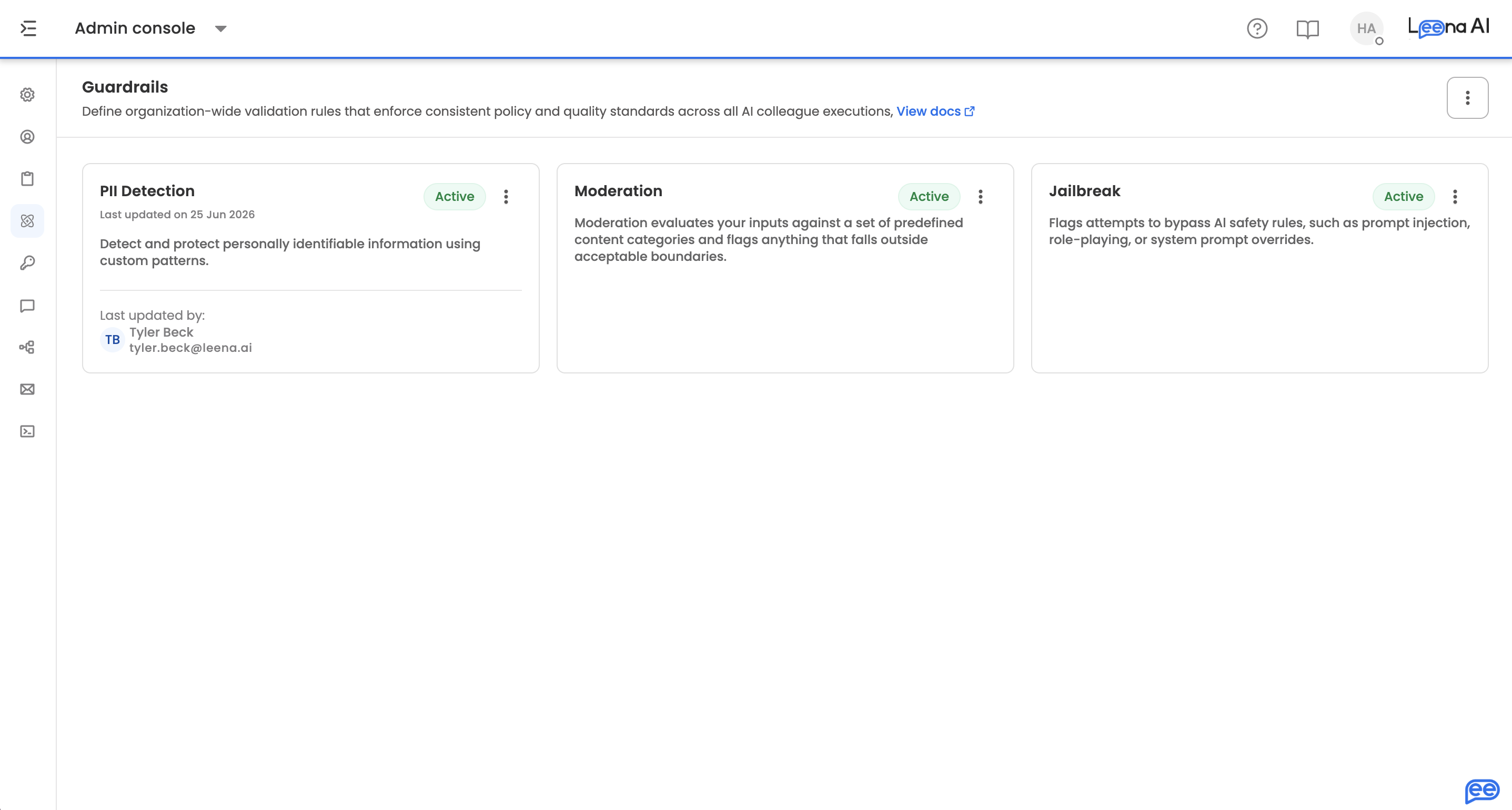
Where to find it
Open the Admin Console, then go to Orchestrator → Guardrails.
What's covered
Three guardrails ship out of the box:
| Guardrail | What it protects against | Applies to |
|---|---|---|
| PII Detection | Personally identifiable information in conversations | Employee input and AI output |
| Moderation | Harmful, hateful, or explicit content | Employee input and AI output |
| Jailbreak | Prompt injection and attempts to override the assistant's safety rules | Employee input only |
Turning guardrails on
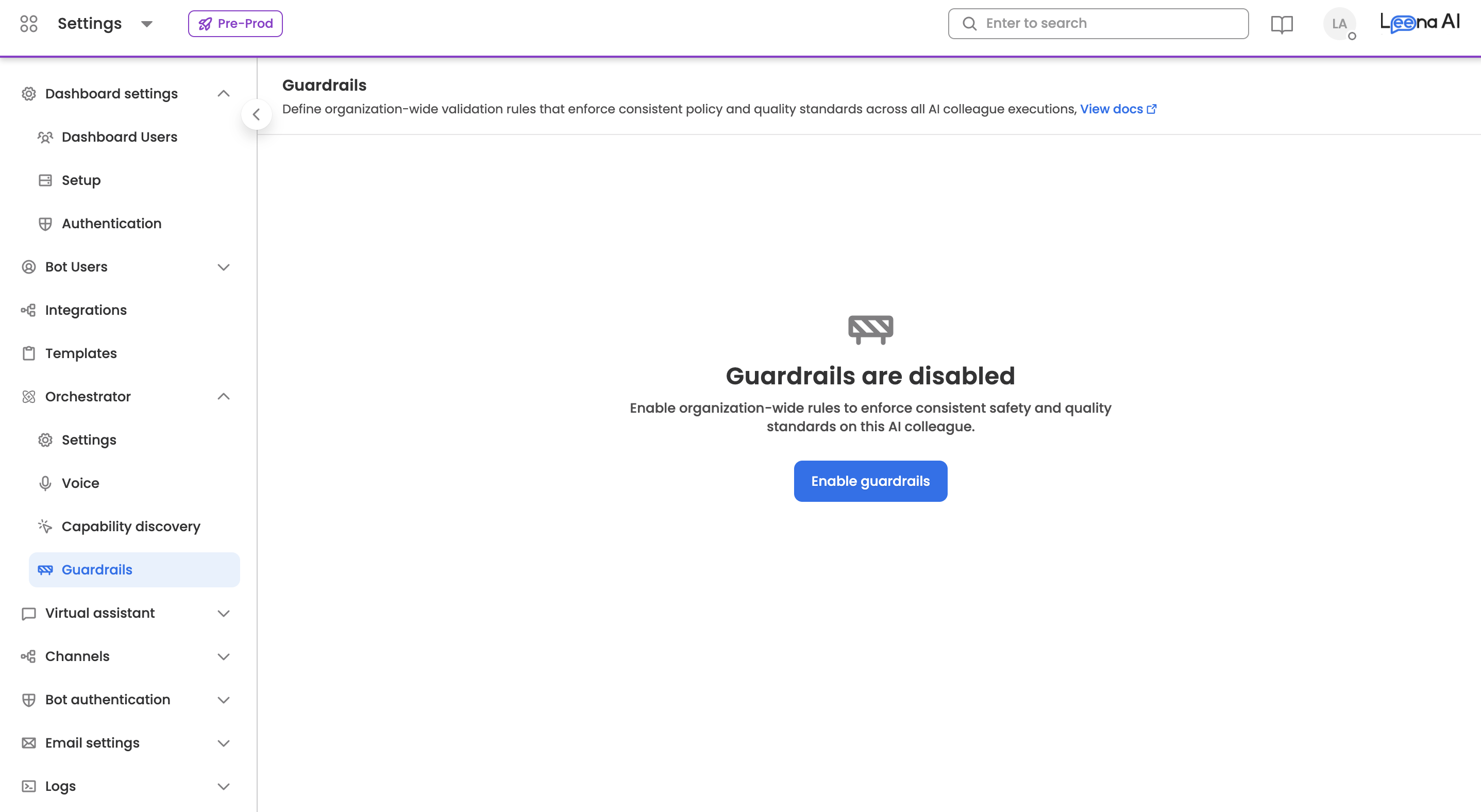
If guardrails have never been enabled, the page shows Guardrails are disabled with a single Enable guardrails button. Enabling is an organisation-wide action — it activates all three guardrails together.
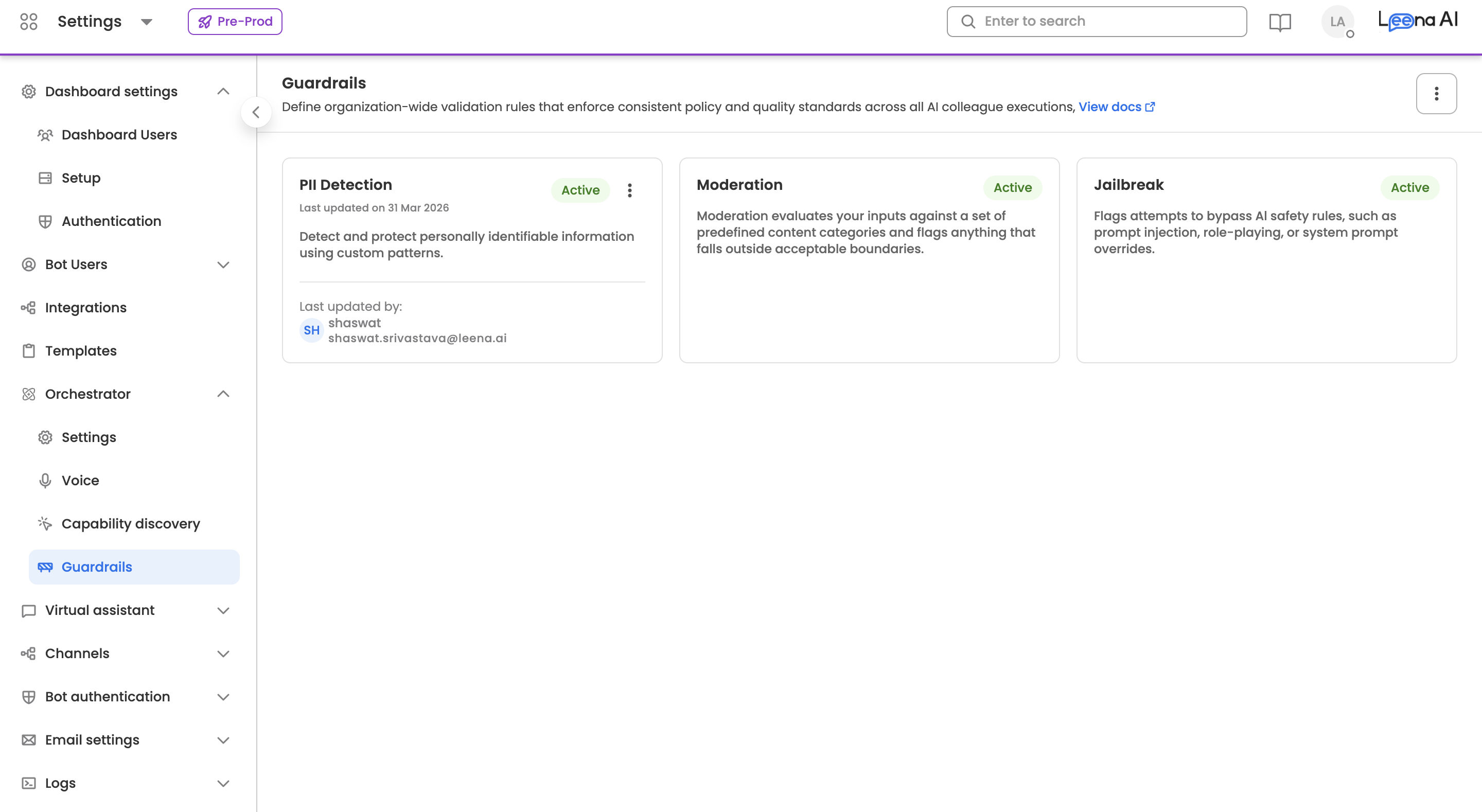
Once enabled, each guardrail appears as a card showing its name, status (Active or Inactive), a description, and — where applicable — who last updated it and when.
Disabling all guardrails also asks for confirmation, warning that validation stops applying to AI Colleague executions until they're switched back on.
What each card lets you doA guardrail's kebab menu offers only the actions that guardrail permits — some can be edited, some can be individually activated or deactivated, and some can only be viewed. In practice PII Detection is the one you configure and toggle independently; Moderation and Jailbreak are read-only views managed through the organisation-wide toggle.
Where a card offers nothing at all, no menu appears.
Activating an individual guardrail applies immediately. Deactivating asks for confirmation first, since it stops those rules applying until you re-enable them. Every change is written to the audit trail.
PII Detection
Click the PII Detection card to open its detail view, showing the current action and the selected entities as chips. Click Edit to change them.
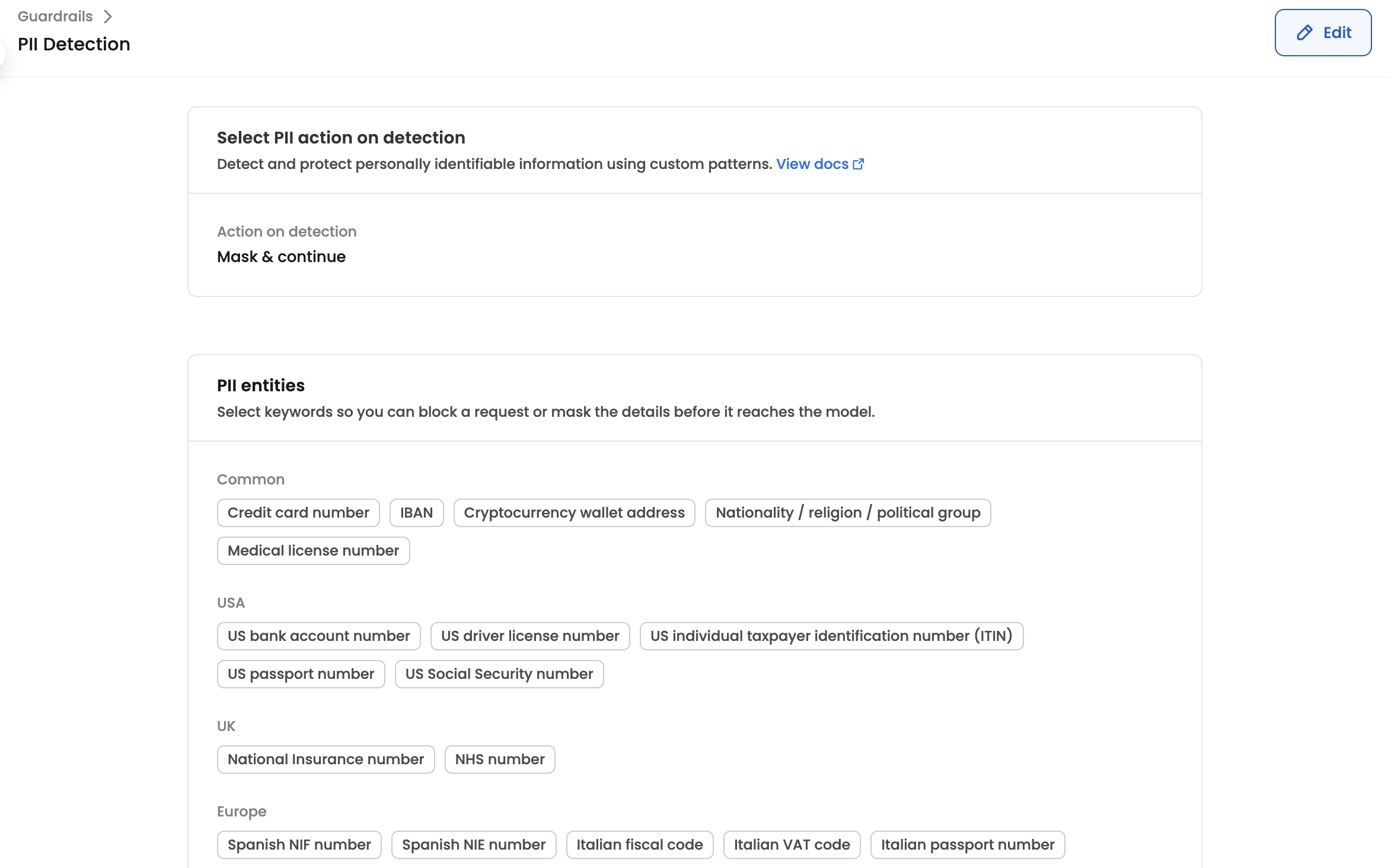
Action on detection
Choose what happens when PII is found:
| Action | What happens |
|---|---|
| Mask & continue | The detected value is replaced with a redaction placeholder and the conversation continues. The default, and the right choice where the masked version is still useful |
| Block request | Execution halts, an error is returned to the employee, and the violation is logged. Use for severe cases where continuing would breach policy |
| Log & continue | The conversation proceeds unmodified and the violation is recorded. Use for monitoring, where blocking would hurt the employee experience |
PII entities
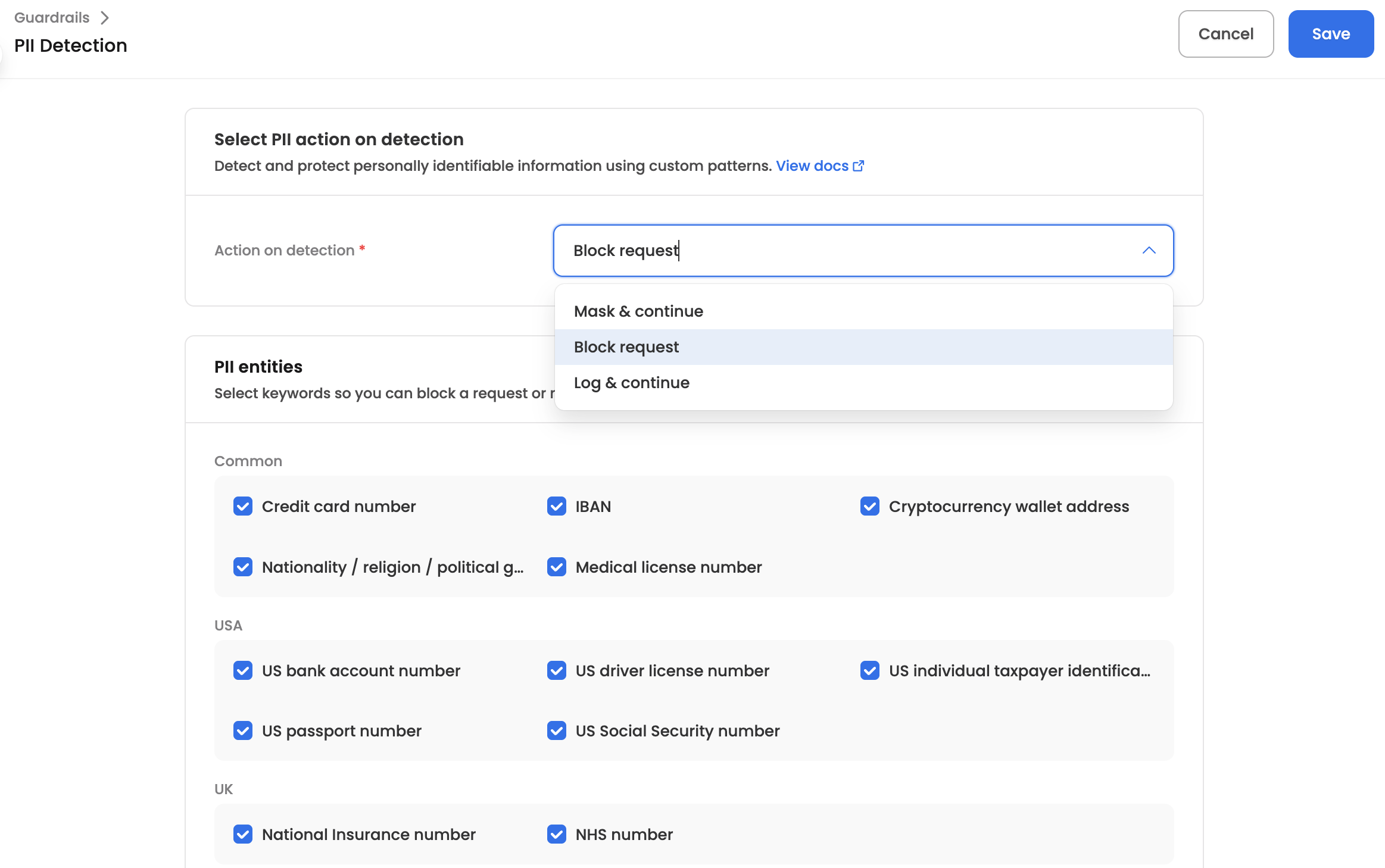
In edit mode, tick the data types you want detected. Entities are grouped — common identifiers such as credit card and IBAN numbers, alongside region-specific groups covering the USA, UK, Europe, and Asia-Pacific with their national identifiers, tax numbers, and health identifiers.
Enable only what's relevant to where you operate. Every additional entity is another chance for a false positive to mask or block something an employee legitimately needed to send.
Click Save to apply, or Cancel to exit without saving. Leaving with unsaved edits prompts you to save or discard.
Moderation
Click the Moderation card to see which content categories are active. They cover sexual content, hate and harassment, violence, self-harm, and illegal activities, each with more specific sub-categories.
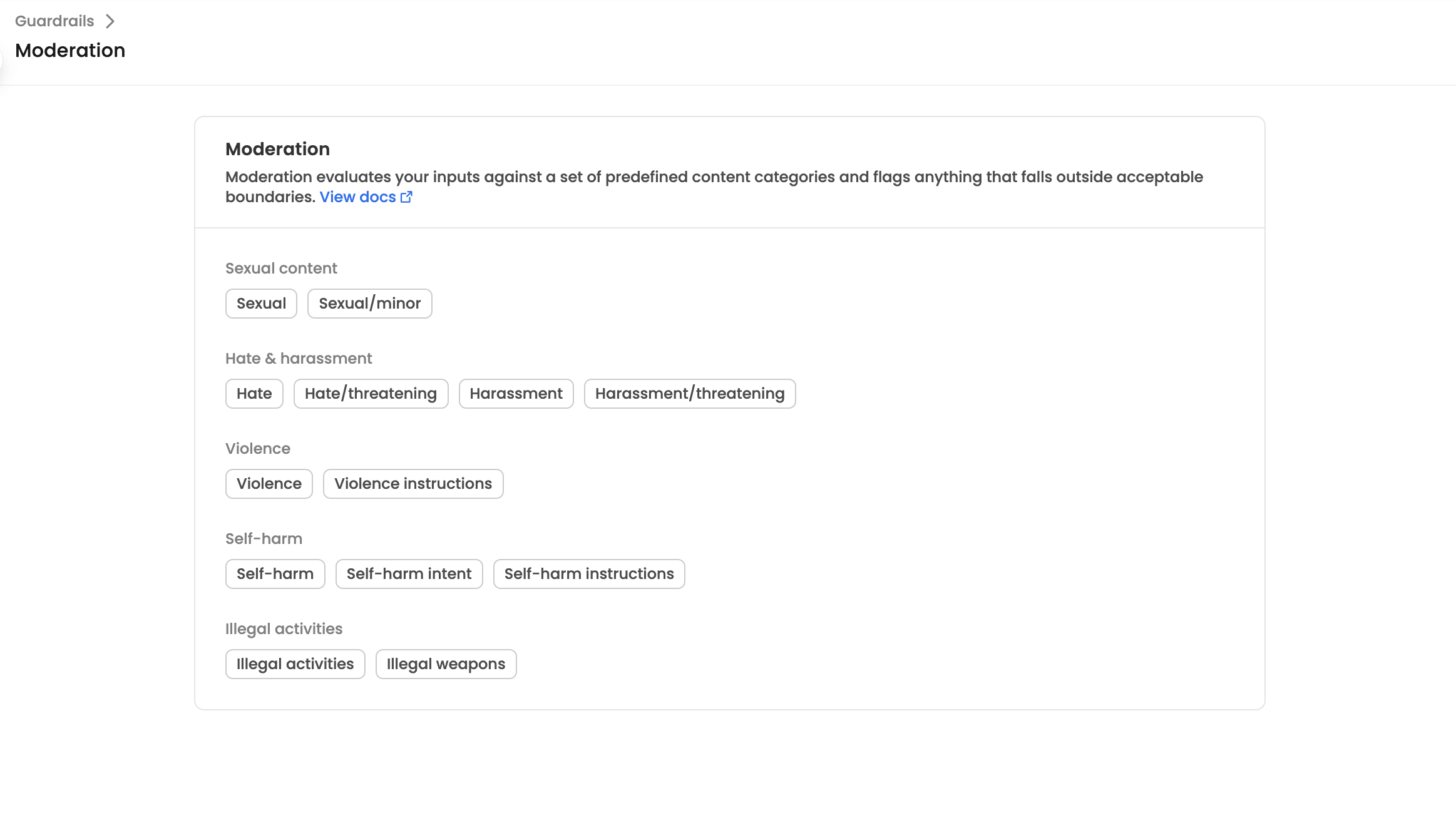
Moderation always blocksThere is no action choice here. When a moderation category is triggered the request is blocked — masking and logging are not options.
Jailbreak
The Jailbreak guardrail blocks attempts to manipulate the AI Colleague into bypassing its safety rules: prompt injection, role hijacking, and system prompt overrides.
Its detail view is read-only. Alongside the description it shows the confidence threshold range the detector operates within — useful context when reviewing why something was or wasn't caught. Detection runs automatically with all patterns on, and every blocked attempt is logged.
Reviewing violations
Guardrail violations appear in Run History as their own step, so you can see exactly which guardrail fired, on which turn, and what happened next. See Guardrails Violation in Run History.
Updated about 2 months ago