
Sendgrid setup
SendGrid setup authenticates the domains Leena AI sends email from, and registers the sender addresses used on each one.
Domain authentication is what lets receiving mail servers verify that messages genuinely come from your domain. Without it, notifications and workflow emails are far more likely to land in spam.
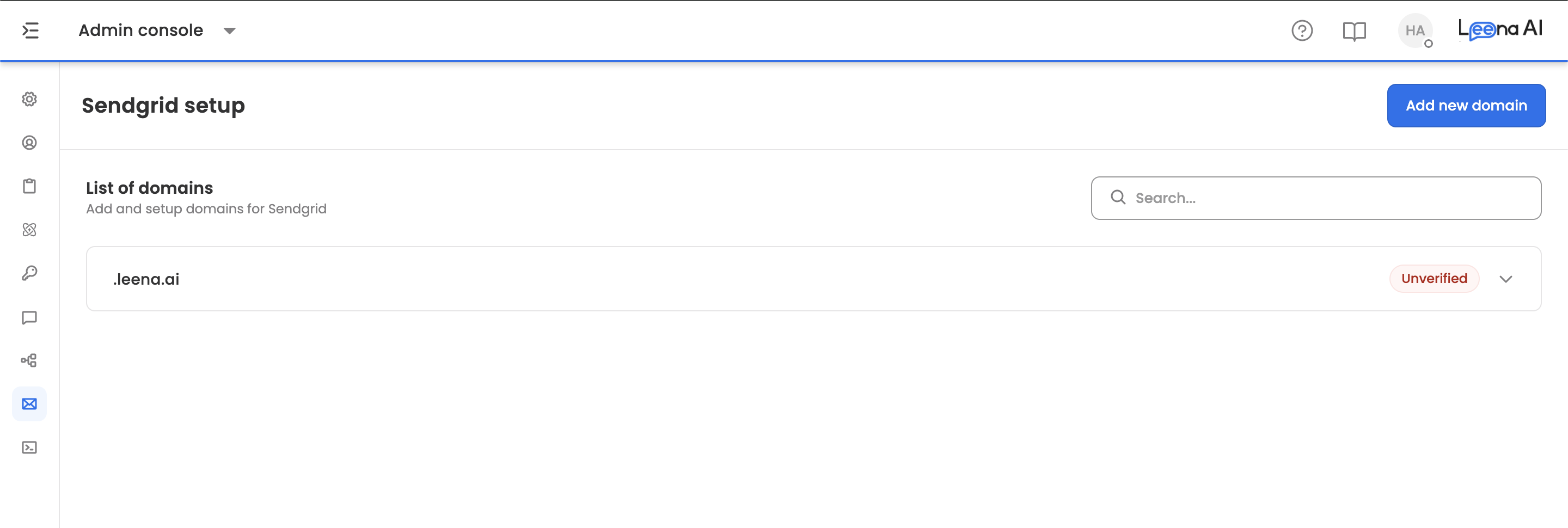
Where to find it
Open the Admin Console, then go to Email settings → Sendgrid setup.
Adding a domain
Click Add new domain.
| Field | Notes |
|---|---|
| Domain | The domain to authenticate, such as mail.company.com |
| Custom DKIM selector | Optional. Must be exactly 3 alphanumeric characters — letters and numbers only |
| Use Domain ID | Enable this to add a domain by its existing SendGrid domain ID instead |
| Domain ID | The SendGrid domain ID, shown when Use Domain ID is on |
The Use Domain ID route is for domains already authenticated in SendGrid — it links the existing record rather than creating a new one, so you don't repeat DNS work that's already done.
Click Add. A confirmation appears once the domain is added.
The DKIM selector is fixed at three charactersAnything longer or shorter is rejected, as are symbols. If you don't have a specific selector in mind, leave the field empty and SendGrid assigns one.
Publishing the DNS records
Each domain in the List of domains expands to show its DNS table, listing the records to create with your DNS provider:
| Column | What it shows |
|---|---|
| Type | The record type |
| Name | The record name or host |
| Value | The value to publish |
Create every record exactly as shown. DNS changes take time to propagate — often minutes, sometimes hours — so verification immediately after publishing may fail even when the records are correct.
Once published, click Verify records. The page confirms the request was received for verification.
If verification fails, check the records against the table character for character. A trailing dot or an auto-appended domain suffix added by your DNS provider is the usual cause.
Adding sender addresses
With the domain verified, use Add sender to register the addresses email is sent from.
Enter the Sender email — it must be a valid address on the authenticated domain. Confirmations appear when a sender is added or deleted.
View senders on a domain lists the addresses registered against it.
Use search to find a domain quickly once the list grows.
Updated 2 months ago