
Policy Hub: Managerial View & Enhanced Search
Welcome to the updated Policy Hub. This release transforms the platform from a solo experience into a collaborative management tool. We’re moving past the "screenshot tag" era—managers can now view exactly what their team sees, ensuring policy alignment without the back-and-forth.
1. Overview
Currently, the Policy Hub is siloed. Employees see their policies, but managers are left in the dark regarding their team's specific permissions. This update introduces Dropdown Selection, allowing managers to toggle between their own documents and those of their direct reports.
2. Core Features
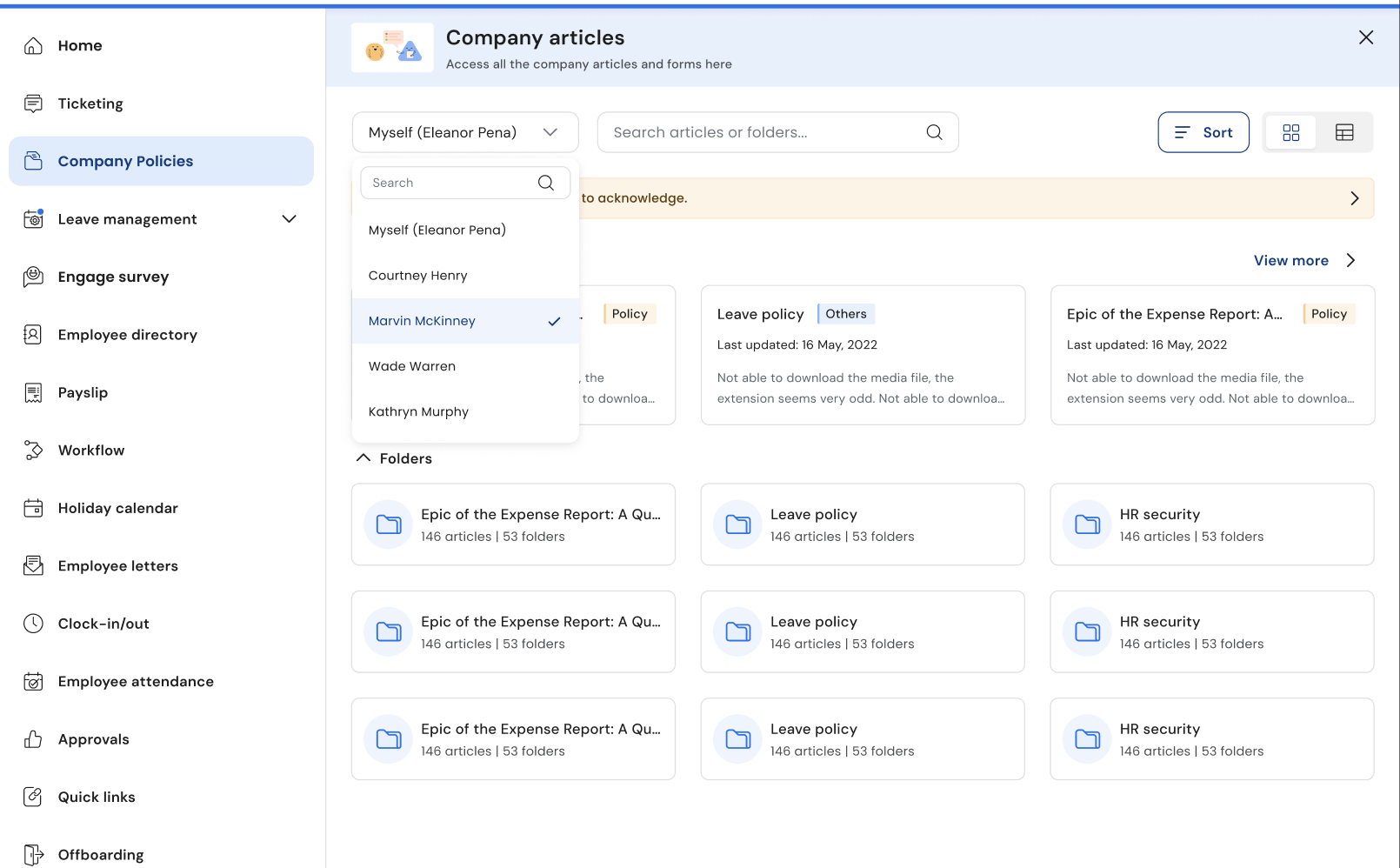
Dropdown Selection
The landing page is now split into two distinct views:
| Option | Description |
|---|---|
| Myself(Your Name) | The classic view. Displays policies assigned to you based on your role and location. |
| Name of your Reportee | The new managerial layer. Only visible to users with "Manager" status in the HCM. |
Reportee Management
Within the Manager View, a new navigation layer is introduced:
- Reportee Selector: A searchable dropdown menu to select a specific direct report.
- Dynamic Rendering: Once a reportee is selected, the dashboard refreshes to show only the policies where that specific employee is the intended audience.
3. Access Control & Permissions
HCM Synchronization
Access is strictly governed by the Human Capital Management (HCM) system.
- Real-time Checks: If an employee moves teams or a manager's status changes, permissions are updated or revoked instantly.
- Privacy Guardrails: To protect data privacy, V1 only allows visibility into direct reports.
Admin Dashboard Settings
Administrators have ultimate control over this feature. Within the General Settings, admins can:
- Toggle the Managerial View on/off globally.
.
4. Logic & Edge Cases.
- Manager as a Reportee: If you have a boss (most of us do!), you’ll see both the options. Your 'Myself' page is simply what your manager sees when they look at your profile.
- The "Empty Nest": If a user has no direct reports assigned in the HCM, the "Your Reportees' Policies" will automatically be hidden to keep the UI clean.
5. UI Components
- Dropdown Selector: Located at the top of the main dashboard.
- Search Bar: Context-aware. It will only search the policies of the currently selected view (Personal or specific Reportee).
6. Enhanced Smart Search
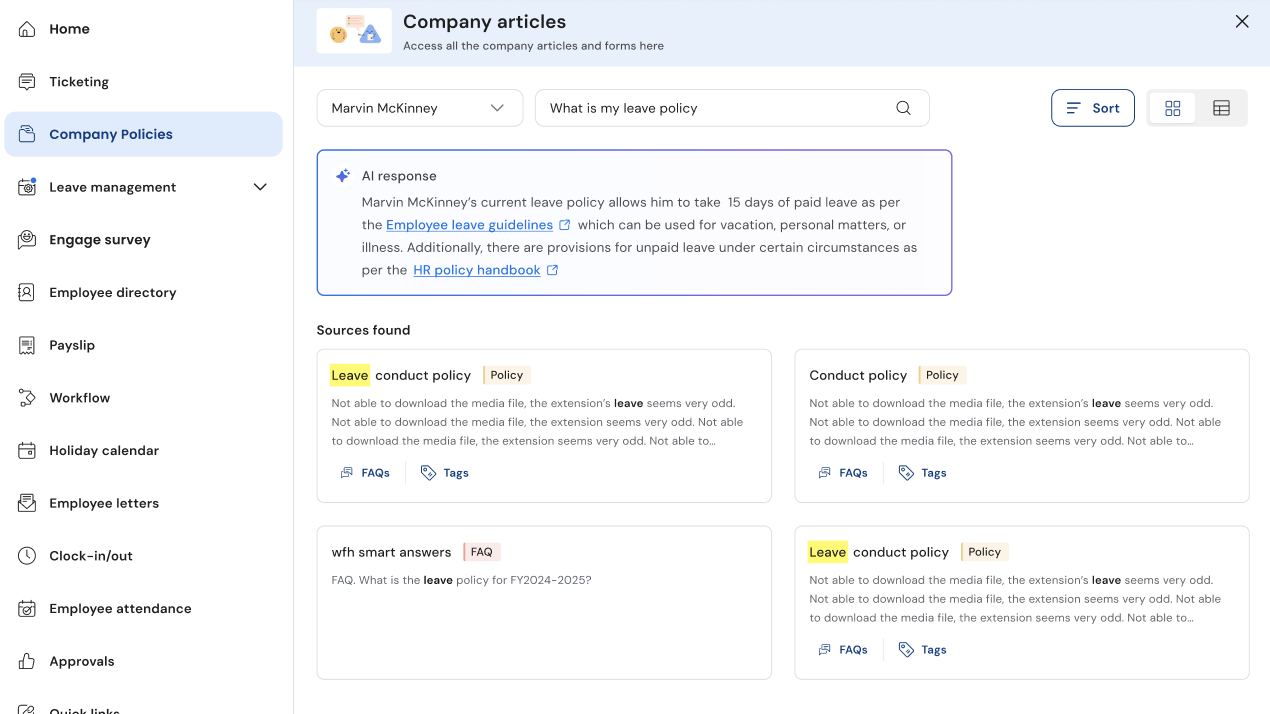
The search experience has been upgraded from a basic keyword matcher to an intelligent Knowledge Management (KM) pipeline that understands intent and context.
-
Contextual Scoping: The search bar automatically filters results based on your active view. If you are viewing the policies of your reportees, the search only scans documents that the selected employee has permission to see.
-
Question Mode: If you ask a specific question (e.g., "How many days of paternity leave?"), the KM pipeline triggers an AI Short Summary.
-
Keyword Mode: If you type a single term (e.g., "Travel"), the system returns the traditional list of folders and articles.
-
AI-Generated Summaries: When a question is detected, a "Flash Card" style summary appears at the top of the results. This provides an instant answer without requiring you to open multiple documents.
-
Verified Source Attribution: To maintain total transparency and trust, every AI summary explicitly cites the specific Knowledge Base (KB) article it was derived from.
-
Fail-Safe "No Answer" Logic: To prevent AI hallucinations, if the system cannot find a definitive answer, it displays the same.
Updated 7 months ago