
Bulk Status Update
User Guide: Bulk Status Update
Overview
The Bulk Status Update feature allows you to update the status of multiple tickets at once, helping you save time and manage tickets more efficiently.
How to Access
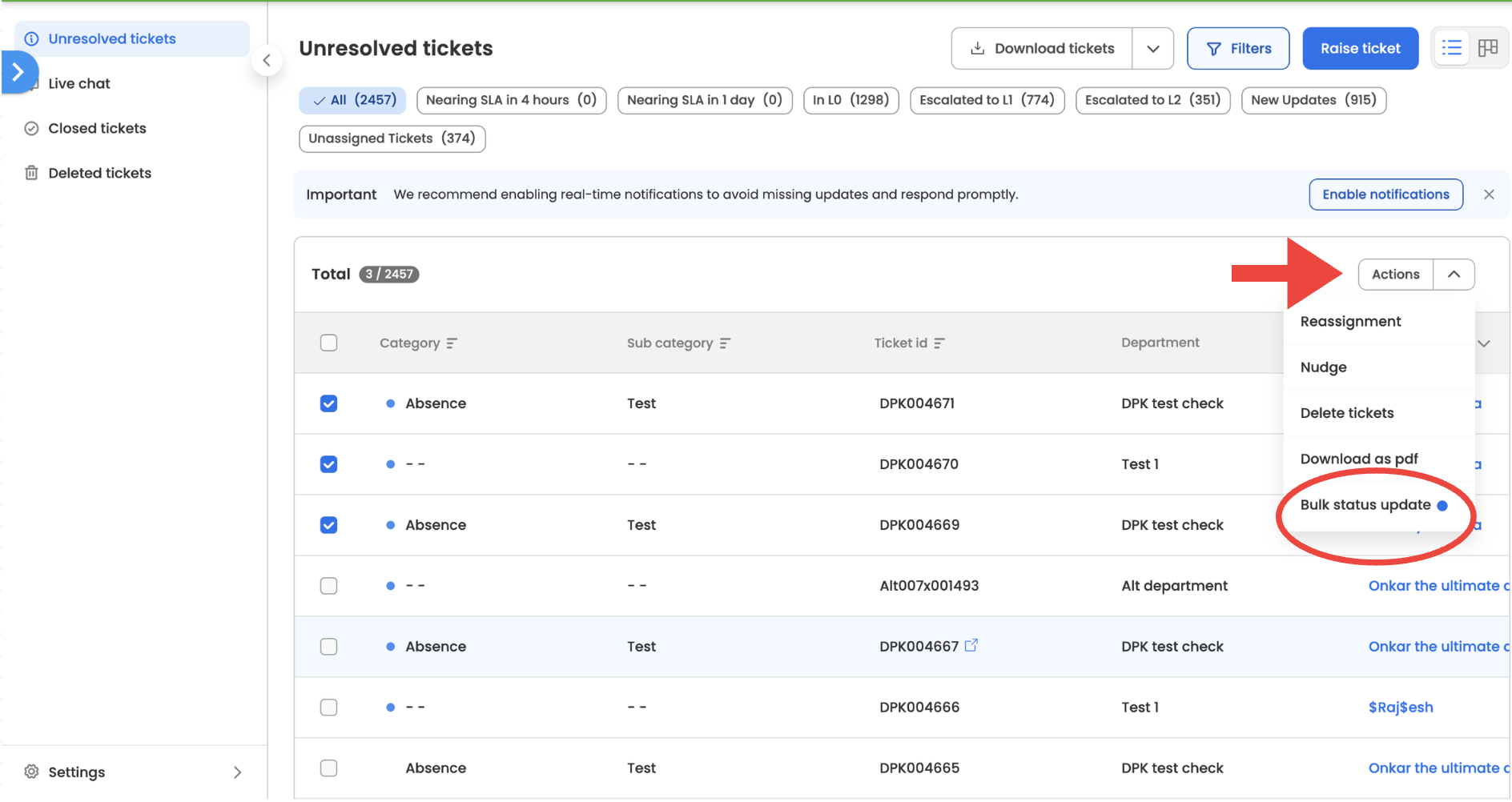
- Go to your ticket list view
- Select one or more tickets using the checkboxes
- Click on the Action dropdown
- Select Bulk status update
How to Use
Step 1: Select Tickets
- Choose all the tickets you want to update
- Ensure that all selected tickets belong to the same status schema
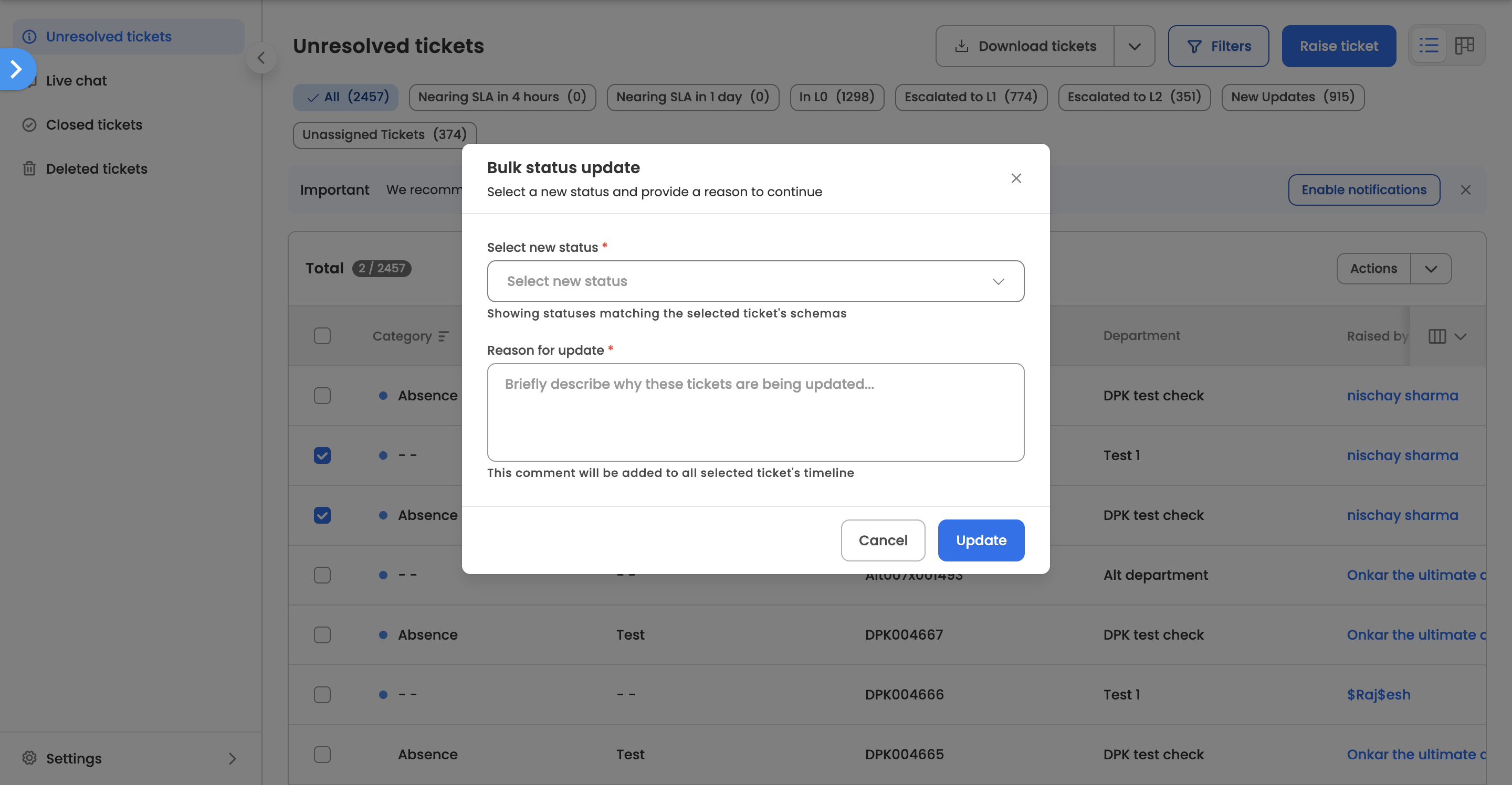
Step 2: Open Bulk Status Update
- Click on Action → Bulk status update
- A modal will open
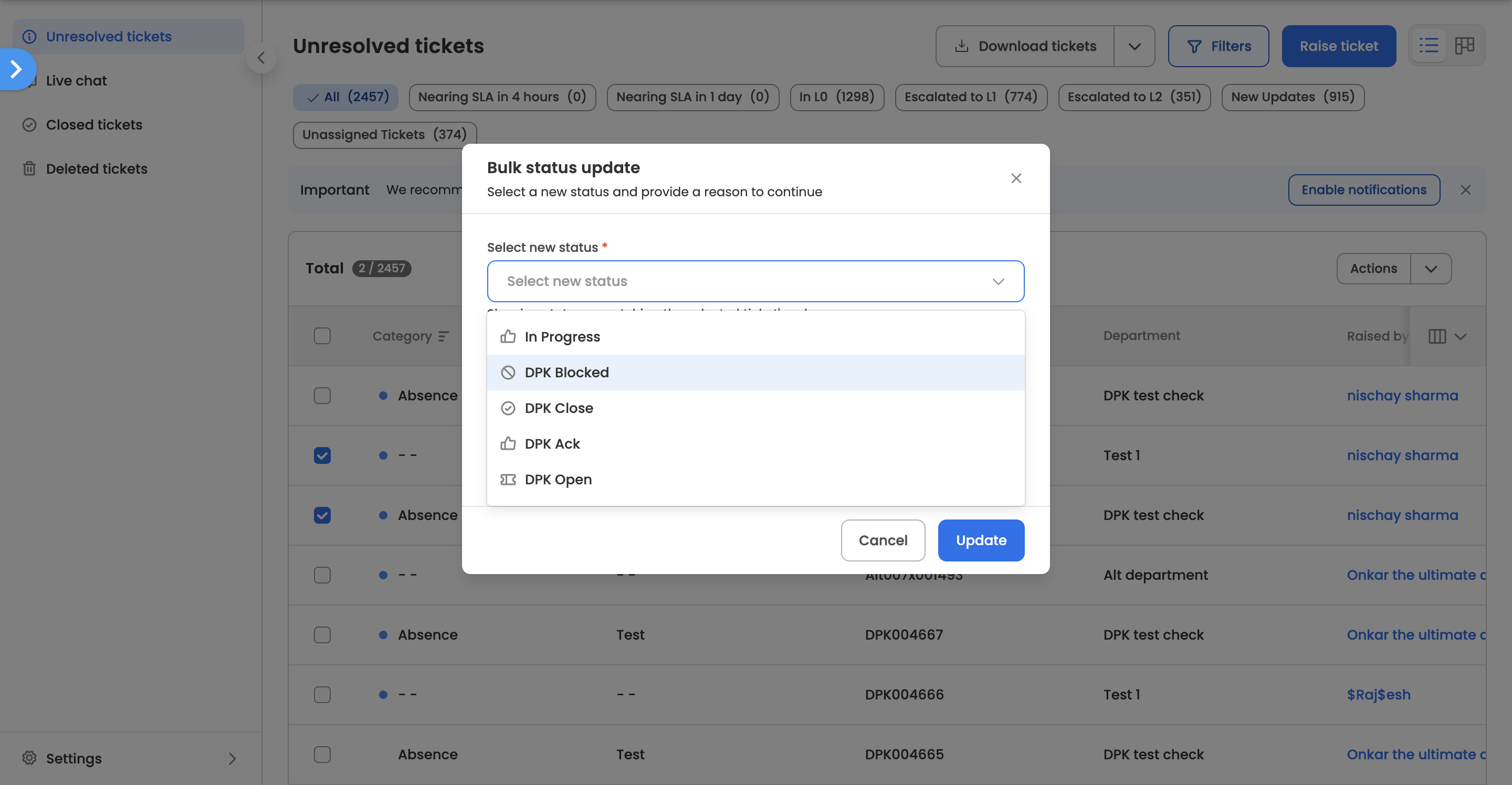
Step 3: Select New Status
- Choose the desired status from the dropdown
- The list of statuses shown will depend on the current state of the selected tickets
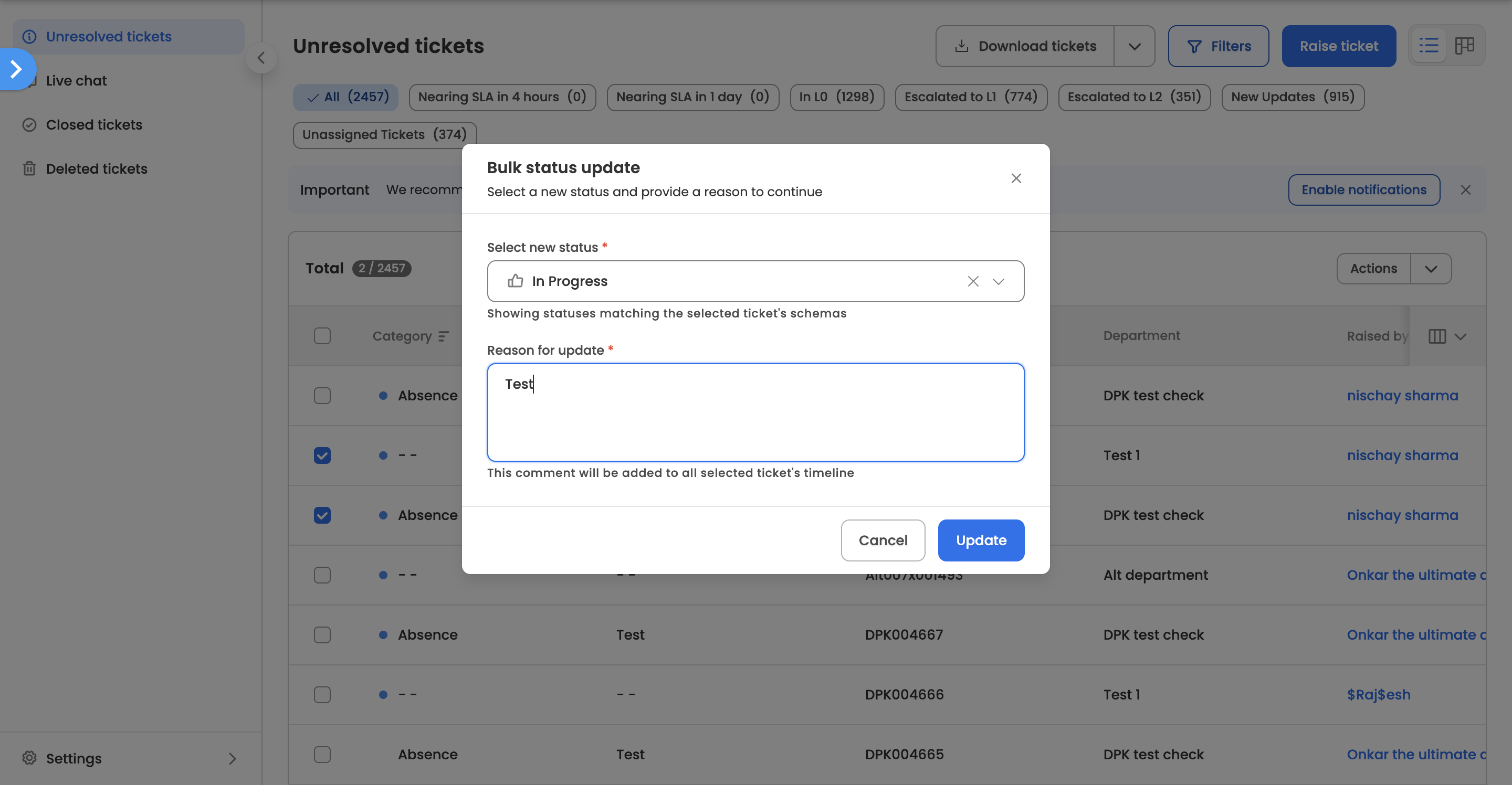
Step 4: Add Comment
- Enter a comment explaining the reason for the status change
- This step is mandatory and required to proceed
Step 5: Update Status
- Click on Update Status to apply the change
- All selected tickets will be updated together
Important Behaviours
Status Availability
- If tickets are in a Closed state, they can only be moved to an Open state
- For tickets in other states (Open, Blocked, Acknowledged), you can select any available status within the same schema
Status Schema Requirement
- All selected tickets must belong to the same status schema
- If they do not, the system will prevent the update and prompt you to refine your selection
Partial Match Information
- If some selected tickets already have the chosen status:
- You will see an informational message
- You can still proceed with the update
- After completion, all selected tickets will reflect the selected status
After the Update
- All selected tickets will be updated to the chosen status
- Your action will be recorded for tracking purposes
- A summary of the update will be sent via email
Key Notes
- Bulk updates apply the same status to all selected tickets
- Adding a comment is mandatory for every update
- The update will only proceed if all conditions are met
- This feature helps streamline large-scale ticket management
Updated 6 months ago
Did this page help you?