
Contextual Note
A Contextual note lets you leave notes on the workflow canvas for yourself and other builders. It's a documentation aid — it does not execute, connect to other nodes, or affect how the workflow runs, and end users never see it.
Use it to label sections of a complex workflow, explain why a branch exists, flag a step that's still being worked on, or leave context for whoever edits the workflow next.
At a glance
- Purpose: on-canvas note/annotation for builders.
- Runs at execution? No — it has no effect on the workflow's logic or data.
- Connections (edges)? None — a contextual note isn't wired into the flow.
- Visible to end users? No — it's only seen in the builder.
Enable contextual notes
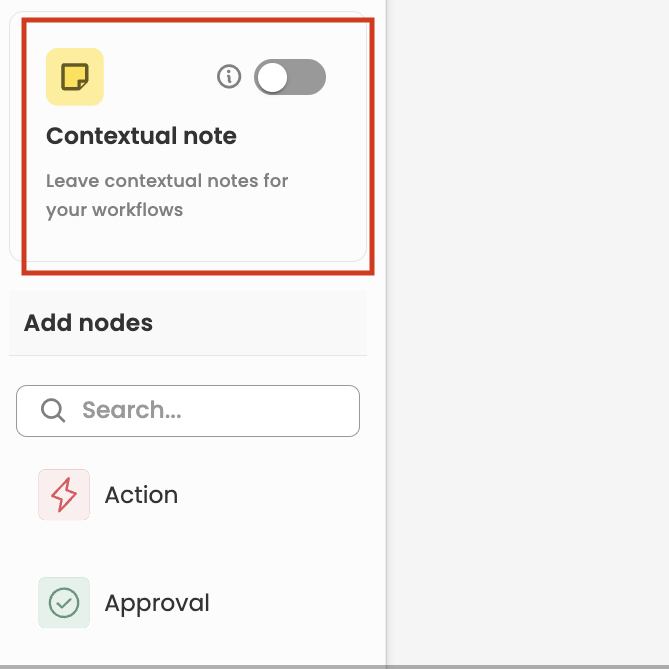
Contextual notes aren't in the Add nodes list. They're controlled by a dedicated card at the top of the node panel in the Application Workflow builder:
- Open your workflow in the builder.
- In the node panel (left side), find the Contextual note card — labelled "Leave contextual notes for your workflows."
- Turn on its toggle to enable contextual notes for the workflow.
- Add your note(s) to the canvas and type the text. You can position a note anywhere, near the steps it refers to.
Because a contextual note carries no logic, you don't connect it to other nodes, and it doesn't need to be configured before you publish.
Good to knowThe note text is optional — a contextual note can be left blank and filled in later. Since it isn't part of the execution graph, adding, editing, or removing one only affects the builder view, not any running or past requests.
Updated 3 months ago