
Virtual Assistant Preferences
Managing Virtual Assistant Notification Preferences
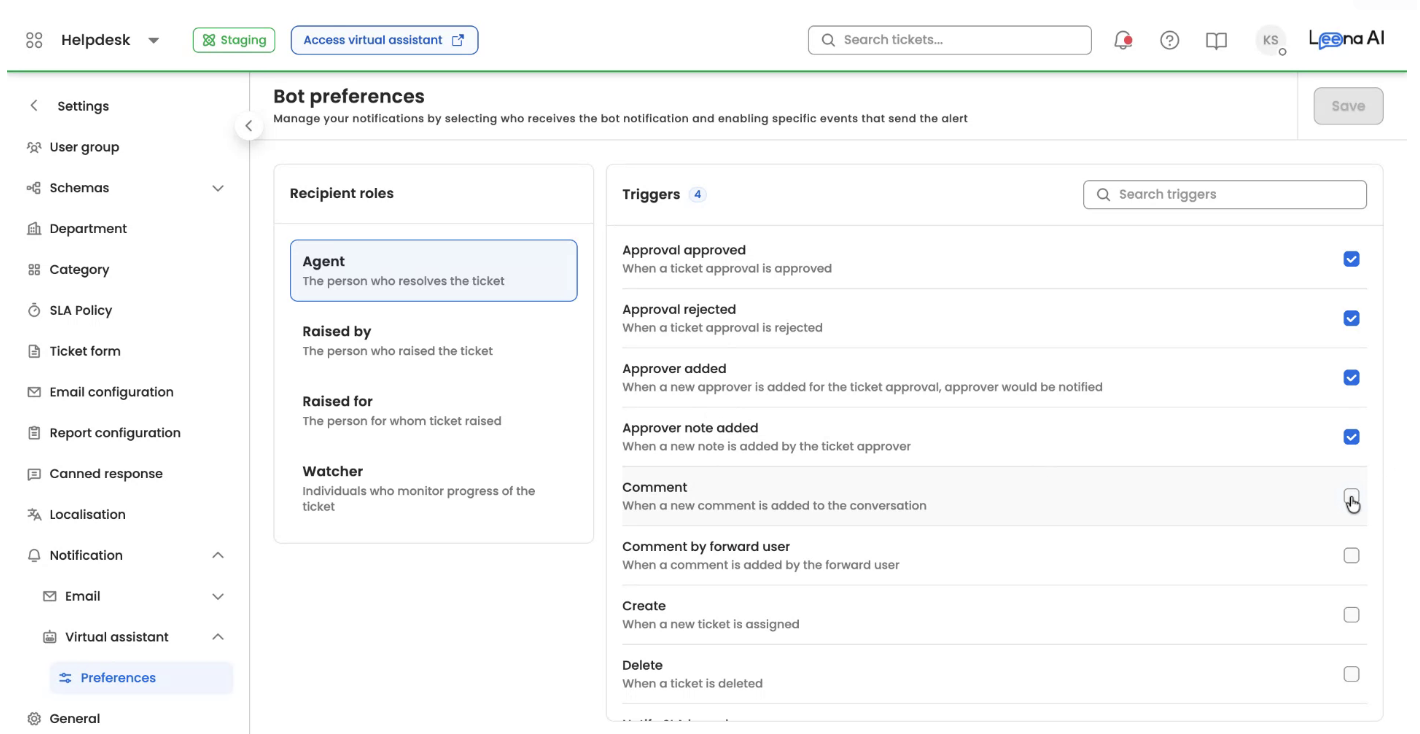
Use this process to configure which virtual assistant (bot) notifications are sent to different recipient roles — Agent, Raised By, Raised For, and Watcher. You can enable or disable specific notification triggers and save your preferences.
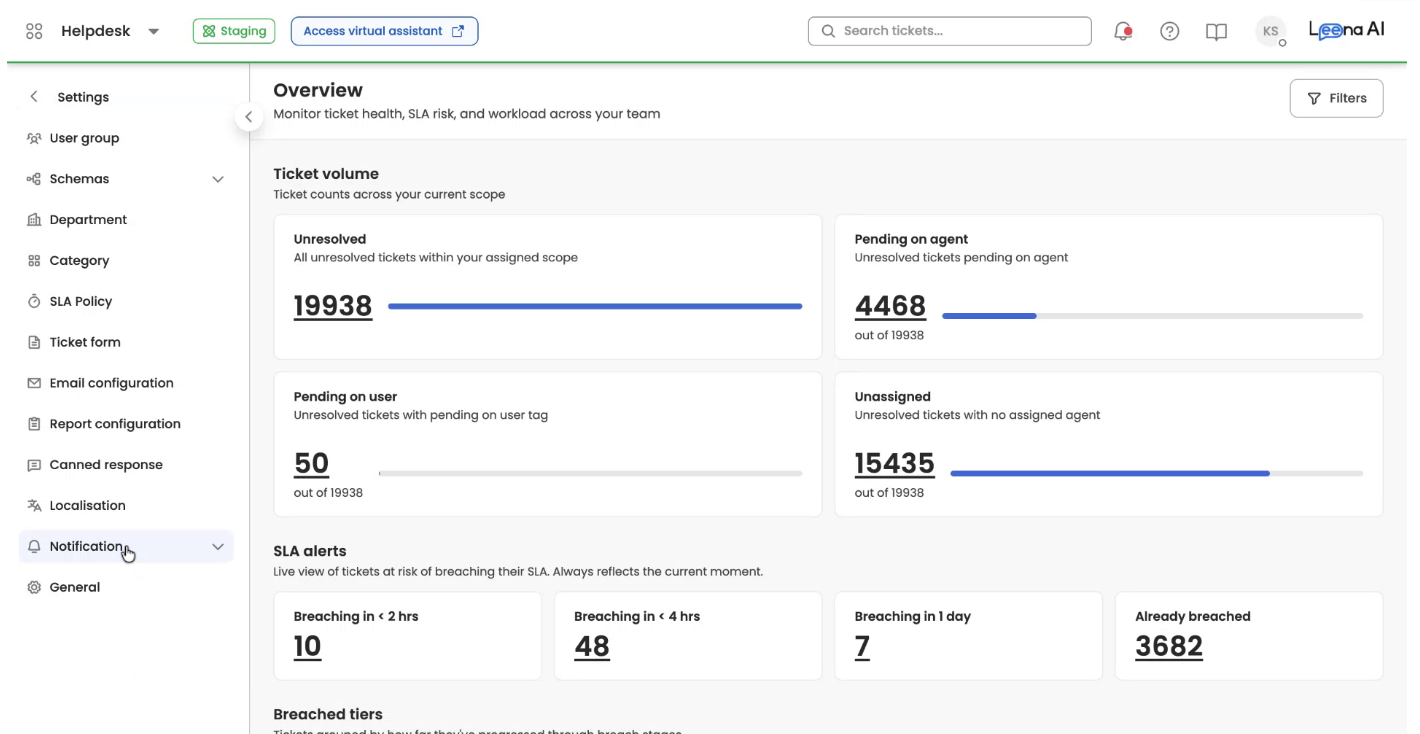
Step 1: Open Notification Settings
- Go to Settings in your application.
- Click on the Notification tab.
- Click on Virtual Assistant, then go to Preferences.
Step 2: Configure Notification Preferences
- In the Bot Preferences section, locate the desired role. Here you can choose which types of notifications that role should receive.
- For example, keep the Comment notification enabled so agents are notified when a comment is added.
- After making your changes for the Agent role, click Save.
Updated 3 months ago
Did this page help you?