
Custom Tools
Watch the tutorial
Custom tools are organization-specific capabilities created within the Workflows Studio and imported into the AI Colleagues Tools registry. These tools extend the platform's capabilities to meet unique business requirements.
Creating Custom Tools
-
Design and build custom workflows in Workflows Studio
-
Navigate to 'AI colleagues' > 'Tools' to map the corresponding custom built workflow as a tool into AI colleagues.
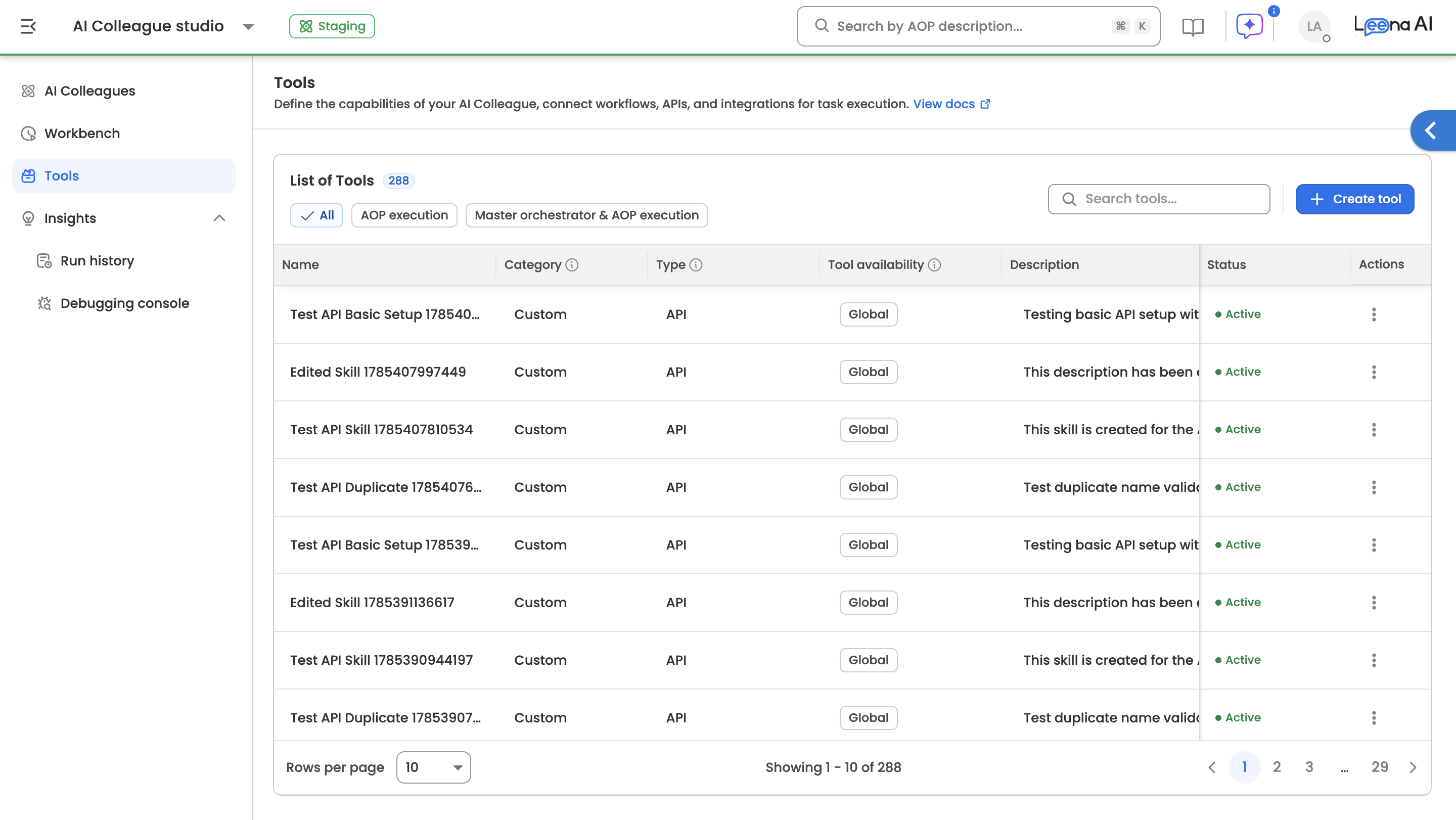
- Click on 'Create tool' to register a new tool.
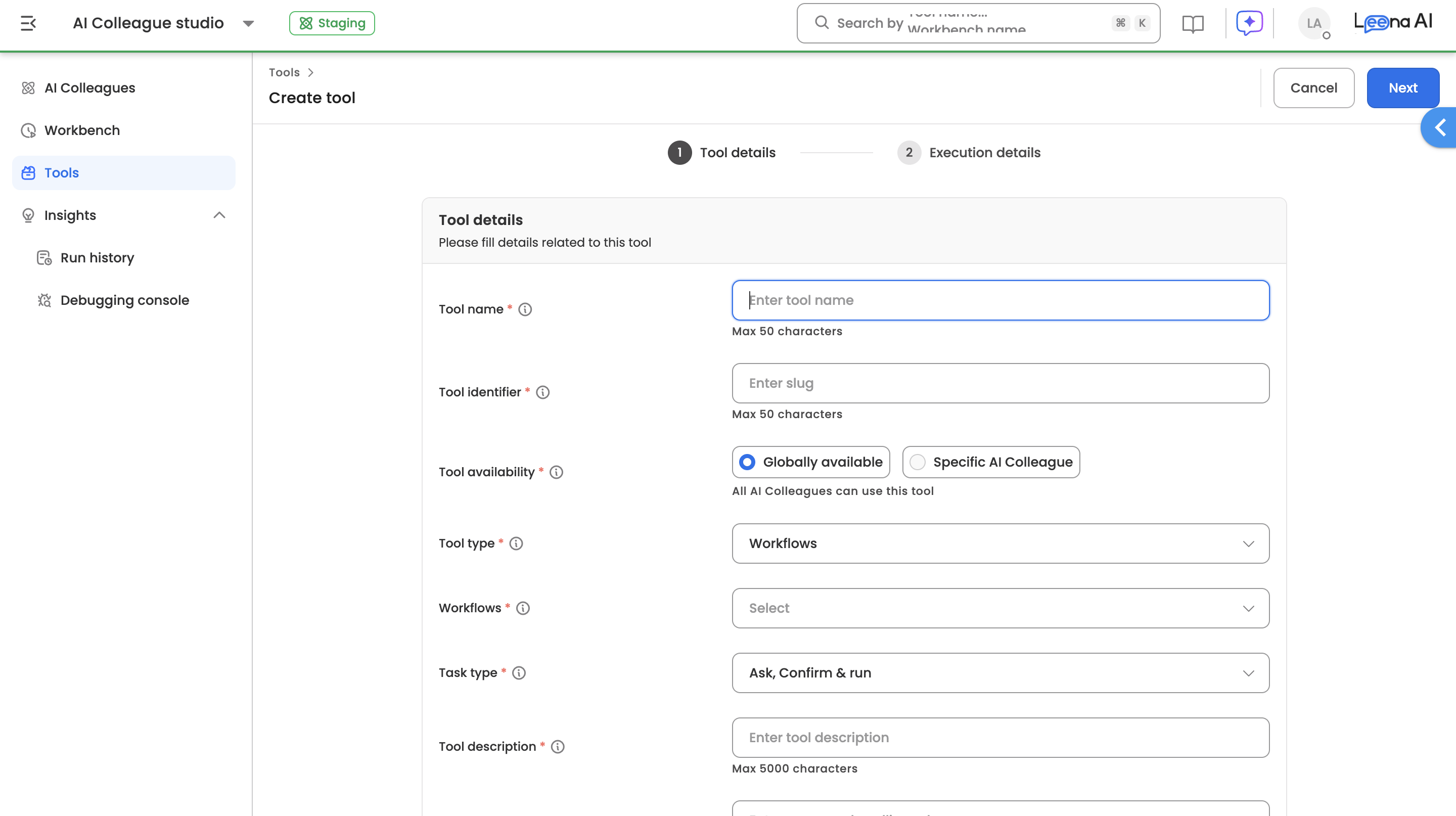
- Following are details required to register your custom-built workflows as a tool within AI Colleagues:
Field Description Example Tool name The name of tool should be unique for better accuracy in execution. Apply for leave Tool slug Auto-generated based the tool name. This is used for internal executions apply_for_leave Tool type Select 'Workflows' as the type Workflow Select the custom-built workflow Apply leave in Successfactors Tool description The description of the tool. This is used for internal executions to identify best fit tool Applies leave on behalf of employee under Successfactors. Positive/Negative examples Helps better determine what kind of user queries can be addressed through this tool by master orchestrator Positive example: I want to apply for sick leave day before yesterday - Click on 'Create' to save the tool. A tool is marked as Active and auto-enabled for consumption/usage. A previously registered tool can be marked as Inactive if required.
- Following are details required to register your custom-built workflows as a tool within AI Colleagues:
Updated about 2 months ago
Did this page help you?