
Role Based Access Controls
Roles and Permissions
Leena AI uses role-based access control (RBAC) to govern who can build, configure, and operate AI Colleagues. This page explains the roles, what each can do, and how ownership and scope work.
The model at a glance
There are three roles, each with a clear scope:
- System Admin — manages role assignments. Does not build or operate.
- Admin (role name: AI Colleague Studio Admin) — governs AI Colleagues, global tools, global workflows, and global connectors across the platform.
- Builder (role name: AI Colleague Studio Builder) — operates within AI Colleagues they own. Builds AOPs, tools, workflows, and connectors scoped to those AI Colleagues.
In addition to these platform roles, AI Colleagues have Owners. An Owner is a Builder who has been granted edit access to a specific AI Colleague. A Builder must own an AI Colleague to work inside it.
Who does what
System Admin
- Grants and revokes the Admin and Builder roles.
- Does not create AI Colleagues, build AOPs, or configure tools.
Admin
- Creates and deletes AI Colleagues. (Deletion is blocked while the AI Colleague has AOPs or tools assigned — remove those first.)
- Edits AI Colleague name, description, and escalation contact.
- Assigns Builders as Owners on any AI Colleague.
- Creates and edits AOPs across all AI Colleagues.
- Creates global tools and AI Colleague-scoped tools. Global tools can additionally be exposed to the Master Orchestrator via the tool's execution scope setting.
- Creates and edits global workflows and AI Colleague-scoped workflows.
- Creates and edits global and AI Colleague-scoped connectors, and changes connector scope.
- Promotes AI Colleague-scoped tools and workflows to Global (subject to validation).
- Migrates tools to other environments (migration is an Admin-only action).
Builder
- Cannot create or delete AI Colleagues.
- Edits the description and escalation contact of AI Colleagues they own (cannot edit the AI Colleague name).
- Adds or removes other Builders as co-Owners on AI Colleagues they own.
- Creates and edits AOPs within owned AI Colleagues.
- Creates AI Colleague-scoped tools. Since AI Colleague-scoped tools always run in AOP-only scope, no Builder-created tool is ever exposed to the Master Orchestrator.
- Views Global tools in the Tools Registry in read-only mode — cannot create, edit, or enable/disable them.
- Creates and edits AI Colleague-scoped workflows for owned AI Colleagues. Has read-only visibility of Global workflows.
- Creates and edits AI Colleague-scoped connectors for owned AI Colleagues.
Key concepts
AI Colleague ownership
Ownership is the unit of access for Builders. A Builder must be an Owner of an AI Colleague to:
- Edit its description or escalation contact
- Create or modify AOPs inside it
- Create AI Colleague-scoped tools, workflows, or connectors for it
- Add other Builders as co-Owners
Admins do not need ownership — they have full access to every AI Colleague by default.
Tool scope
Tools have two independent settings that together determine where they are available and where they run:
Tool availability — who can use the tool:
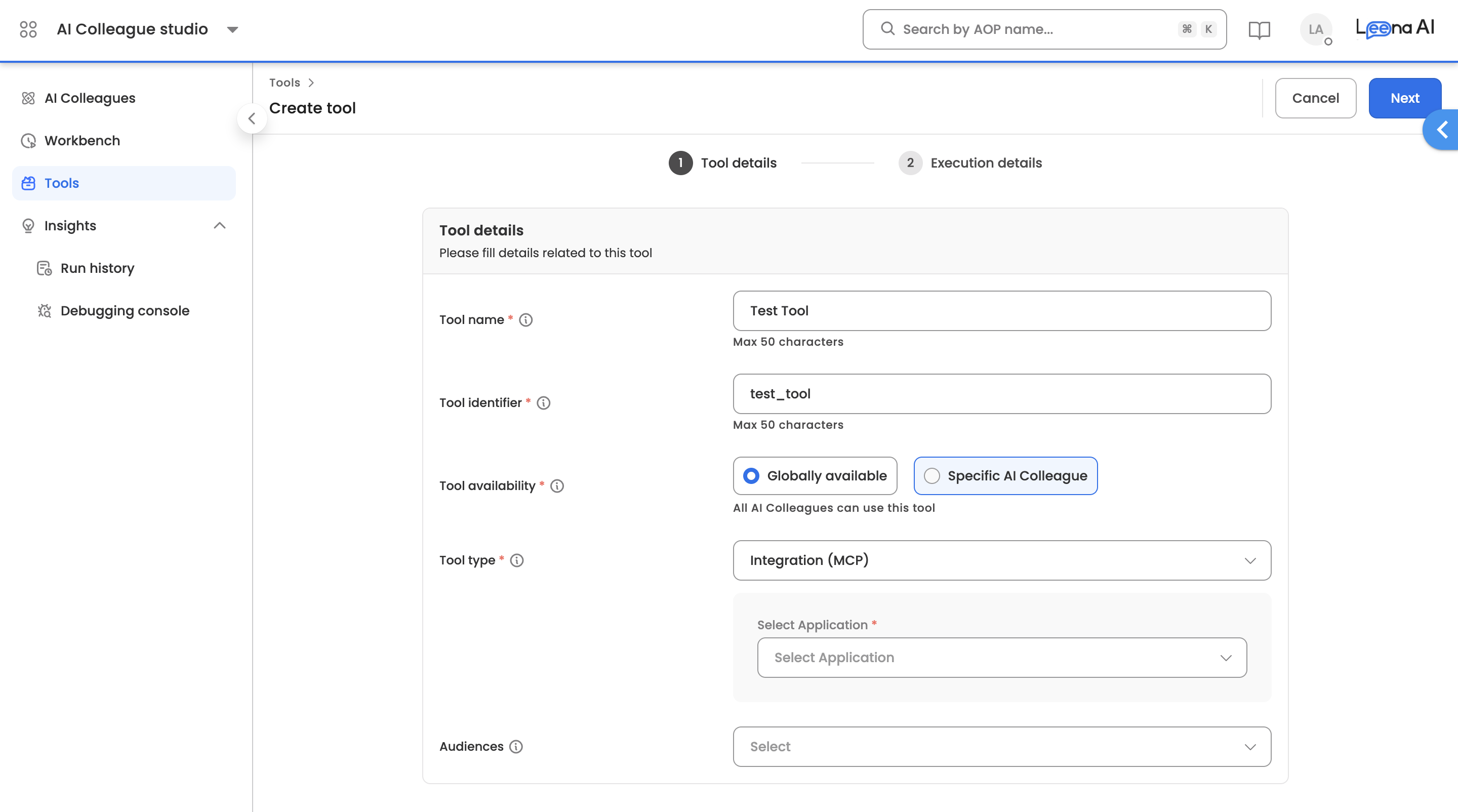
- Global — not tied to any AI Colleague, usable by any AOP. Created and managed by Admins only. Builders see Global tools in read-only mode.
- AI Colleague-specific — tied to a single AI Colleague, usable only inside that AI Colleague's AOPs. Either Admins or Builders (within owned AI Colleagues) can create these.
Execution scope — where the tool can be invoked from:
- AOP only — the tool runs only inside AOP executions.
- AOP + Master Orchestrator — the tool is also exposed to the Master Orchestrator for direct invocation.
The two settings interact: AI Colleague-specific tools are always AOP-only. The Master Orchestrator option is unavailable for them regardless of role. Only Global tools can be exposed to the Master Orchestrator, which keeps orchestration-level decisions under Admin governance.
Narrowing a Global tool's execution scope from "AOP + Master Orchestrator" to "AOP only" prompts a confirmation if the Master Orchestrator has executed the tool in the last 30 days, to prevent accidentally disrupting live behavior.
Workflow scope
Workflows in Workflows Studio can be scoped in three ways:
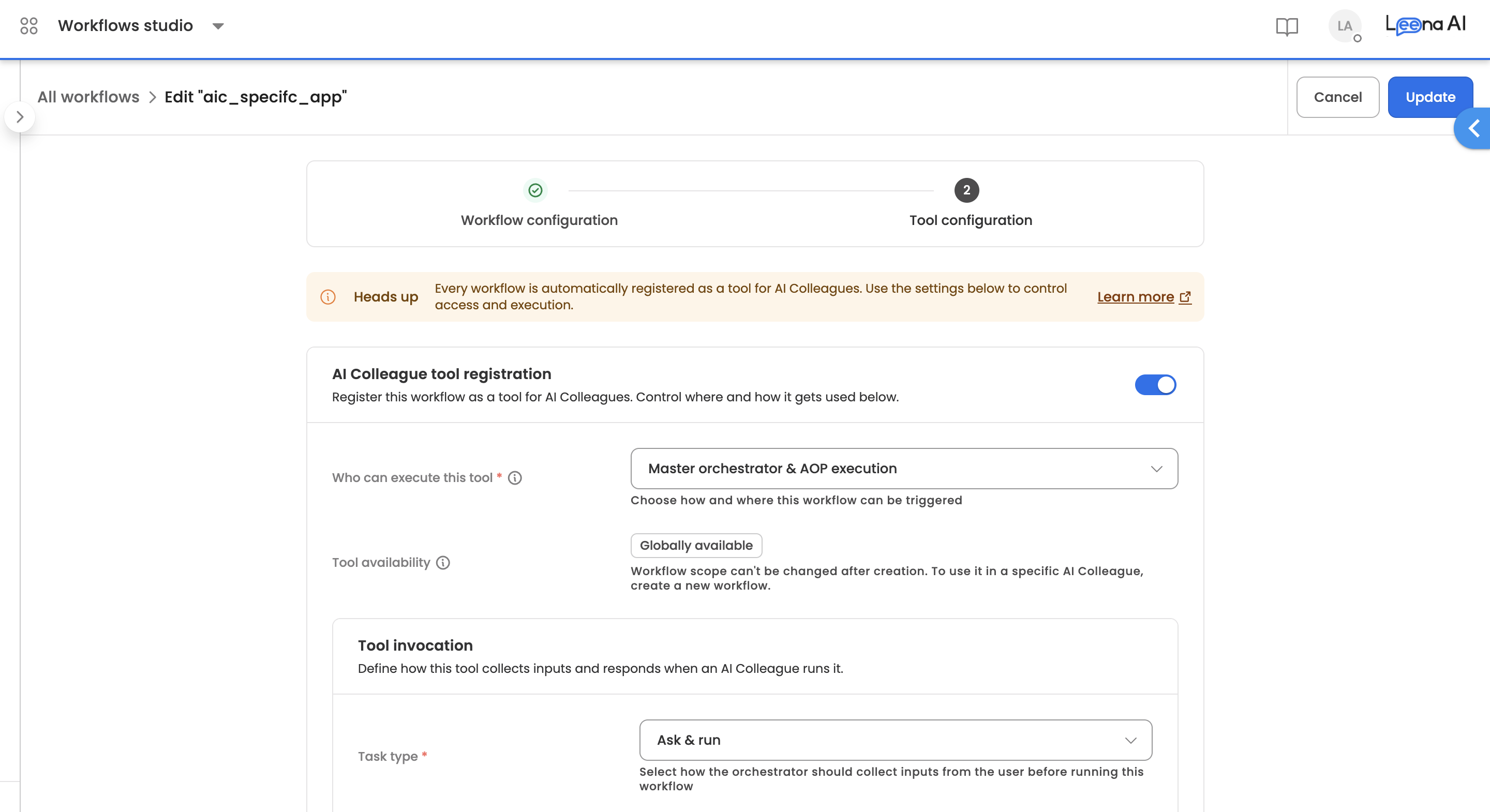
- Global workflow — not tied to any AI Colleague. Admins only. Can use global connectors only. Builders have read-only visibility.
- AI Colleague-scoped workflow — tied to a specific AI Colleague. Either Admins or Builders (within owned AI Colleagues) can create these. Can use both global and that AI Colleague's connectors.
- Unscoped workflow — not tied to any AI Colleague and not global (typically legacy workflows and utilities). Either Admins or Builders can create these; access is granted per workflow, with the creator getting access automatically.
A workflow can also be registered as a tool for use inside AOPs. When that happens, the workflow-as-tool follows the standard tool scoping rules above. A Builder can register an AI Colleague-scoped workflow as an AI Colleague-scoped tool for AOP execution within the same AI Colleague.
Before publishing, a workflow's connectors are validated against its scope (see Connector scope below). Incompatible connectors block publish.
Changing scope
Scope is set at creation and is largely fixed. The allowed changes are:
| Change | Allowed for | Blocked when |
|---|---|---|
| Tool: Specific AI Colleague → Global | Admin | The tool is referenced in any AOP of the current AI Colleague |
| Workflow: Specific AI Colleague → Global | Admin | — |
| Workflow: Unscoped → Specific AI Colleague | Anyone with edit access to the workflow | — |
| Workflow: Unscoped → Global | Admin | — |
What is not allowed:
- A tool's or workflow's AI Colleague cannot be changed after creation. It cannot be moved from one AI Colleague to another. To get the same tool or workflow in a different AI Colleague, create a new one there.
- A Global tool or workflow cannot be converted to AI Colleague-scoped or unscoped.
Notes on promotion to Global:
- Once a tool is referenced in any AOP of its AI Colleague, promotion to Global is permanently blocked — including for Admins. To promote it, first remove all AOP references.
- When a workflow is promoted to Global, its AI Colleague link is cleared and the AI Colleague's Builders drop to read-only access on it.
Connector scope
Connectors hold the credentials tools and workflows use to call external systems. They follow the same scoping idea as tools and workflows:
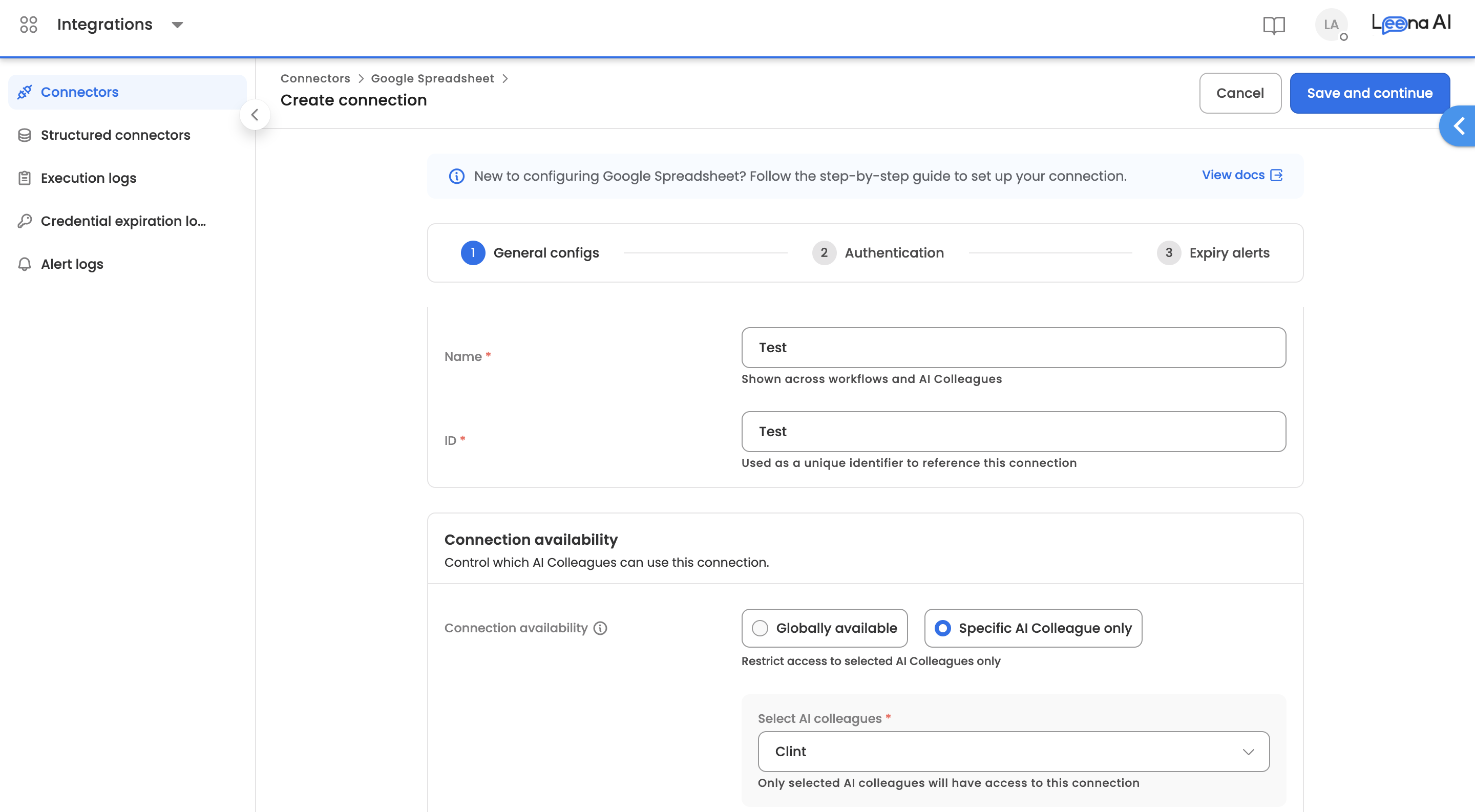
- Global connectors — usable by all tools and by global workflows. Admins only.
- AI Colleague-scoped connectors — usable inside a specific AI Colleague by its tools and its workflows. Either Admins or Builders (within owned AI Colleagues) can create these.
Which connectors something can use depends on its own scope:
- AI Colleague-scoped tools and AI Colleague-scoped workflows can use both global connectors and that AI Colleague's connectors.
- Global tools and global workflows can use global connectors only.
Connector compatibility is validated when a workflow is published: an AI Colleague-scoped workflow may only reference global connectors or connectors of its own AI Colleague; a global workflow may only reference global connectors.
Changing a connector's scope (moving it to an AI Colleague, or promoting it to Global) is an Admin-only action.
How roles get assigned
- System Admin grants the Admin or Builder role at the platform level.
- Admin assigns Builders as Owners on specific AI Colleagues.
- Builders can manage co-Ownership among themselves on AI Colleagues they already own.
Updated 3 months ago