
KM connector execution logs
Execution logs show the individual outbound API calls a KM connector made to your source system during a sync — the request, the response, and the status code. Use them when a sync fails and you need to know exactly what the source system returned.
Where to find them
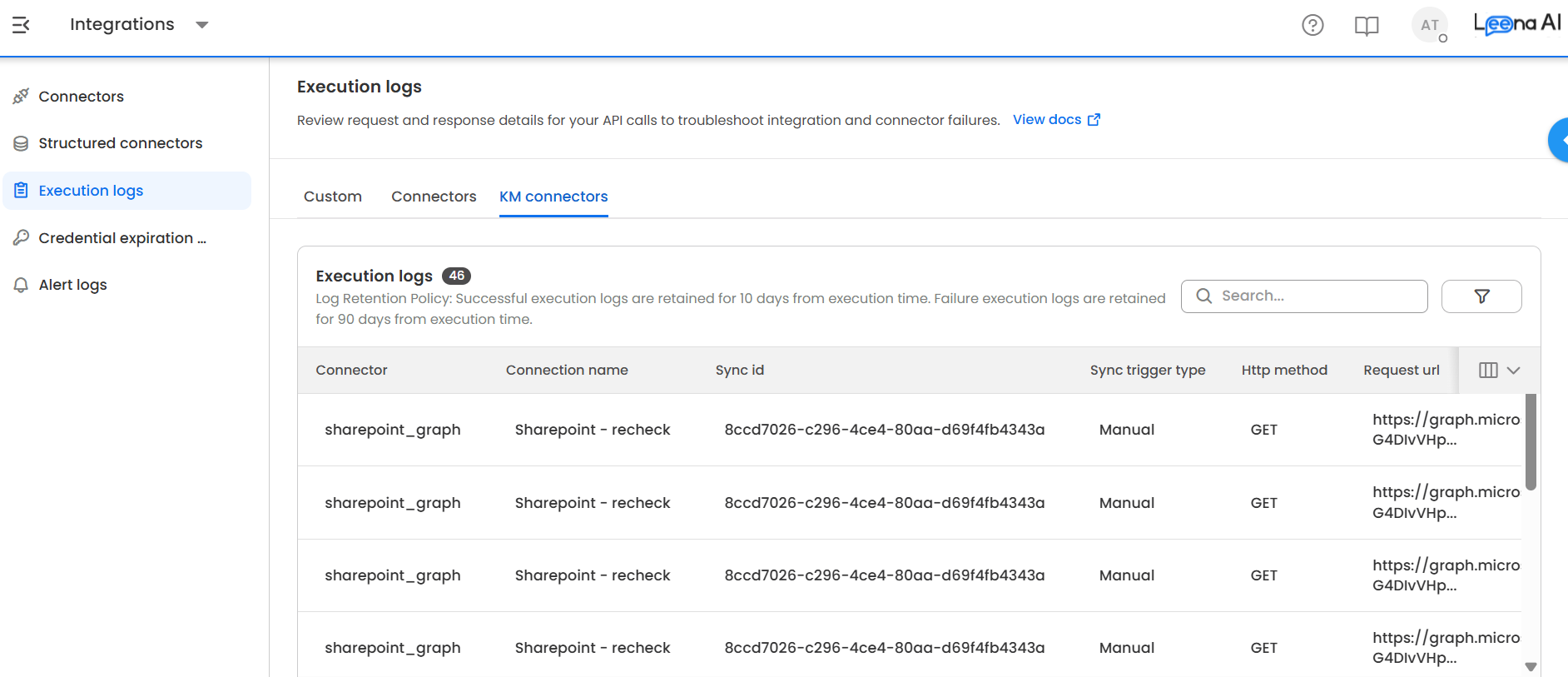
Go to Integrations → Execution logs, then open the KM connectors tab.
Columns
| Column | Description |
|---|---|
| Status | Success for a 2xx response from the source system, Failed otherwise. |
| Status code | The HTTP status code returned by the source system. |
| HTTP method | The method used for the call. |
| Request URL | The endpoint that was called. |
| Sync ID | The sync run this call belongs to. Use it to group all calls from one run. |
| Sync trigger type | Manual for a user-triggered sync, Auto for a scheduled one. |
| Request timestamp | When the call was made. |
Row details
Select any row to open the detail panel, which includes the request and response bodies and the call's metadata.
Filters
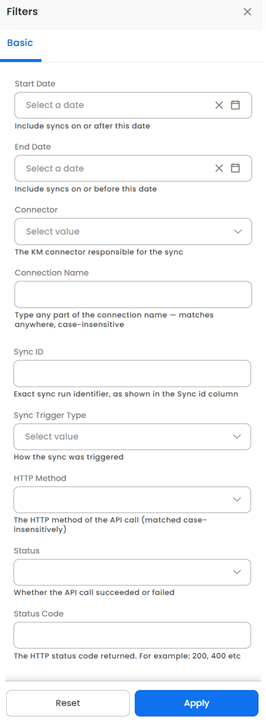
Filter the list by sync date range, connector, connection name, sync trigger type and request method.
Updated 3 months ago
Did this page help you?