
Web login errors
Web login errors records failed sign-in attempts to the virtual assistant, so you can see who couldn't get in and why.
This is the first place to look when an employee reports they can't reach the assistant. The error and login method together usually identify the cause without needing to reproduce it.
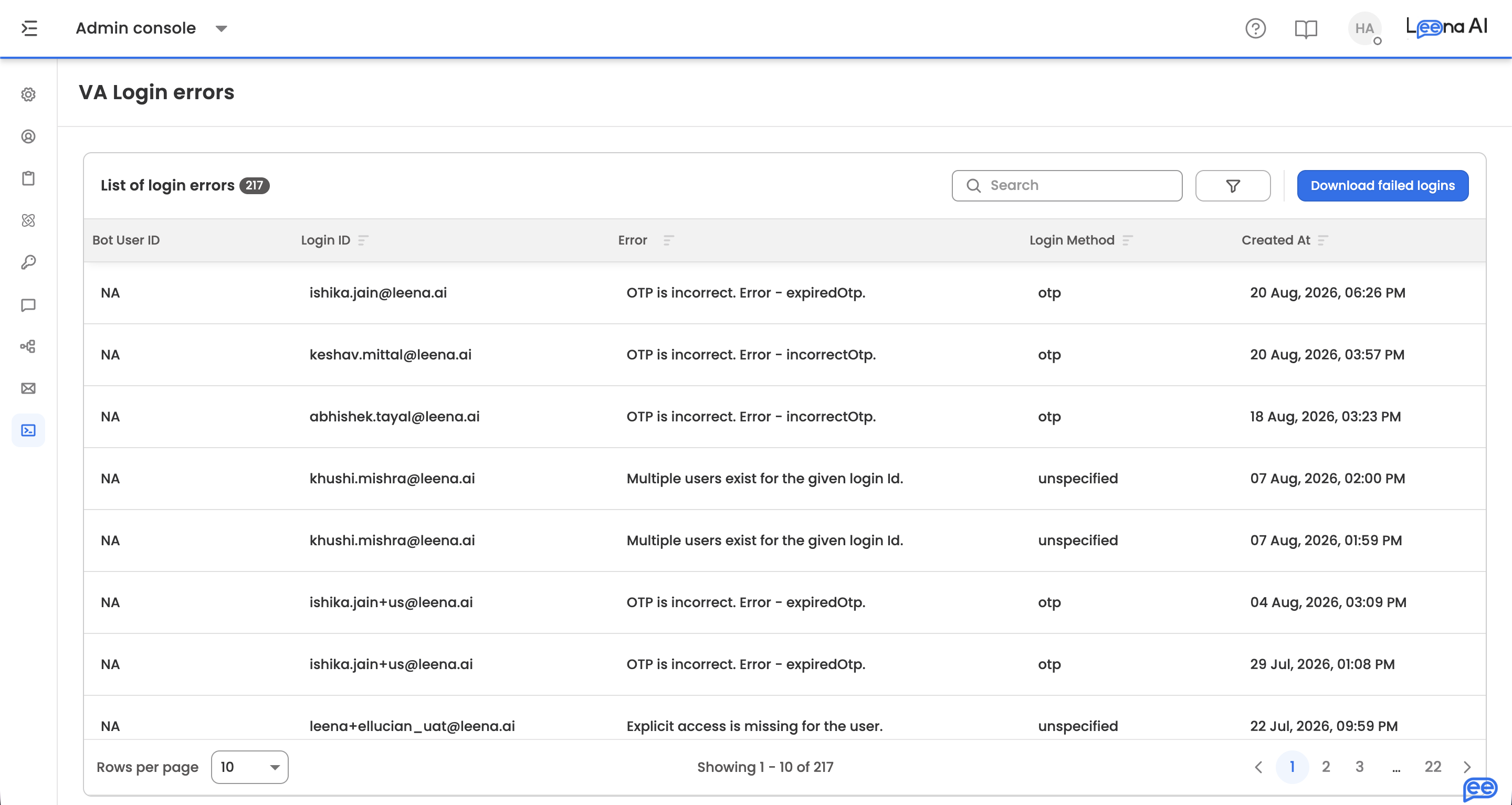
Where to find it
Open the Admin Console, then go to Logs → Web login errors.
The log
| Column | What it shows |
|---|---|
| Bot user ID | The bot user record the attempt resolved to, where one was found |
| Login ID | The identifier the person signed in with |
| Error | Why the attempt failed |
| Login method | Which method was used — OTP, SSO, OAuth, or custom |
| Created at | When the attempt happened |
Filter by date, including a custom Range, to narrow to the period an employee reported a problem.
Reading the login methodA cluster of failures on one method points at that method's configuration rather than at the employees. Repeated SSO failures for people in one email domain, for instance, usually mean a SAML app isn't matched to that domain — which is configured on Leena Channels → Web authentication.
Failure alerts
The page can email a recurring report of login failures, so problems surface without anyone watching the log.
| Setting | What it does |
|---|---|
| Disable alert mechanism | Turns the recurring report off |
| Subject | The subject line of the alert email |
| To | Who receives it. Choose from the available addresses |
| Report frequency in hours | How often the report is sent |
For finer control than a fixed interval, a cron pattern is available, with minute and hour components — useful when you want the report to arrive at the start of a working day rather than every N hours from whenever it was configured.
Updated about 2 months ago