
SAML apps
SAML apps are the identity provider connections behind single sign-on. You define each one here, then select it from Web authentication or Apps authentication when configuring SSO.
Keeping them separate means one connection can serve several channels, and a certificate rotation is done once rather than in every place SSO is configured.
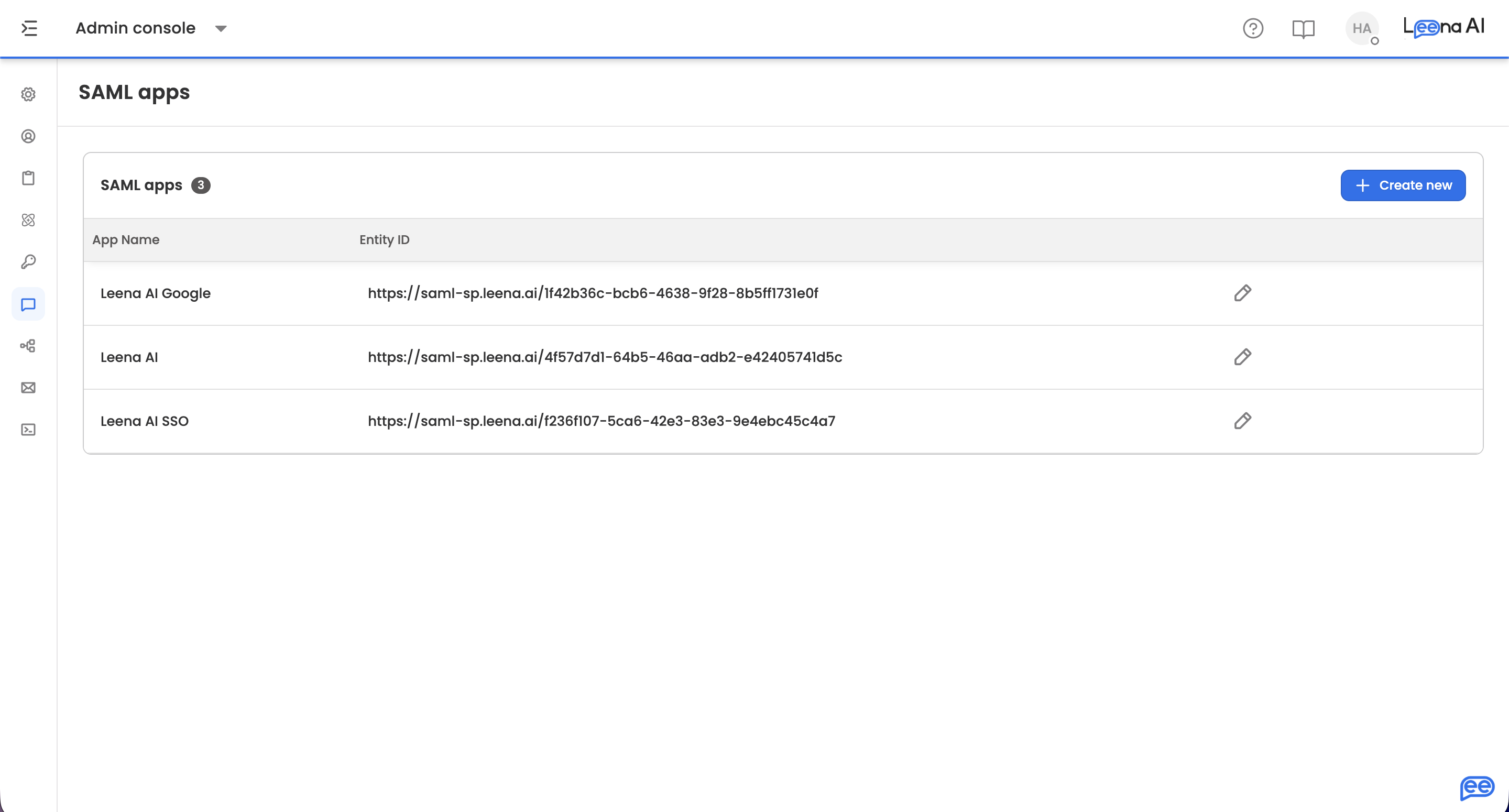
Where to find it
Open the Admin Console, then go to Leena Channels → SAML apps.
Creating an app
Click Create new. You'll be asked for two things up front:
| Field | Notes |
|---|---|
| App name | Mandatory |
| Entity ID | Mandatory. Cannot contain spaces |
Continue creates a blank app and opens it for you to complete. The app exists from this point, so leaving without finishing gives you an incomplete entry in the list rather than nothing.
Configuring the app
Starting from IdP metadata
If your identity provider gives you a metadata file, Upload IDP metadata is the fastest route — it parses the XML and fills the fields below for you. Only XML is accepted; anything else is rejected.
Going the other way, Download SP metadata gives you the file your identity provider needs to complete its side of the connection.
SAML app details
| Field | What it is |
|---|---|
| App name | The name shown when selecting this app during SSO setup |
| Entity ID | The service provider identifier for this connection |
| IdP Entity ID | The identity provider's own identifier |
| SSO URL | Where employees are sent to authenticate |
| SSO certificate | The signing certificate used to validate assertions |
| Signature algorithm | sha1, sha256, or sha512. Mandatory — prefer sha256 or stronger unless your provider requires otherwise |
| Identifier format | The SAML NameID format, from the standard list — unspecified, emailAddress, entity, transient, persistent, encrypted, X509SubjectName, WindowsDomainQualifiedName, and kerberos |
| Accepted clock skew (ms) | The largest time difference tolerated between client and server clocks when validating assertion timestamps. Default 6000 ms. Set to -1 to disable timestamp validation entirely |
Clock skew of -1 turns off a real checkTimestamp validation is what stops an old assertion being replayed. Disabling it is a debugging step, not a fix — if assertions are being rejected on timing, correct the clock drift or widen the skew slightly rather than switching the check off.
Claim rule config
Claim rules map what your identity provider sends into the attributes Leena AI uses. Each rule takes:
| Field | What it is |
|---|---|
| Identifier URL | The claim as your identity provider emits it |
| Formatted name | The readable name for that claim |
| Profile attribute | The Leena AI profile attribute it populates |
Use Add more to add rules, up to a maximum of 10. Map only the attributes you actually use — every extra claim is another thing to keep in step when the provider's configuration changes.
Testing
Test sign in runs the connection end to end before you attach it to a channel. Do this while you still have the metadata to hand, rather than discovering a certificate or URL problem when employees hit it.
Further actions are available under SAML app actions.
Saving
Save stores the app, with a confirmation on success.
Discard abandons a new app, after a prompt offering to save instead so you don't lose progress. Leaving with unsaved edits prompts you to save or exit anyway.
Updated about 2 months ago