
Other auth settings
Other auth settings holds the authorization rules that apply once an employee has signed in — the conditions deciding whether an authenticated person is actually allowed through.
Sign-in itself is configured elsewhere: Web authentication for browsers, Apps authentication for the mobile and desktop apps. This page governs what happens after either succeeds.
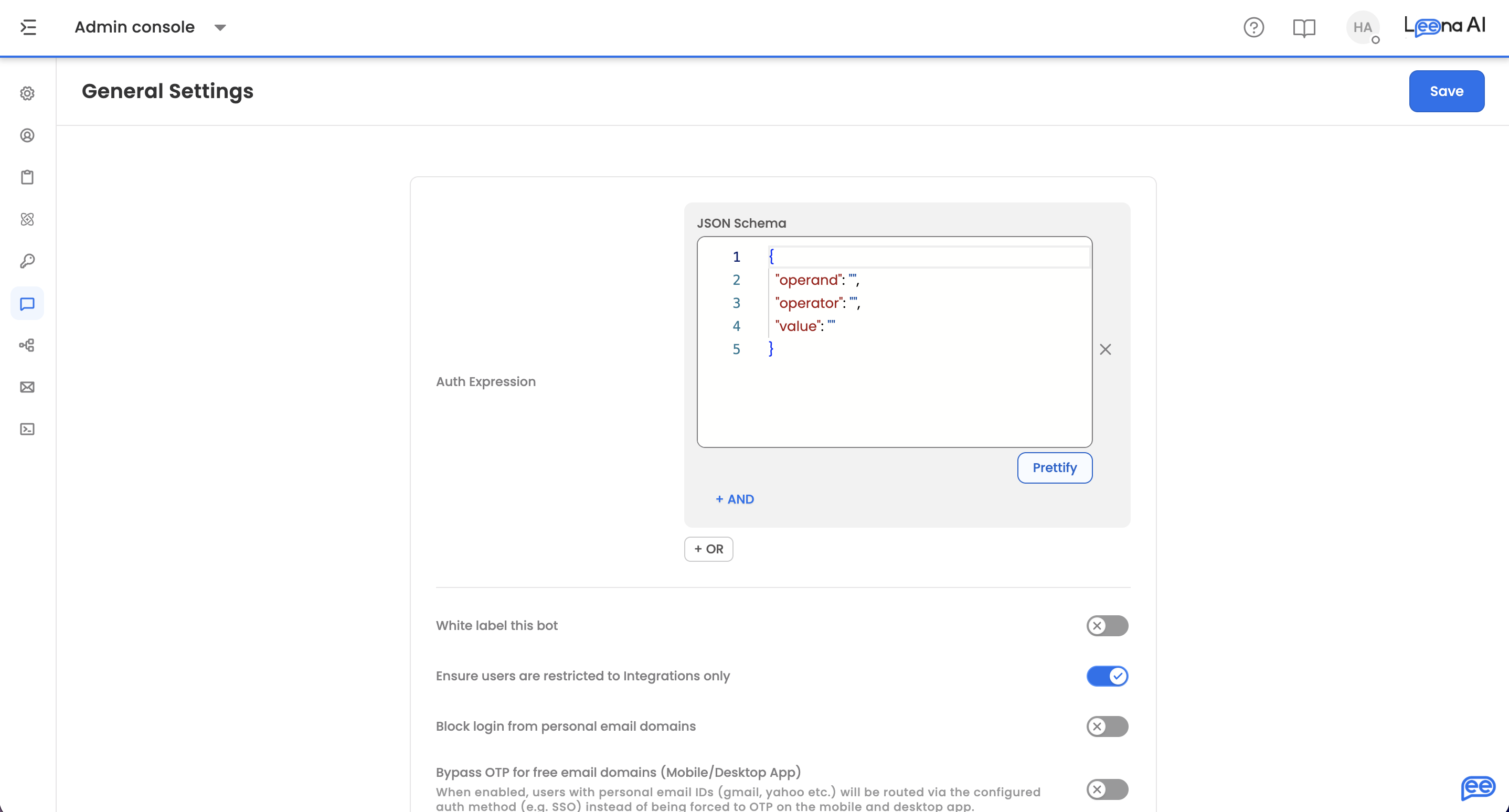
Where to find it
Open the Admin Console, then go to Leena Channels → Other auth settings.
Auth expression
The Auth expression builder assembles the conditions an authenticated employee must satisfy.
Each condition is written as a JSON Schema block naming the value to check, the operator, and what to compare against. Conditions are combined with + AND and + OR, and the builder shows the combinator between blocks so the logic reads top to bottom.
Use AND to require every condition — the stricter and more common choice. Use OR where any one of several conditions is enough, such as accepting people from either of two departments.
This gates access for everyone on the channelAn expression that no one satisfies locks all employees out, even though their sign-in succeeds — and the symptom looks like an authentication failure rather than an authorization rule, which makes it slow to diagnose.
Test with a real account before saving, and keep the expression as simple as the policy allows.
Additional settings
Below the auth expression, the page shows further configuration options for your workspace. These vary by deployment, since the set is supplied by the platform rather than fixed in the interface — so what you see reflects what applies to your setup.
Saving
Save applies the configuration. A confirmation appears on success, and an error if the configuration couldn't be saved.
Updated about 2 months ago