
Blacklist
Blacklist shows the email addresses Leena AI has stopped sending to, and lets you put them back.
Addresses are blacklisted automatically when the email provider reports a problem — a hard bounce, a spam complaint, or a repeated delivery failure. Continuing to send to them damages your domain's sending reputation, which is why the platform suppresses them rather than retrying.
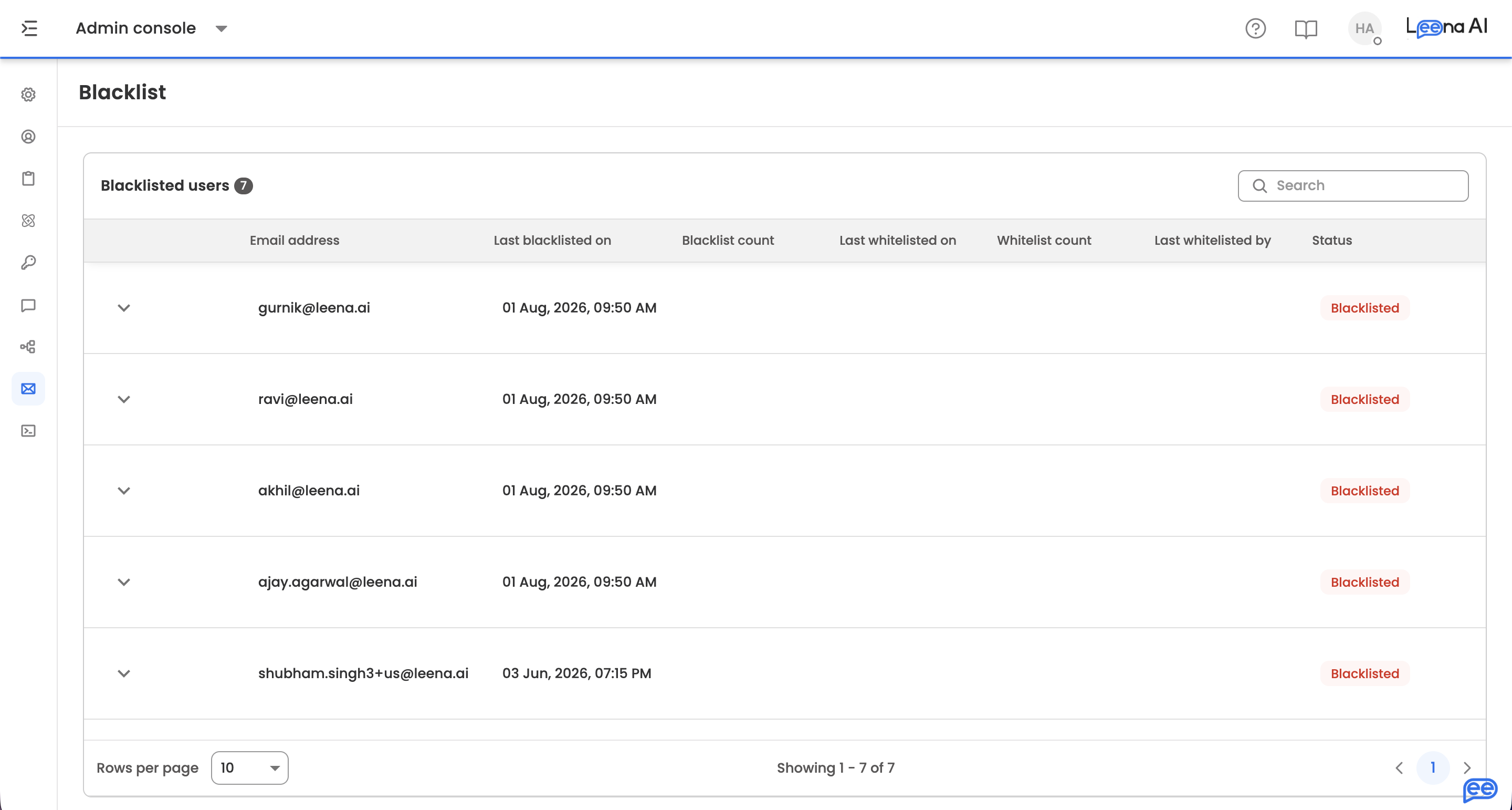
Where to find it
Open the Admin Console, then go to Email settings → Blacklist.
Blacklisted users
The table lists every suppressed address:
| Column | What it shows |
|---|---|
| Email address | The suppressed address |
| Last blacklisted on | When it was most recently blacklisted |
| Blacklist count | How many times it has been blacklisted |
| Last whitelisted on | When it was most recently restored |
| Whitelist count | How many times it has been restored |
| Last whitelisted by | Which dashboard user restored it |
| Status | Whether the address is currently whitelisted |
The two counts together tell you whether an address is a one-off or a recurring problem. An address blacklisted repeatedly after each restore has an underlying issue — a full mailbox, a mistyped address in the employee record, or a mail server rejecting your domain — and whitelisting it again won't fix that.
Investigating why
Each row links to the evidence behind the suppression:
- Mail Log — the delivery log for that address
- SendGrid Event or Mailgun Event — the provider's own event record, depending on which provider you use
Check the provider event before restoring an address. It distinguishes a hard bounce, which means the address doesn't exist, from a spam complaint, which means the recipient actively marked your mail as junk — and those call for different responses.
Whitelisting an address
Use the row action to whitelist an address and resume sending to it. A confirmation appears once it's done, and the whitelist count and Last whitelisted by update.
Updated about 2 months ago