
Hardcoded employee data checks
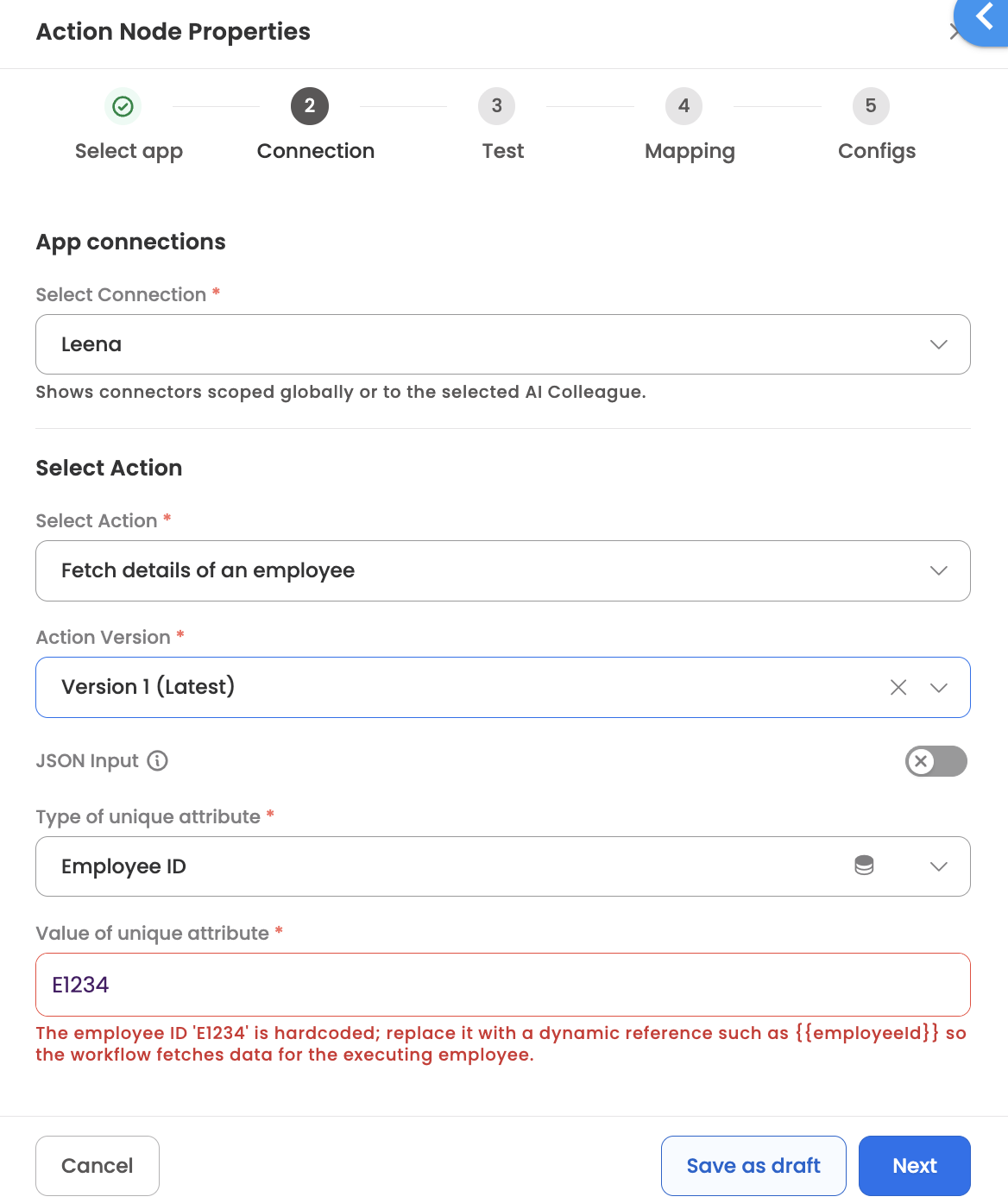
Workflow Studio checks Action and Function nodes when you save them for employee-specific or company-specific values that have been hardcoded into the node. This prevents a configuration built for one employee from exposing that employee's data to others at runtime.
What is checked
| Node | Checked areas |
|---|---|
| Action Node | API endpoints and URLs, input field mappings |
| Function Node | Code, arguments, output mapping, test output |
Severity
| Detected value | Examples | Result |
|---|---|---|
| Employee-specific | Employee ID, email, name, phone number, other personal identifiers | The first save is blocked and the field and detected value are highlighted. Replace the value with a dynamic reference (e.g. {{employeeId}}), or click Save again to proceed with it as-is. |
| Company-specific | Department, designation, location, OU, business unit | Warning. The node saves; a dynamic reference is recommended. |
| Employee data in test output | Names or IDs returned when you test a Function Node | Informational. The node saves. Expected when the node processes employee data — a reminder not to copy these values into the node. |
Detection is intentionally sensitive and may occasionally flag values that are not employee-specific. Review the highlighted field; if it is a legitimate static value, proceed or bypass as your role allows.
How the check runs
The check runs each time you save the node.
- First save — if a hardcoded value is found, the node is not saved and the flagged field is highlighted with the detected value.
- Second save — clicking Save again saves the node with the flagged value as-is.
- If you edit before saving again — the check runs on the updated configuration. If the value is still detected, the flag is shown again and the two-step save starts over.
To clear the flag rather than save through it, replace the hardcoded value with a dynamic reference from the Data Center (e.g. {{nodes.input_1.executionData.employeeId}}).
Detection is intentionally sensitive and may occasionally flag values that are not employee-specific. If the highlighted value is a legitimate static value, save again to proceed.
Not covered
- Workflows published before this check was introduced are not re-scanned.
- The check flags values but does not modify or fix them.
Updated 1 day ago